Identification of the valve characteristics
Requirements
- The axis and encoder types were configured in the MC3 axis settings; see Settings tab
- The velocity feedforward control of the position controller must be set to 1.0; see Init Parameter
Procedure
Once the MC3 axis is configured, the valve characteristic curve can be identified using the “Valve Characterization” option via the Motion UI, without the need for a PLC project.
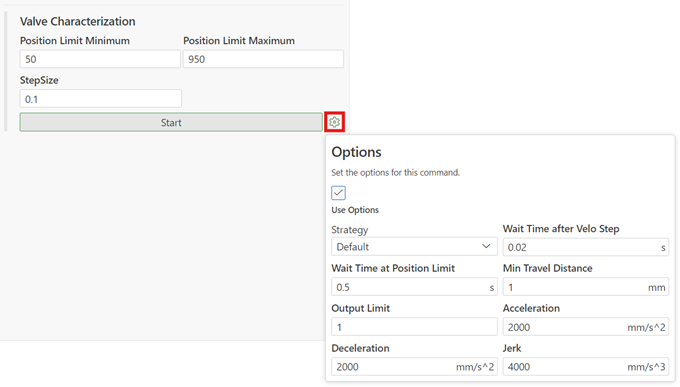
- Set the desired parameters.
- Perform the identification by clicking “Start”.
→ The button changes to “Stop”.
→ Once the valve characteristics have been successfully identified, the button changes back to “Start”. - To save the characteristic curve, see File access