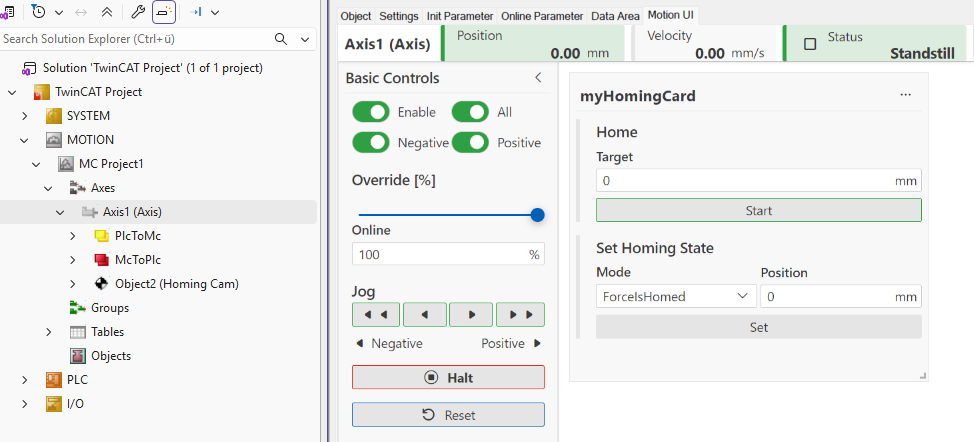
Homing modules
Homing refers to a process of referencing an axis in which the correct actual position is determined based on a reference signal. The process can be carried out using the MC. A successfully referenced axis signals McToPlc.Std.IsPositionValid = TRUE. in the cyclic interface.
The basic configuration is performed in TcCOM modules. The configuration includes the phases of a homing procedure (e.g., movement toward the reference signal or movement until a synchronization event occurs) as well as the associated boundary conditions in the form of object parameters. A homing module can optionally be added to an axis as a child object if the axis requires a homing procedure to operate. One homing module can be configured per axis.
Add homing module
- 1. In the MC project, right-click on Axes > Axis > Add New Item…
in the structure tree.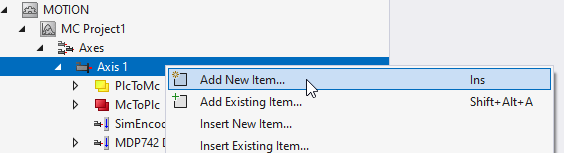
- 2. In the Insert TcCOM Object dialog box, navigate to the Homing group under Type and the Motion Control group.
- 3. Expand this group if necessary.
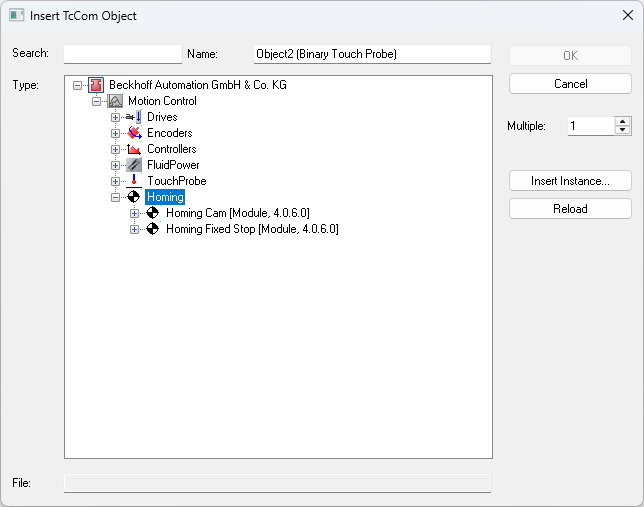
- 4. Select the appropriate homing module and complete the process by clicking the OK button.
Be sure to select the same module version as the one used for existing Motion Control objects in the Solution.
Start the homing procedure
The sequence configured in the homing module can be started in the PLC using the MC_Home function block. Alternatively, this can also be done using Home Control within a Motion UI card.