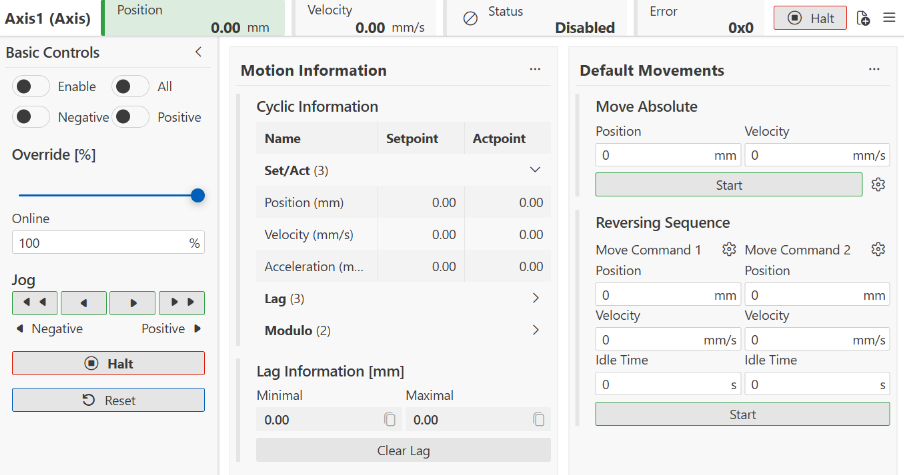
Motion UI tab
The Motion UI tab contains a commissioning interface (Motion UI) for the axis, intended for commissioning and testing purposes. It provides basic commands as well as information about the axis and its state. Motion UI can be customized to suit individual users.
In this documentation, Motion UI is divided into two sections:
- 1. Widget bar with status information and quick access icons at the top
- 2. Cards in the main section