Creating an MC project
- A TwinCAT project has been created.
- 1. In the tree view, right-click MOTION > Add New Item…
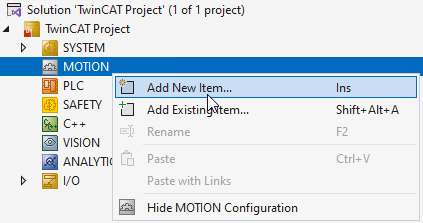
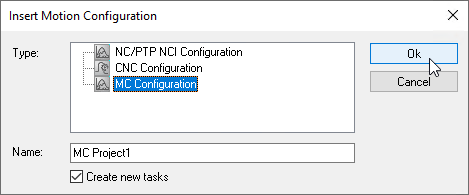
- The Insert Motion Configuration dialog opens.
- 2. Select MC Configuration.
- 3. Assign a project name.
- 4. Confirm your entries by clicking OK.
- A MC project with the selected name is created.
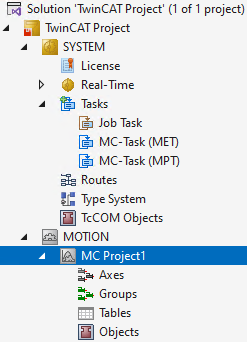
 | “Create new tasks” option selected A new MET task and an MPT task will be created for the MC project.
|