Description
The condition for using the taper link function is a 2-path configuration.
Tool radius compensation permits the programming of a workpiece contour irrespective of tool geometry. When tool radius compensation is selected (G41, G42), a tool path is calculated that is equidistant to this programmed tool contour at a distance of the "tool radius".
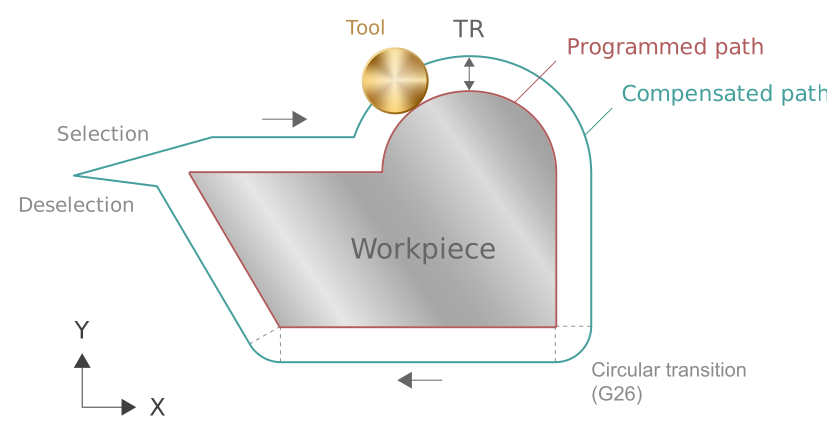
When an equidistant path is generated, tool radius compensation inserts contour elements in order to obtain a continuous contour (C1). Using tool radius compensation to insert contour elements is path-specific and is dependent on the geometric transitions of each contour. As a result, the two contours have a different number of geometric elements.
The taper link function then synchronises the reference (lower) and secondary (upper) paths in order to retain the originally programmed connection (wire angle) between the two paths.
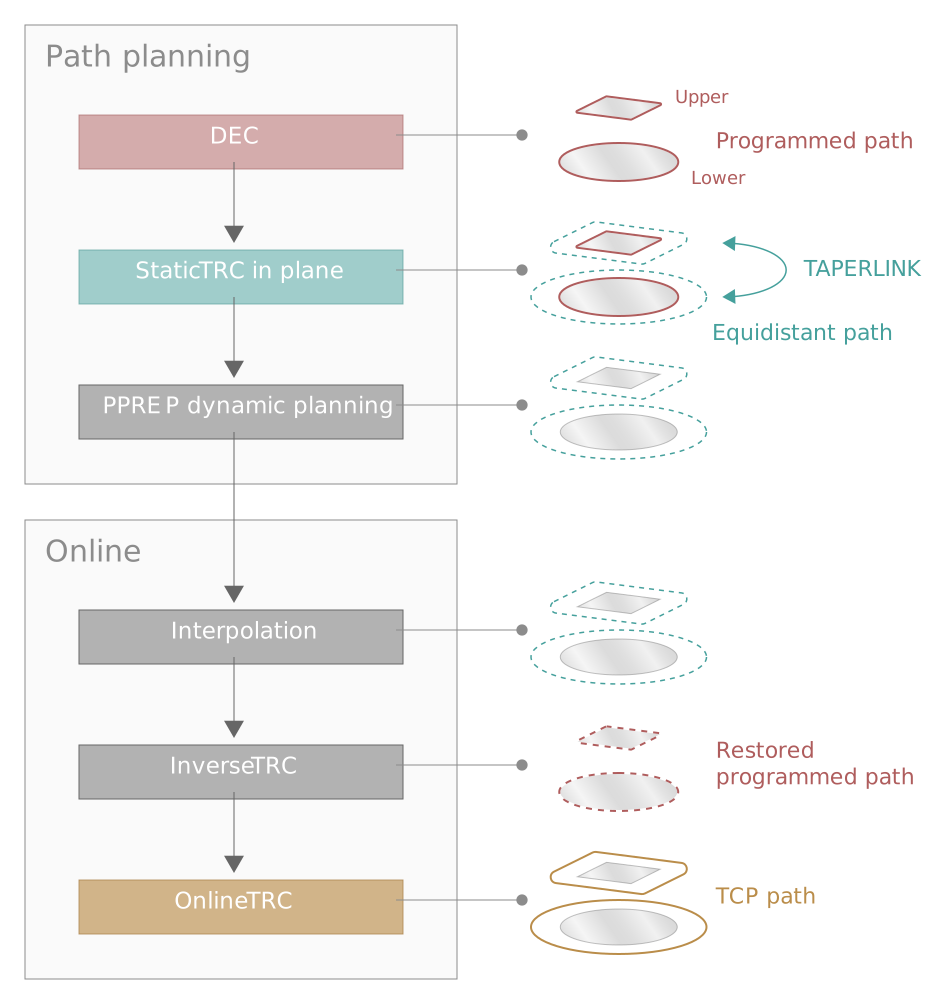
Any geometry (linear, circular) in a contour can result in a compensation motion in the other (linear) path.
The functionality is activated by the NC command #TRC [TAPERLINK=1/2/3] when tool radius compensation (G41/G42) is active.
There is no predefined sequence of NC commands.
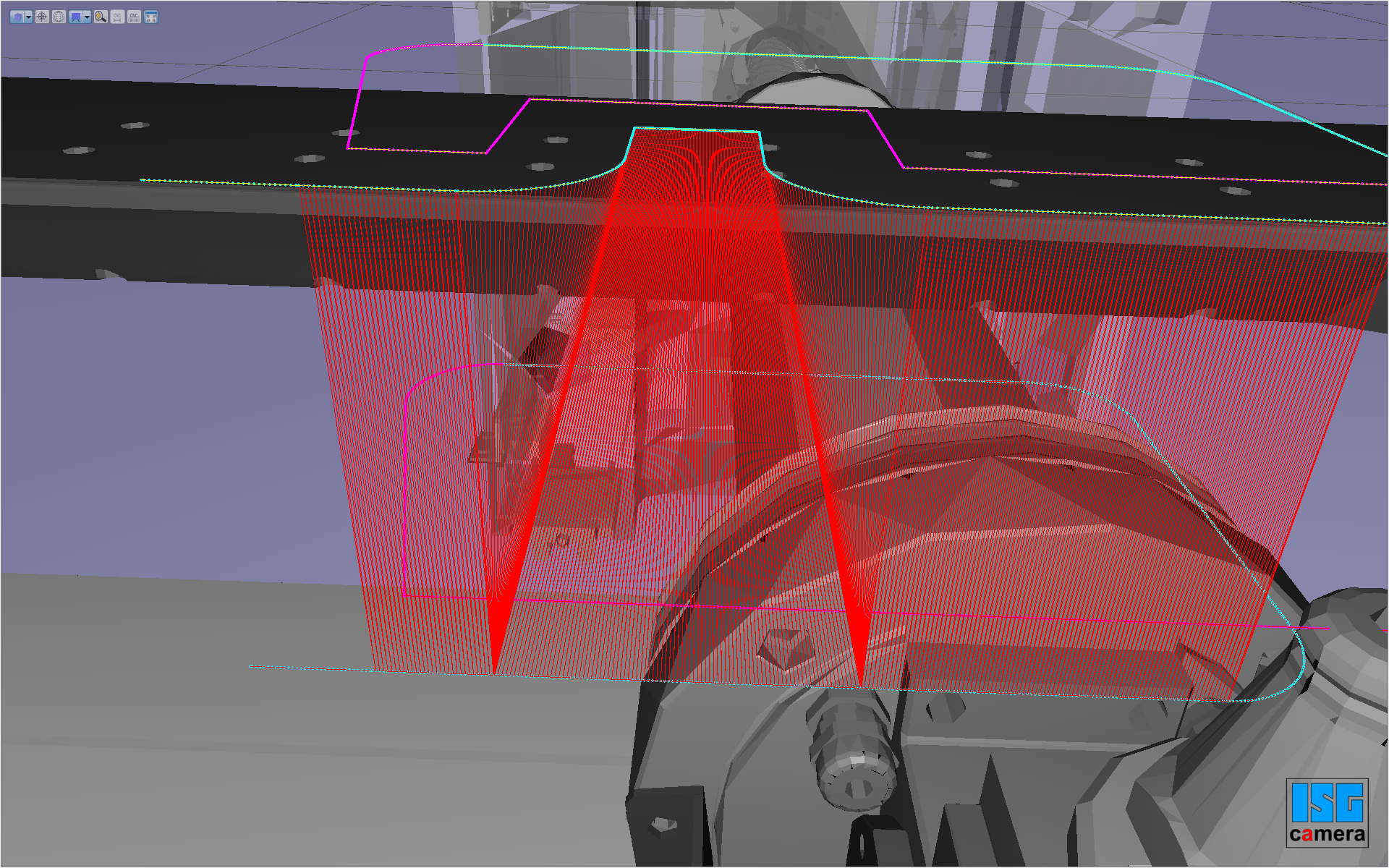
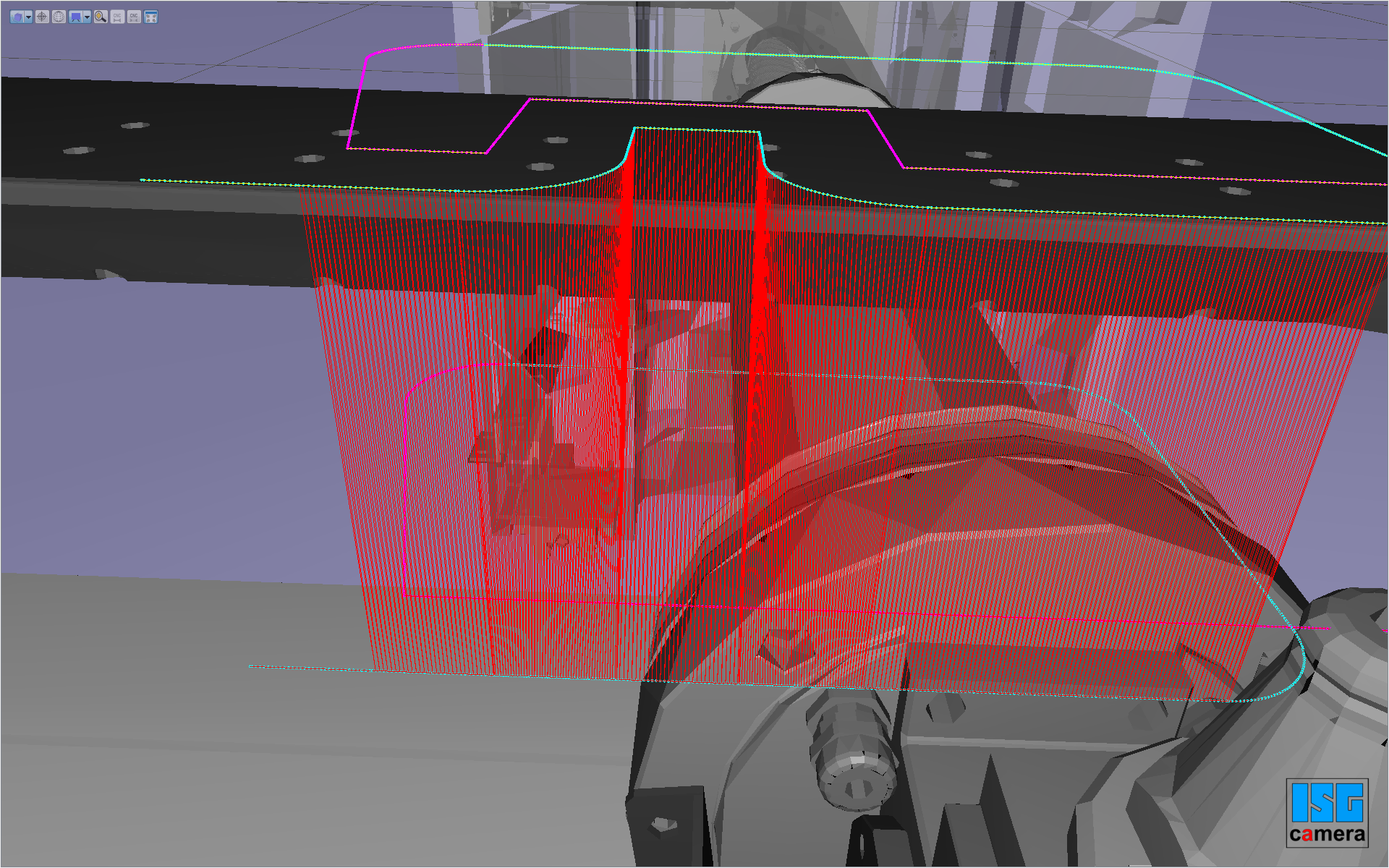
Schematic diagram of taper link function (inactive/active)
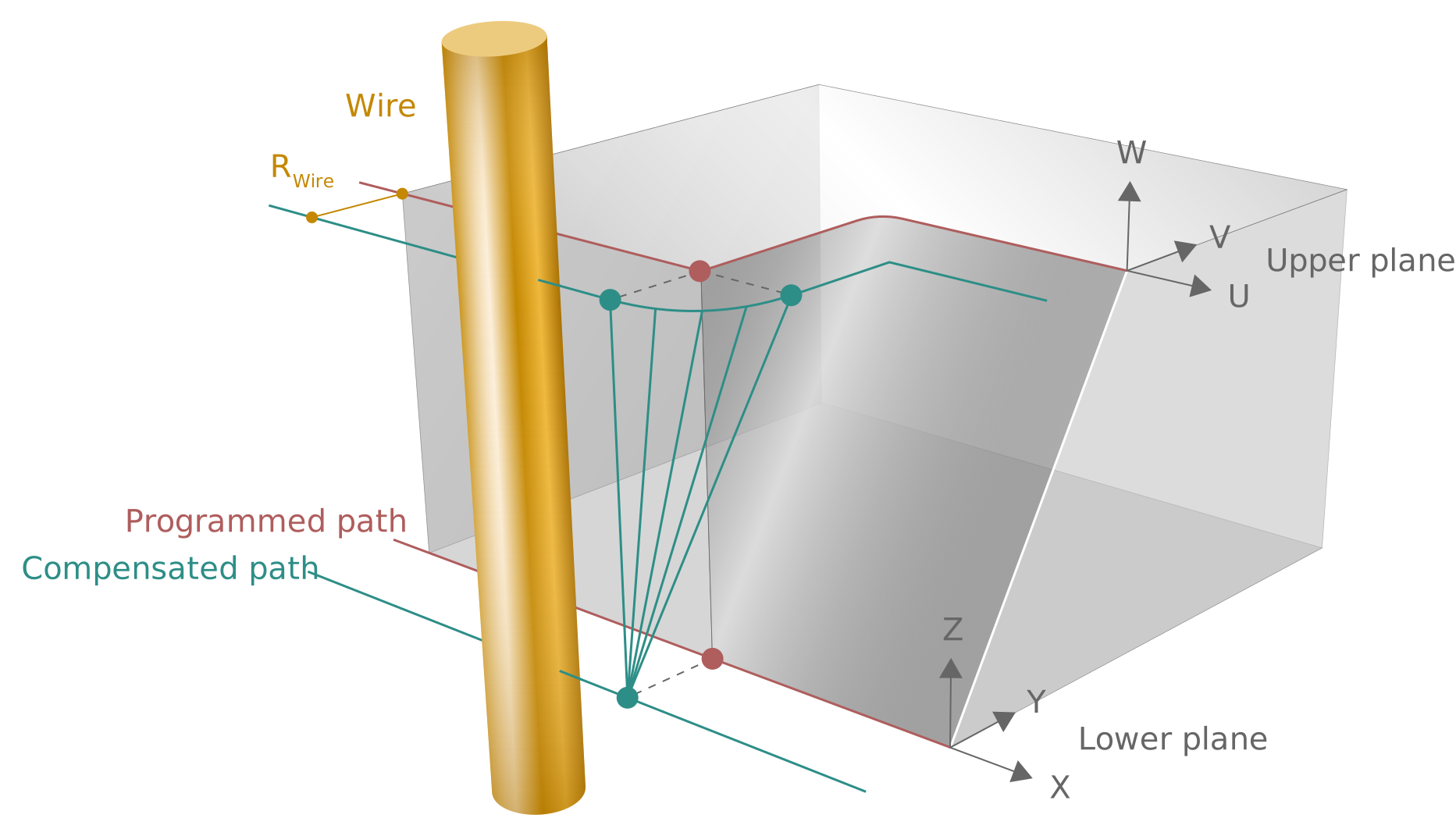
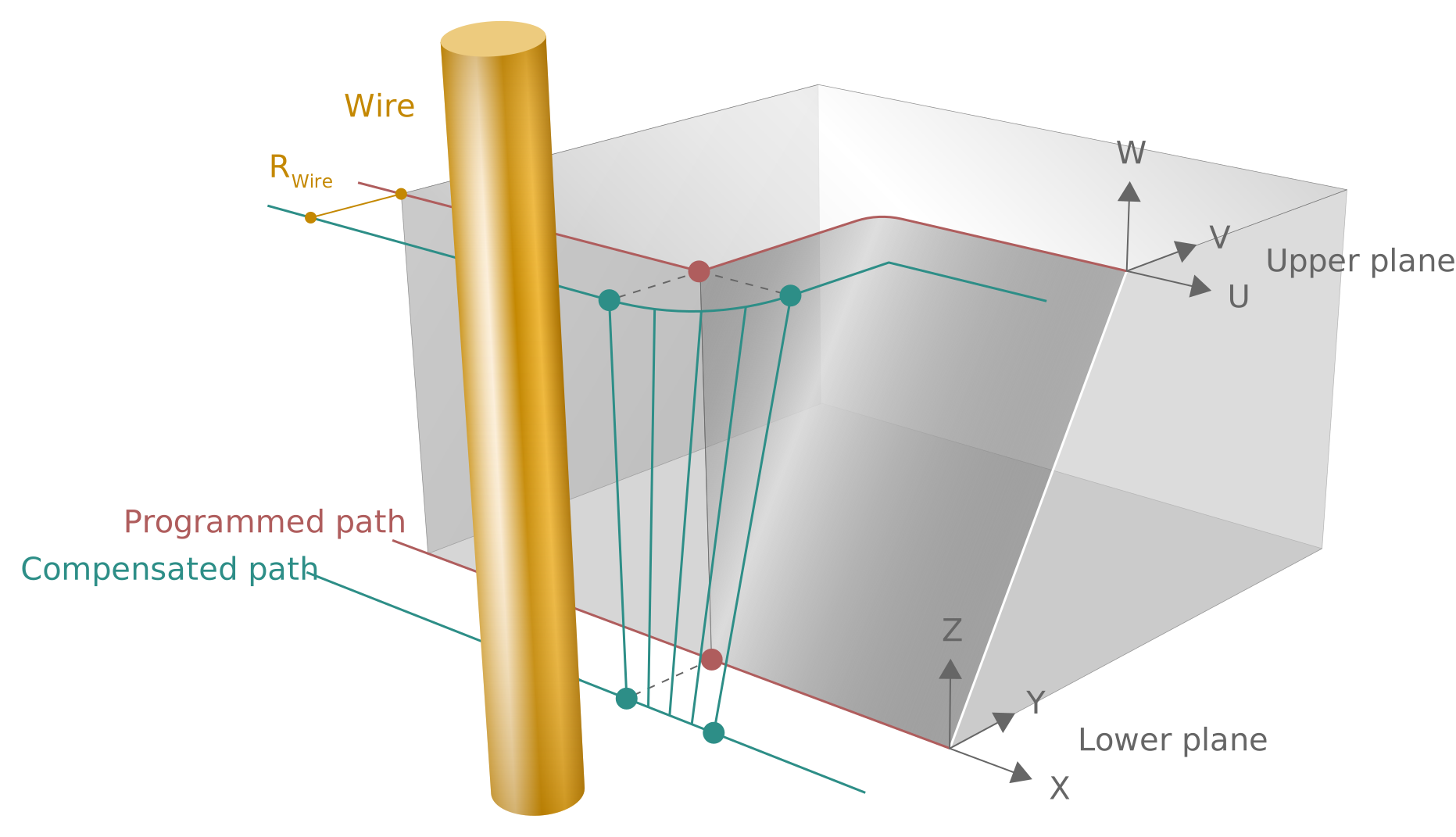
The taper link functionality is shown by means of a simple geometry (inactive/active):