Description
Prerequisite:
In order to use online tool radius compensation, the generated parallel path of the static tool radius compensation in the non-real-time part of the CNC must supply a C2 continuous contour (i.e. curvature continuous). For this reason, the selection of commands is restricted to static tool radius compensation.
The list of available and impermissible commands for tool radius compensation is in the sub-section Overview of commands.
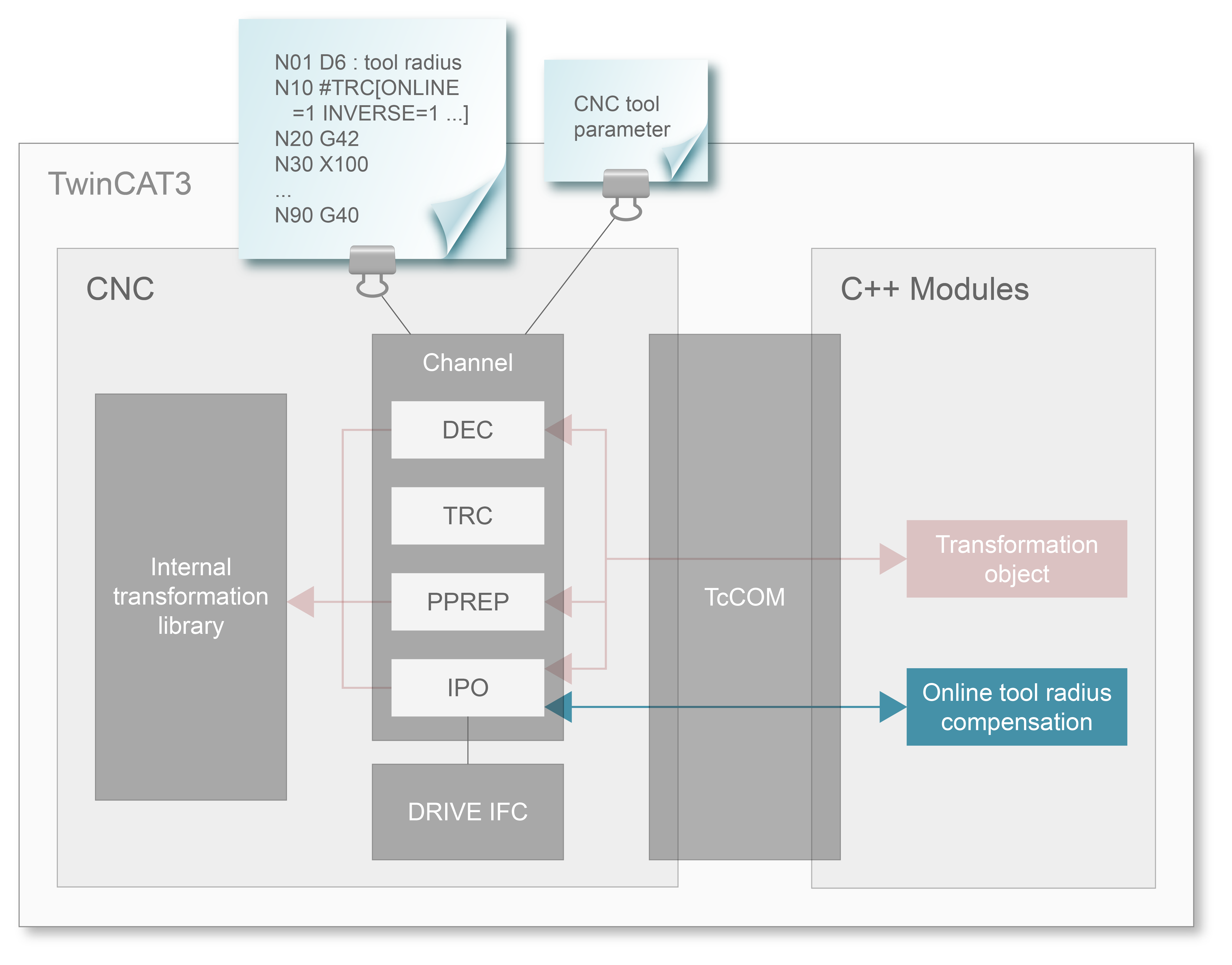
Sequence in the NC channel
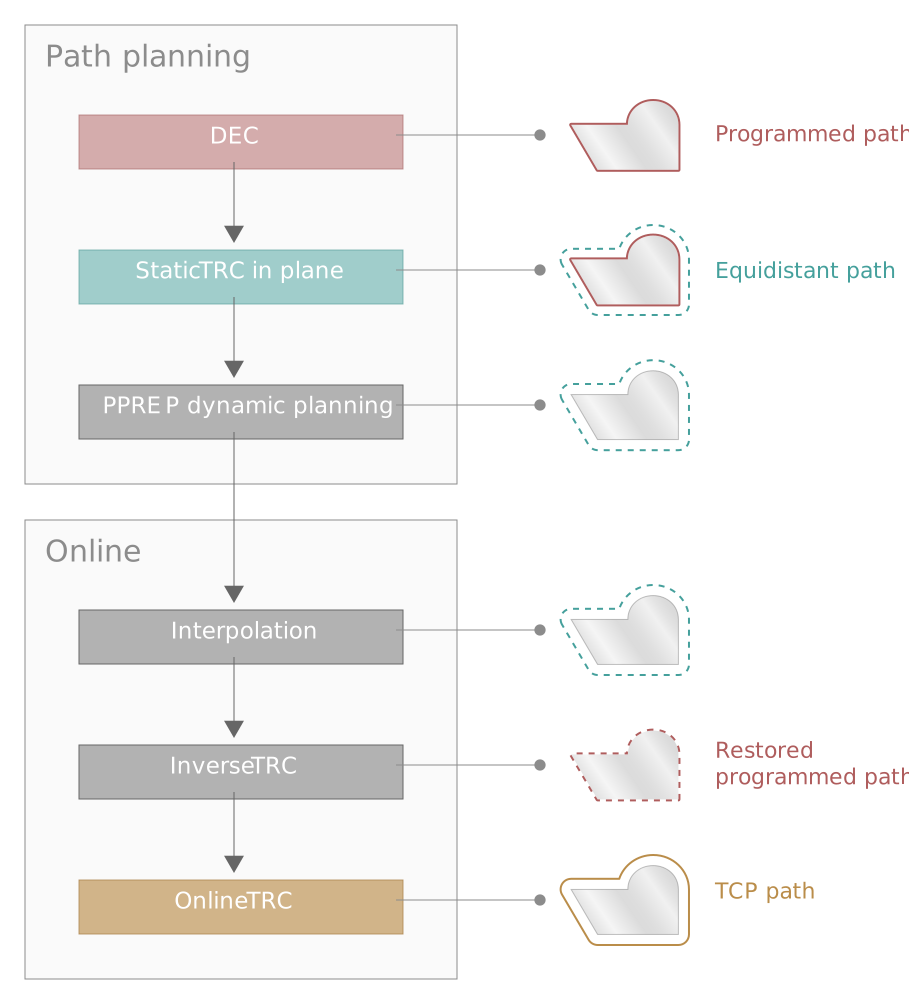
The figures below describe the principle sequence.
The NC program generated is used to determine a parallel path in the non-real-time part of the CNC and for which dynamic planning is carried out:
Dynamic planning using this parallel path is only adequately precise for online TRC for small radii (approx. < 1 mm) and small tool inclinations (approx. < 15 °). A deviating path generated by online TRC is not taken into account by dynamic planning. In extreme cases, this can result in acceleration overshoots.
This dynamically planned path is used to recalculate the programmed path in the real-time part of the CNC. This is then followed by the online tool radius compensation that calculates the compensation data in each cycle.
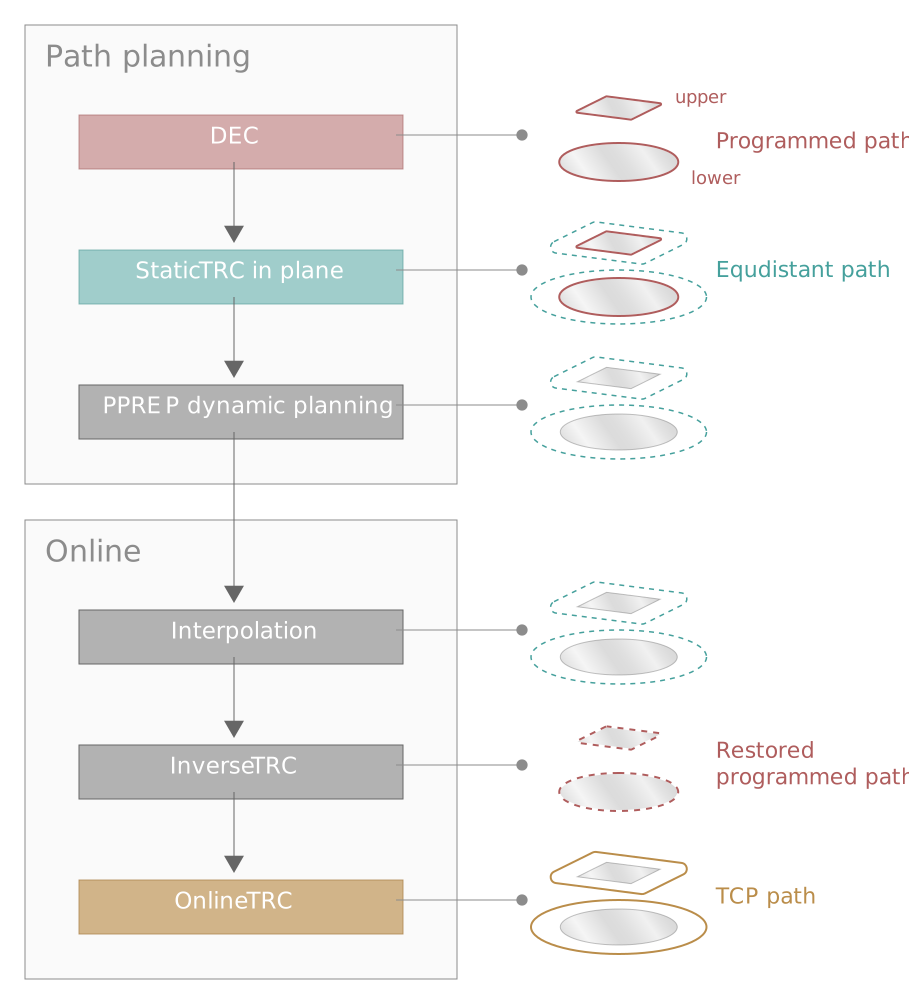
Multi-path configuration and tool radius compensation
Tool radius compensation allows 2 paths to be programmed in an NC line, see the PROG section: 2-path programming. The parallel path and dynamic planning are executed in each path independently of any other path. At the time of interpolation, the two paths are output again synchronised.
This takes place provided the parameter P-CHAN-00550 is set:
You can integrate your own online tool radius compensation based on the “Extracted programmed path”.
Application example
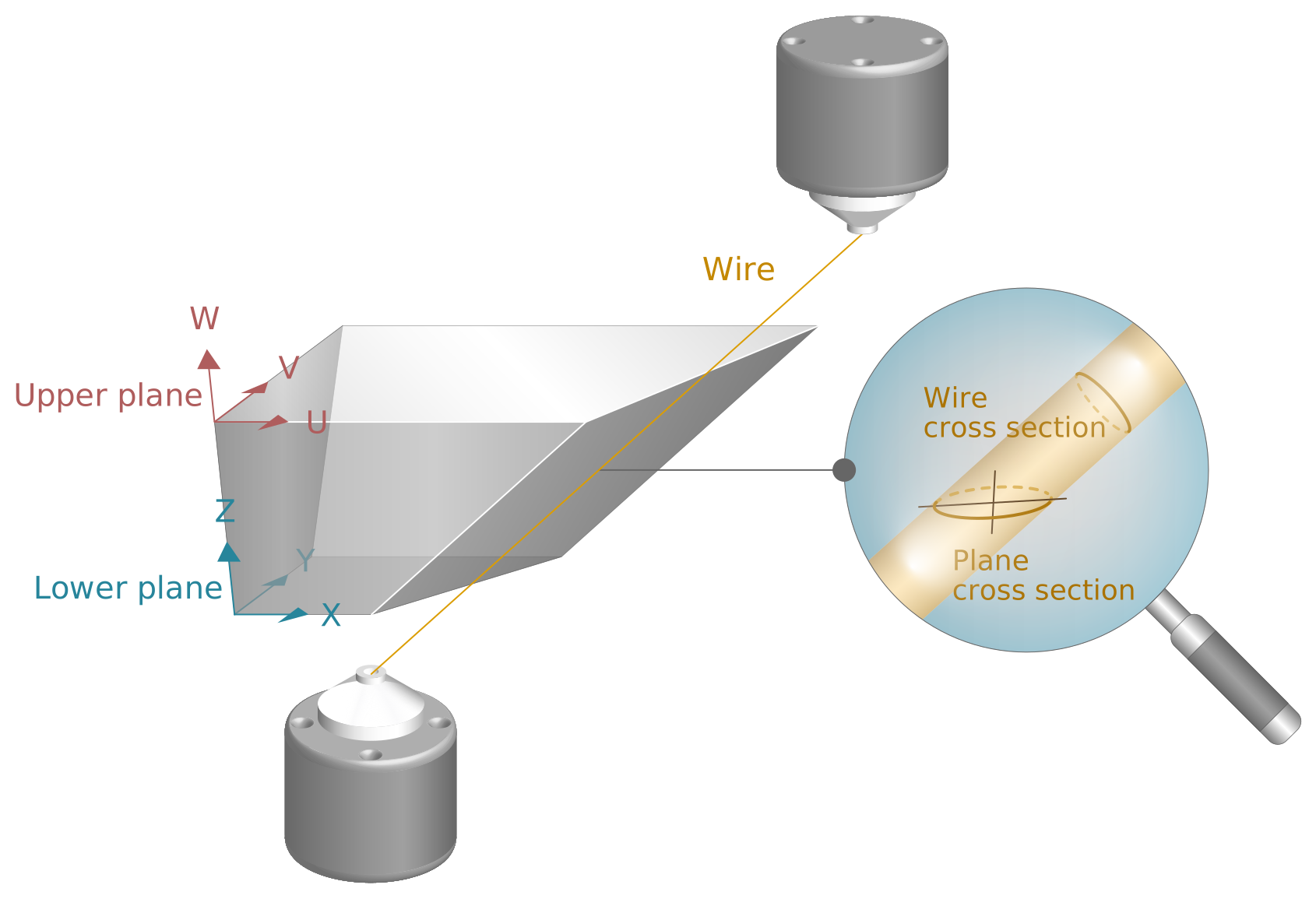
A possible application is to use a TcCOM object in conjunction with a 2--path application. When the tool (wire) is inclined, an ellipse is then produced from the tool radius in the plane.