TCP lateral offset
In some manufacturing processes, it may be desirable to correct the contact point of the tool on the workpiece (TCP).
The CNC Lateral Offset function permits the XY of the TCP to be corrected in the (projected) tool direction. The size of the offset depends on the tilt angle of the tool and can be configured by the user in a table.
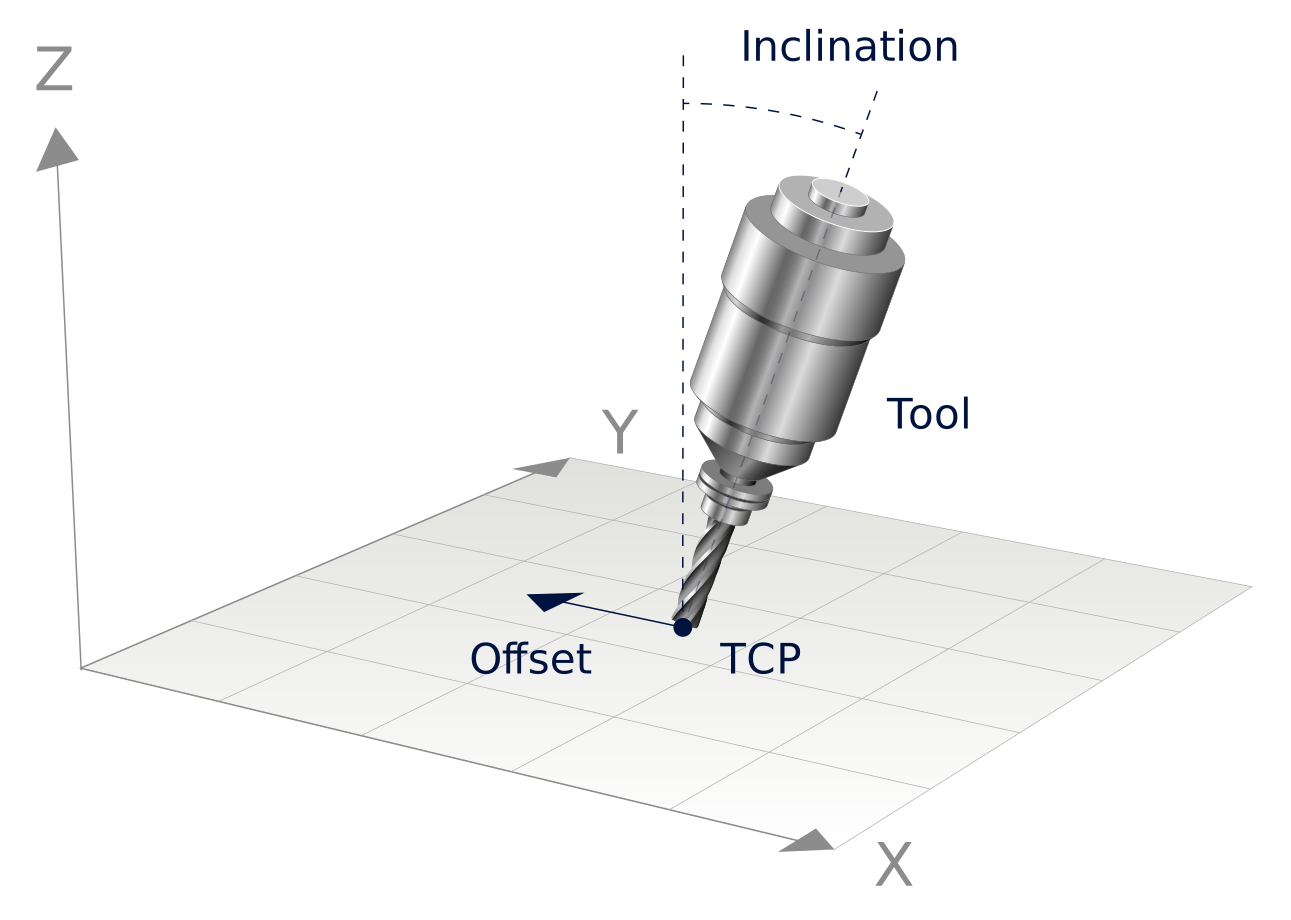
The lateral offset functionality is a property of machine kinematics. The following kinematics are supported:
- Kinematic 90
The lateral offset functionality must be activated using P-CHAN-00456 (retract_after_error). Each of the lateral offsets is configured in the kinematic parameters.
Configuring a lateral offset
A lateral offset is dependent on the orientation of the tool:
- The angle between Z and the tool (tilt) determines the offset size.
- The XY projection of the tool direction determines the offset direction.
Example
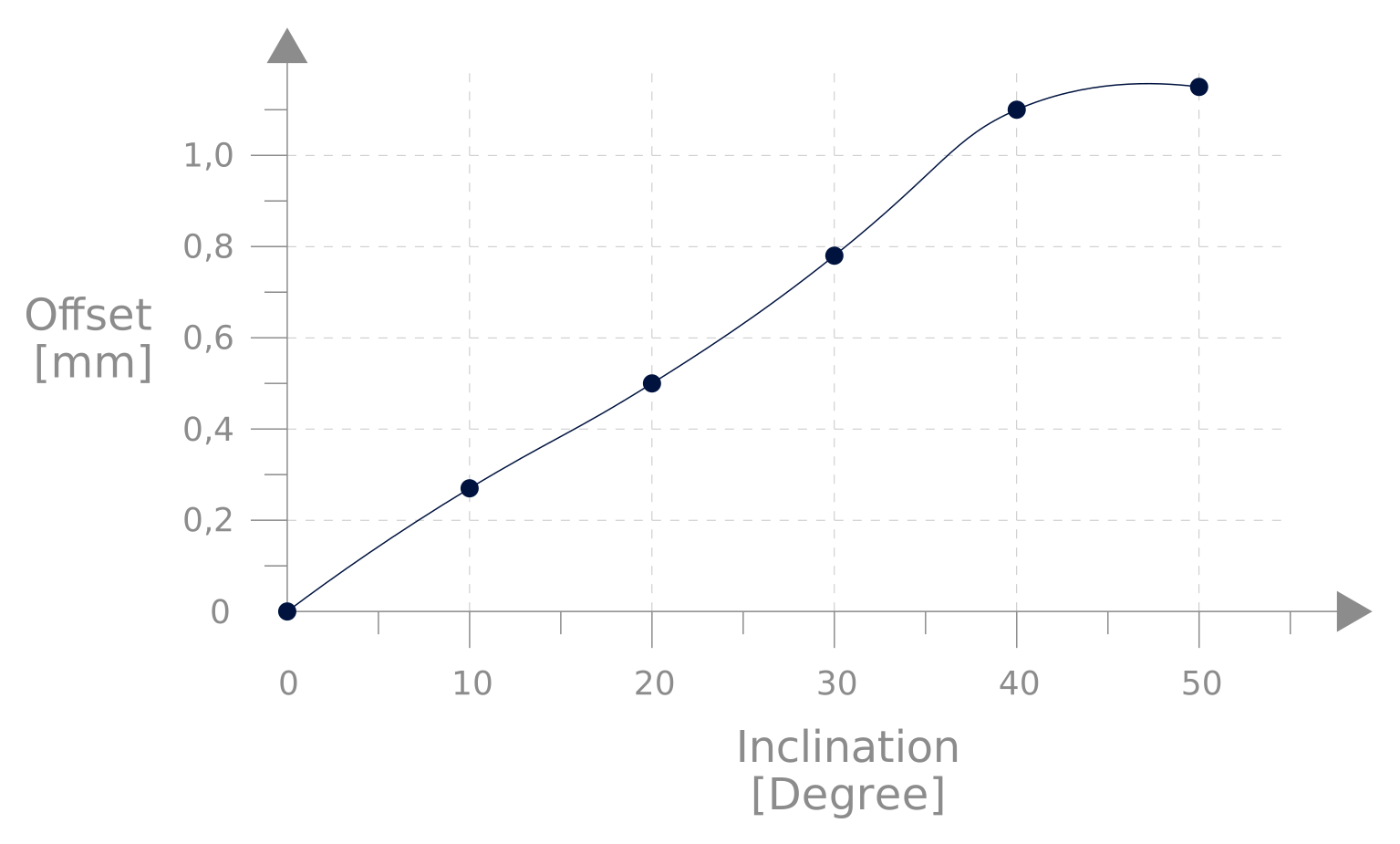
Empirical values and lateral offset
It is assumed that the user has determined the following empirical values for the offset.
Tilt | Required offset |
|---|---|
0 ° | 0 mm |
10 ° | 0.27 mm |
20 ° | 0.5 mm |
30 ° | 0.78 mm |
40 ° | 1.1 mm |
50 ° | 1.15 mm |
This table is configured in the kinematic parameters (P-CHAN-00263) of kinematic 90 from index 20 onwards.
The units used are 10^-4 degrees for tilt and 10^-4 mm for the offset. The values for tilt and offset are entered alternately.
The values in this table are smoothed by the CNC.
Programming examples
After the kinematic is activated, the lateral offset is active and is executed with the next motion block.
Programming Example
Select kinematic 90 with lateral offset
Programming Example
Lateral offset with constant tilt
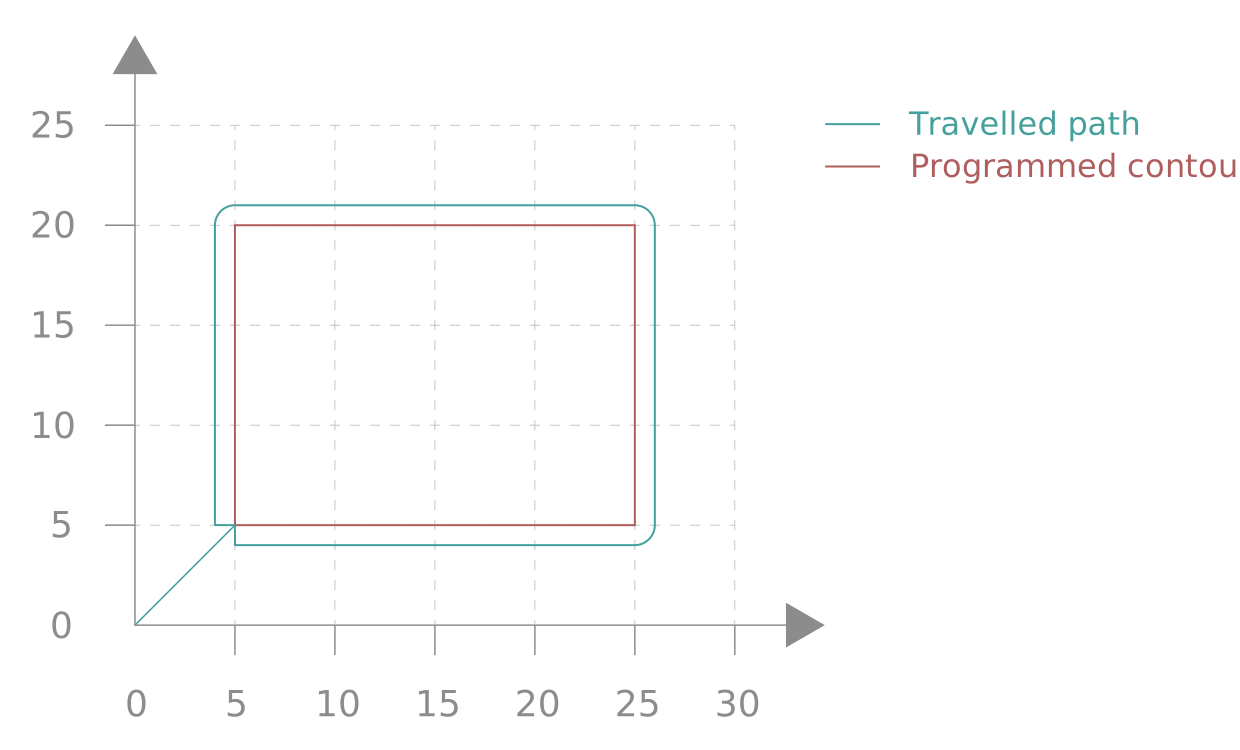
With a constant tilt and when #CAXTRACK is used, lateral offset is similar in effect to a tool radius compensation.
The condition here is to define a C axis as the tracking axis. This is defined either by the NC command #CAXTRACK or P-CHAN-00095.
The table for tilt and offset must meet the following conditions:
- The number of table entries in trafo[].param[20] must be greater or equal to 0.
- The data must be sorted by ascending tilt.
- The tilt may not be negative.
- If a tilt of 0° exists, its associated offset must be 0mm.
If these rules are not met, the error ID 292072 is output when the transformation is selected.