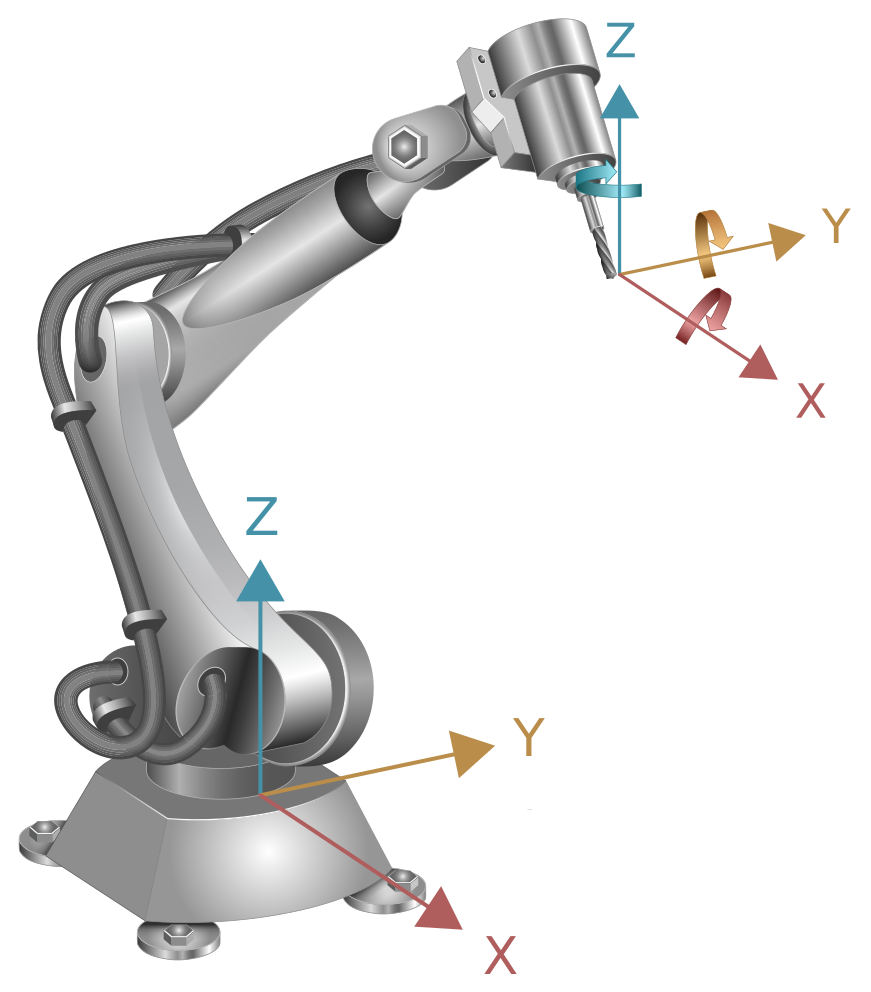
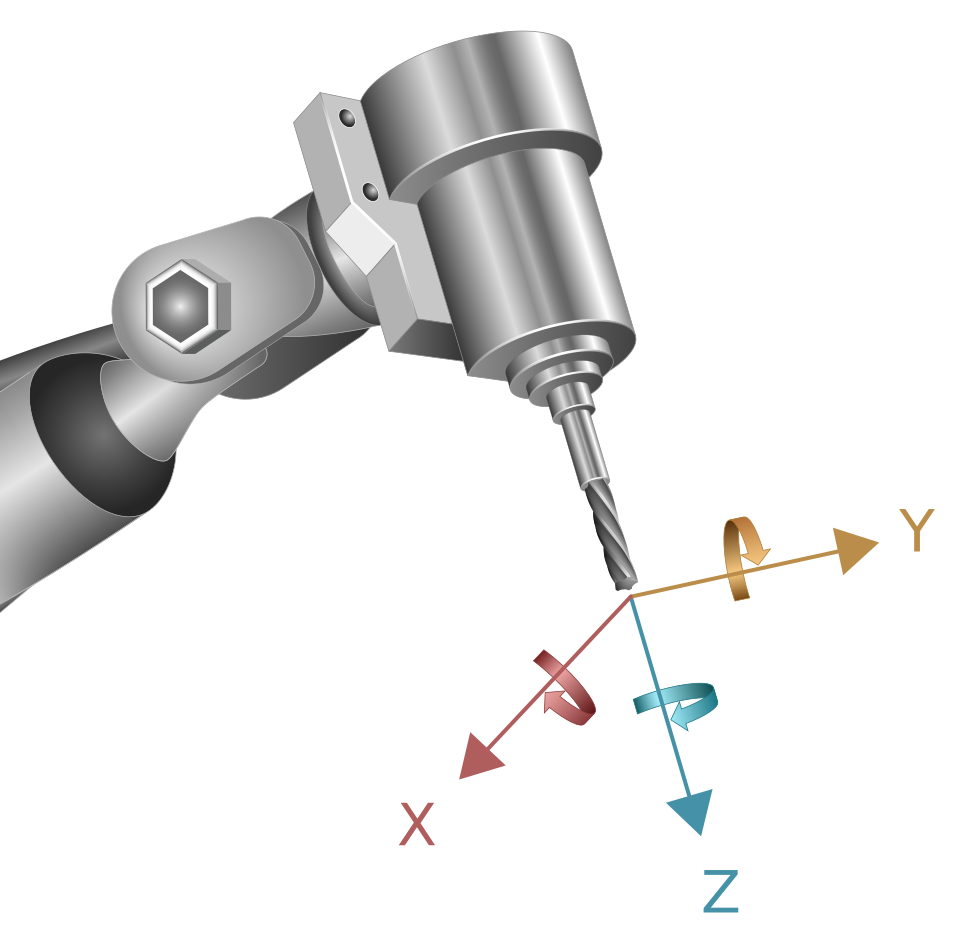
Settings for manual mode (# MANUAL)
Available as of V3.1.3133
Manual mode for orientation axes with robot kinematics
The #MANUAL [ORI_MODE=..] command can be used to define how motions of the orientation axes are interpreted in manual mode for robots.
#MANUAL [ORI_MODE =.. ] |
|
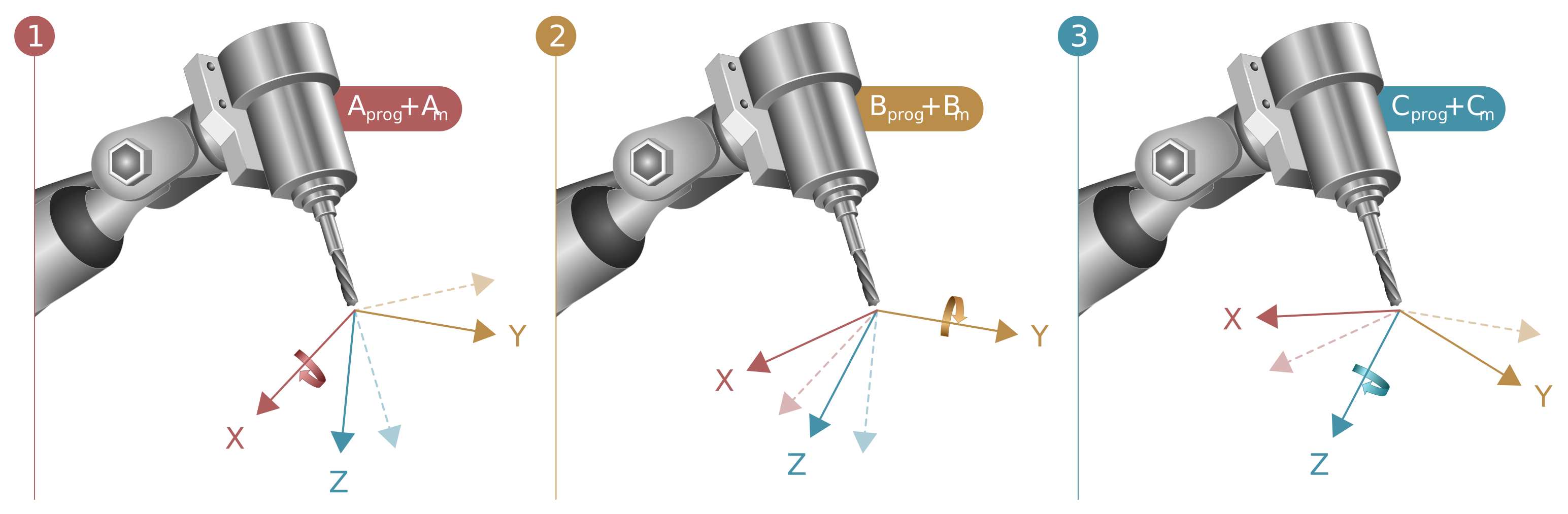
ORI_MODE =.. | ROT_WORLD_CS_AXES: Rotation about the axes of global world coordinate axes (default) ROT_ACT_CS_AXES: Rotation about the axes of the current tool coordinate system ADD_ANGLE_IN_ACT_CS: Motions are interpreted as direct changes to the Euler angle in the currently selected coordinate system |
 | The setting is saved global and is not reset when the system is restarted. |
| A change is only permitted when manual mode is deactivated. |
Comparison of individual interpretations
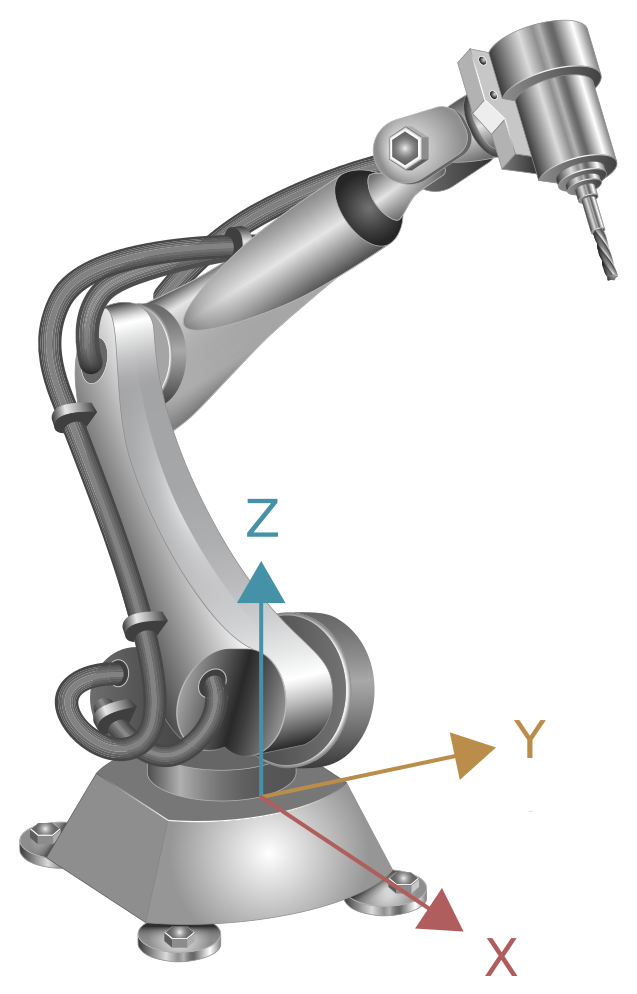
The starting point for comparing the interpretations of the orientation axis motions is shown in the robot diagram below.
#MANUAL [ORI_MODE = ROT_WORLD_CS_AXES] | ||
| In this mode, the orientations of the coordinate system at the tool tip are identical to those at the robot base. | |
#MANUAL [ORI_MODE = ROT_ACT_CS_AXES] | ||
|
|
|
#MANUAL [ORI_MODE = ADD_ANGLE_IN_ACT_CS] The example shows the rotation sequence ABC. | ||
| ||