TRC option KERF_MASKING
This option optimises the programmed contour with regard to kerfs when tool radius compensation is active (G41/G42) and the tool radius is greater than 0.
This method is only effective on inside corners. Inside corners are courses with a transition angle of less than 180 degrees.
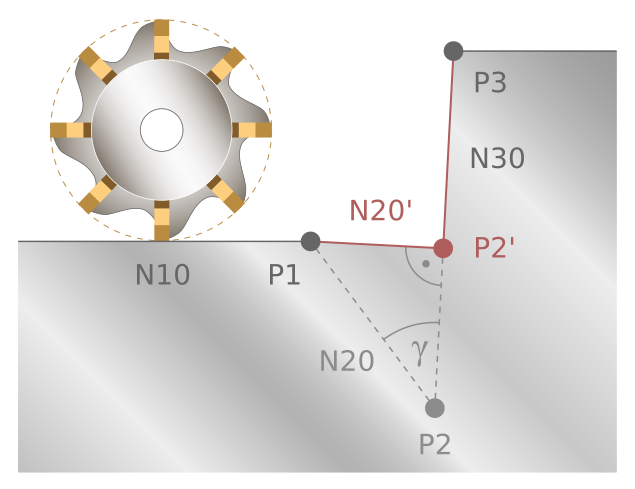
Optimisation includes, for example, offsetting a point in a sharp inner corner on the programmed path depending on the radius of the tool used.
KERF_MASKING | This parameter explicitly selects the masking of kerfs. 0: Kerf masking deactivated (default). 1: Kerf masking activated. |
The figures below show the optimisation.
|
|
|
|
|
|
|
|
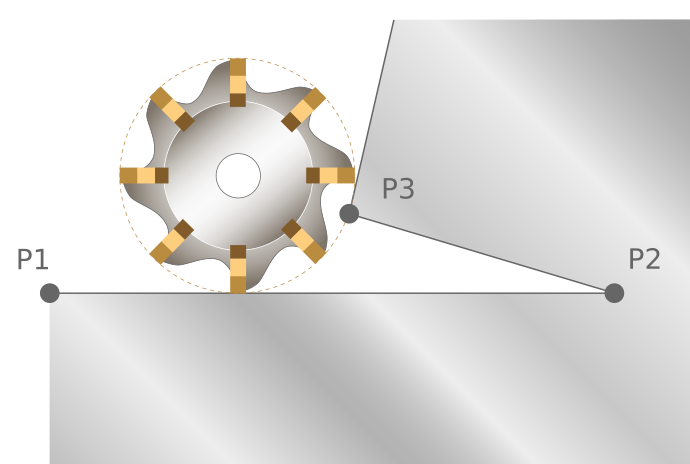
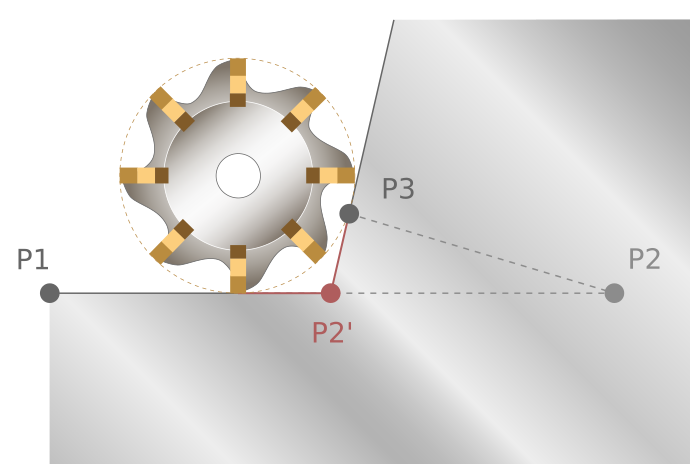
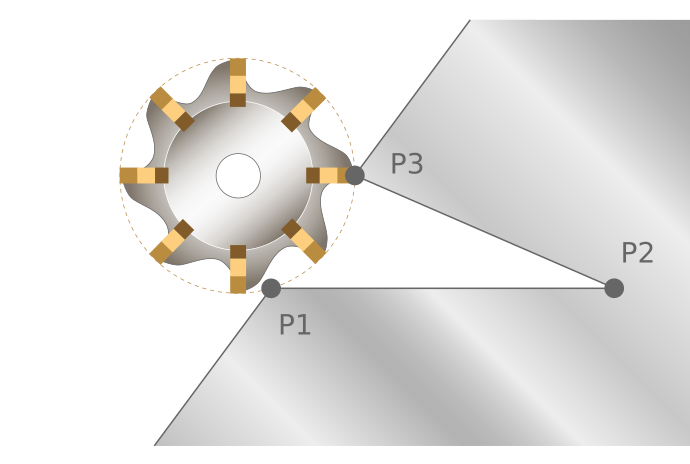
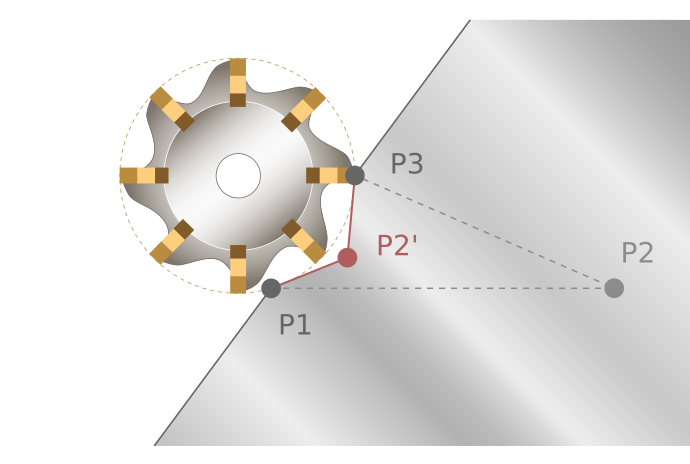
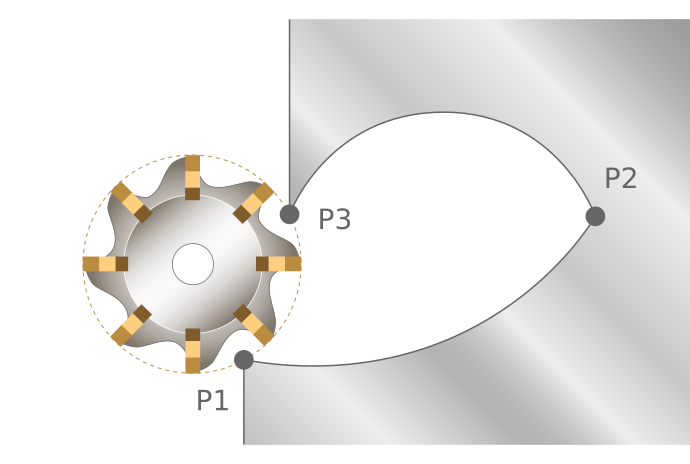
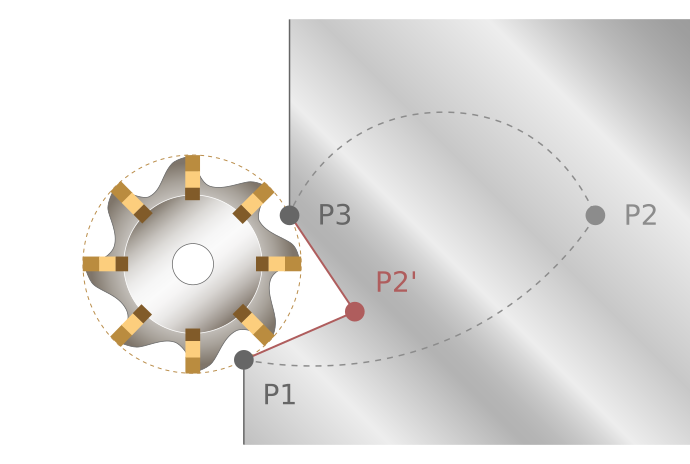
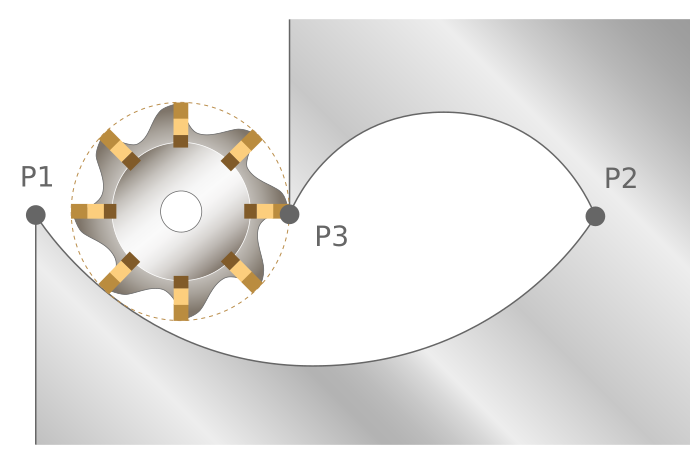
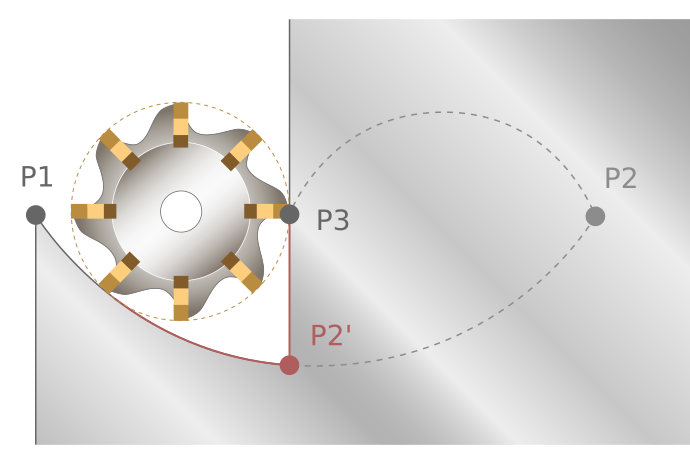
 | It is generally recommended to activate the KERF_MASKING function. |
Using an older method
Deactivate the channel parameter P-CHAN-00284 to switch to an older method of the KERF_MASKING function. The older method is only effective for block transitions between two linear blocks with an internal corner of no more than 90 degrees.
This implicitly activates contour masking (G141).
By default, P-CHAN-00284 is active.