.NET RuleEngine-Pipeline Configuration
This example demonstrates how to use the RuleEngine API to configure RuleEngine pipelines.
The pipeline created in this example consists of:
- an input source
- a processing rule
- as well as several recordings
The rule includes a minimum/maximum/average aggregation as well as an event-based threshold filter.
Requirements
- Install the following workload via the Package Manager:
TF3520.AnalyticsStorageProvider.XAE>=33.17.0 - Download this sample project
- ►Open the sample project.
- This shows the configuration for the RuleEngine pipeline. A RuleEngine pipeline is always designed for a specific Storage Provider. The sample project must therefore first be adapted to the desired Storage Provider.
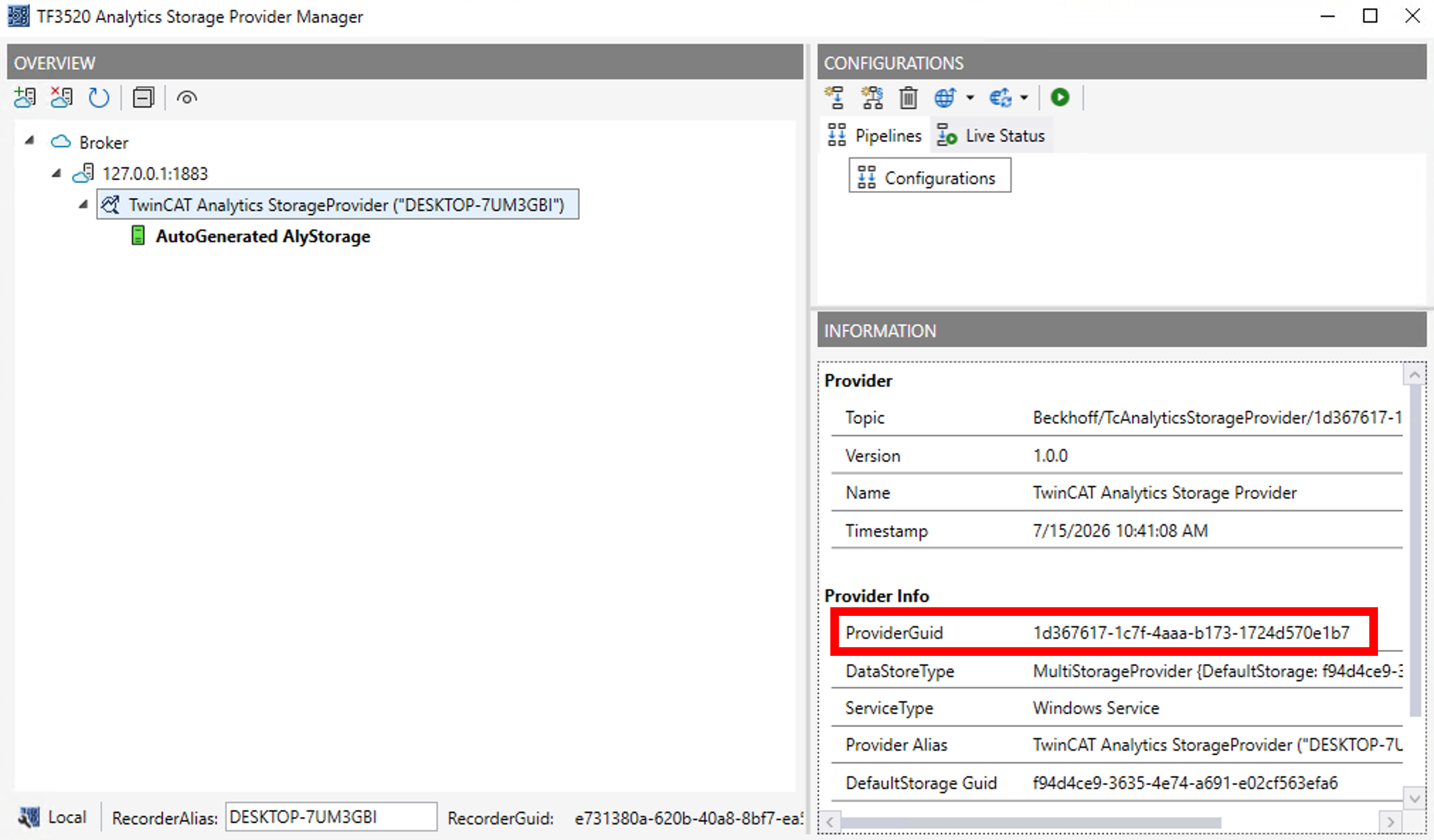
Required adjustments (marked with "ToDo" in the sample code): - ►Enter the StorageProvider GUID,which can be found, for example, in the Storage Provider Manager.
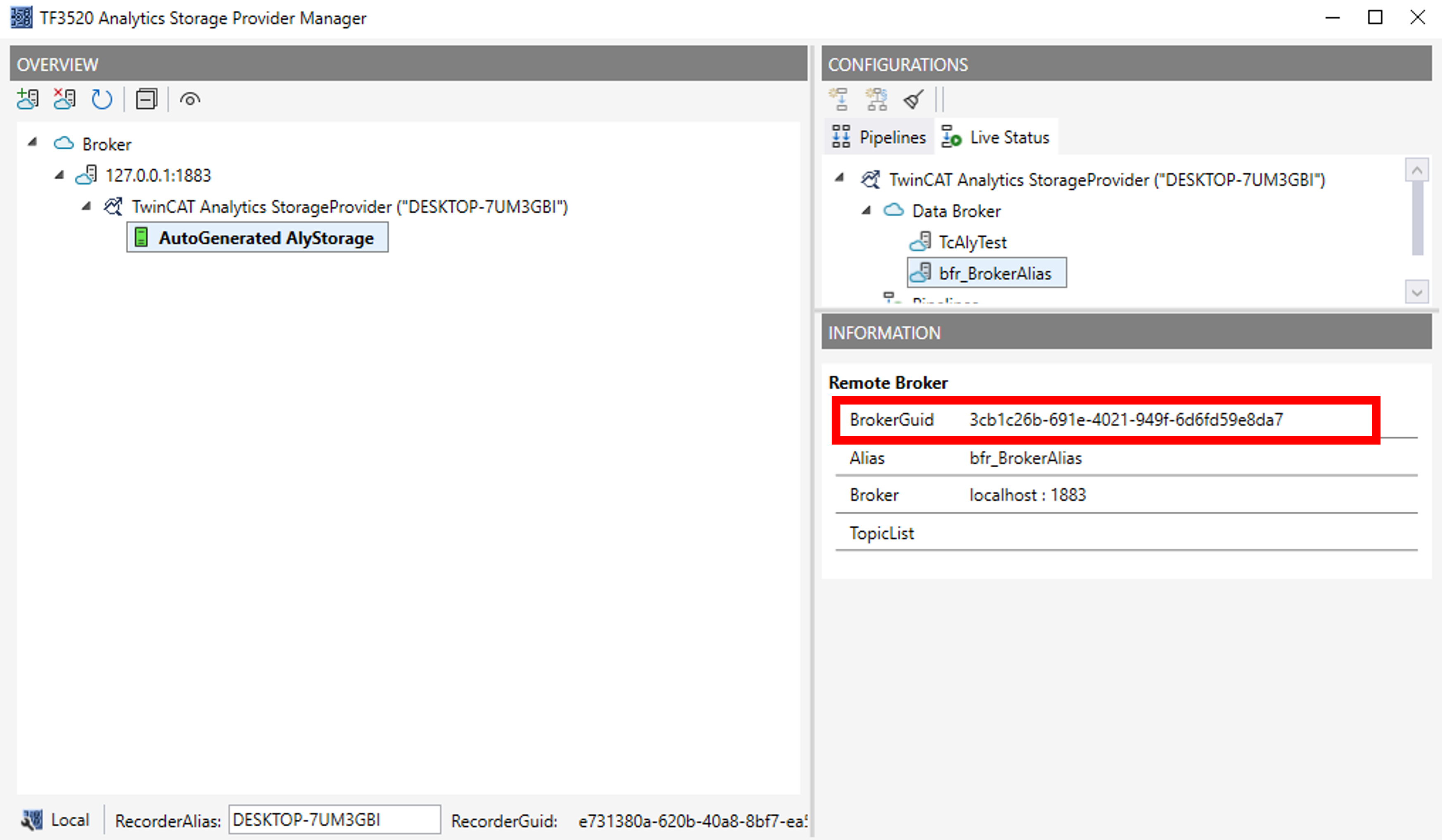
- ►Set the broker GUID; you can find it, for example, in the Storage Provider Manager.
- ►Configure the information about the data to be recorded (e.g., topic, cycle time, symbols). You can find this information, for example, in the configuration of your Analytics Logger.
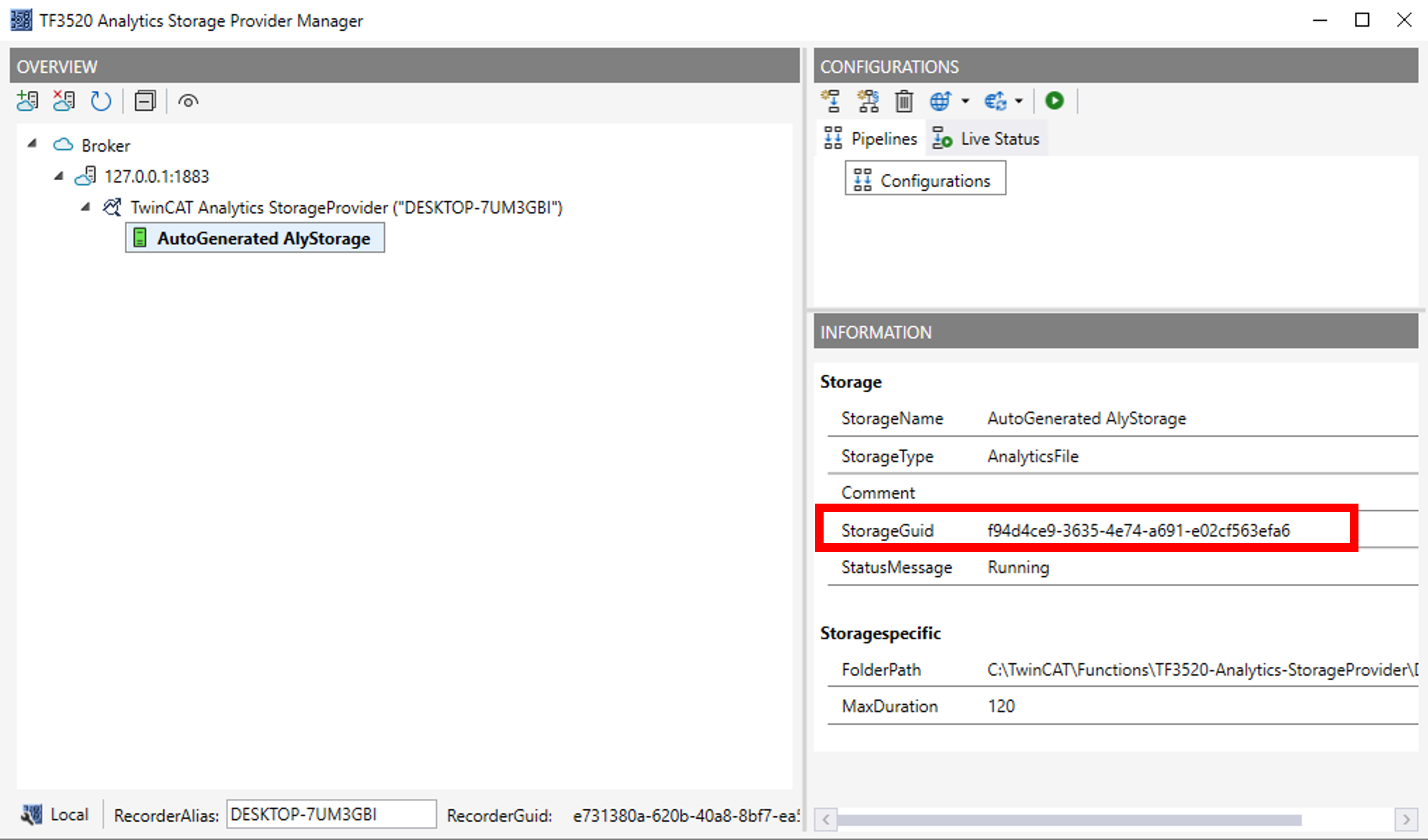
- ►Enter the storage GUID, which can be found, for example, in the Storage Provider Manager.
- ►Build the sample project and run it.
- If the execution was successful, you will then see the generated RuleEngine pipeline in the Storage Provider Manager:
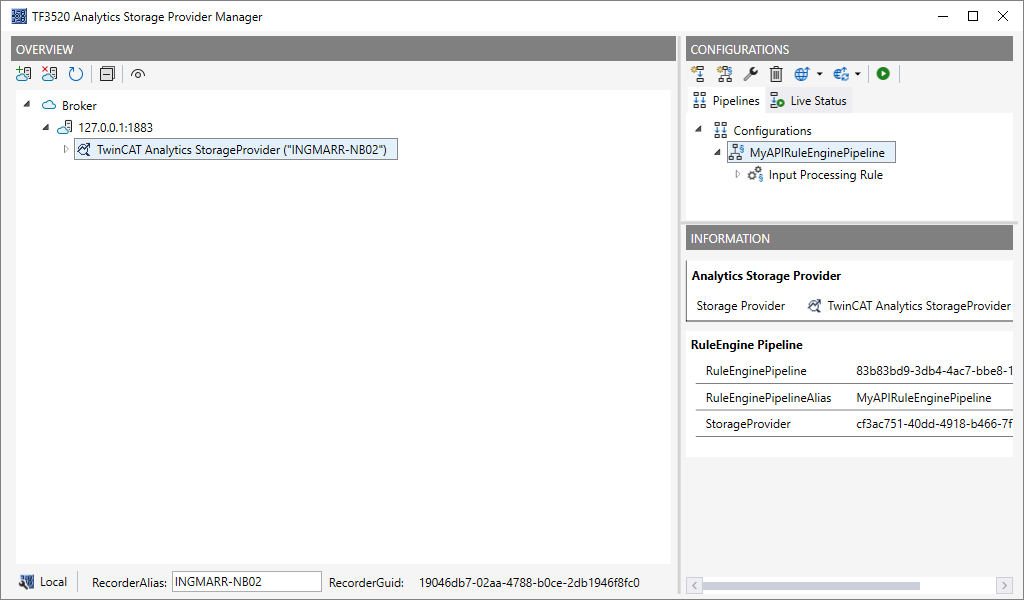
- ►You can open the pipeline by double-clicking it and view it in the pipeline editor.
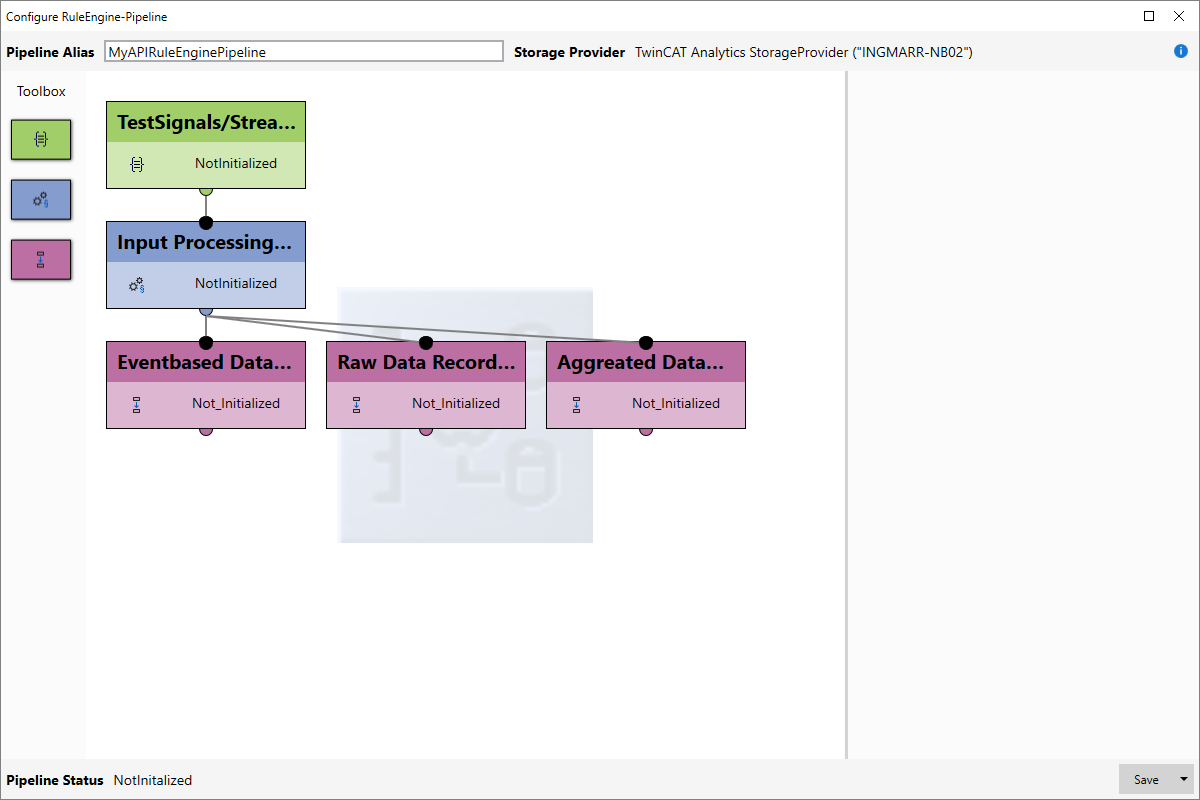
- ►Start the RuleEngine pipeline in the Manager by clicking the Start button (Play button).
- If everything is working correctly, the pipeline will be displayed and executed.
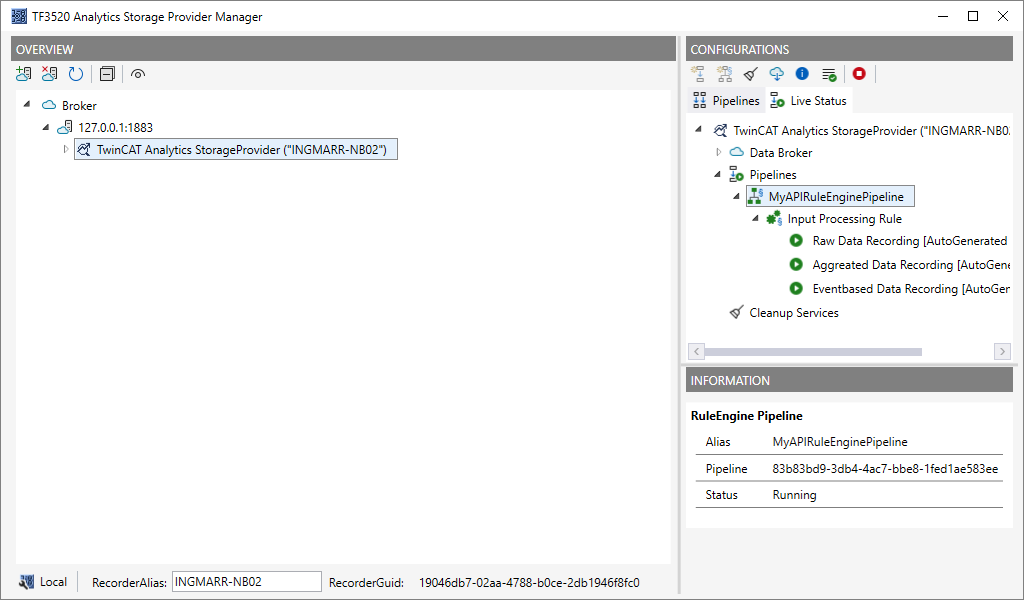
FAQs:
The project cannot be built
Please verify that the dependency “Beckhoff.TwinCAT.Analytics.StorageProvider.RuleEngineAPI” was found correctly. In TwinCAT 3.1 Build 4026, the package is located at C:\ProgramData\Beckhoff\NuGetPackages. If necessary, add this path as a NuGet package source in the project.
Can I also start or stop RuleEngine pipelines using the API?
The API is intended solely for configuring RuleEngine pipelines. These can then be started and stopped using the Storage Provider Manager or the Storage Provider Client.