Online status
An online status page is available as a tab for each stream. Here you will find information about the respective stream. You can see whether it is transmitting or whether it is losing samples. All graphically prepared. Data compression is also shown in a small chart.
It is also possible to manually start or stop the stream at the top of the page. All statistics on the page can be reset and, in the case of a file stream, a possible backup configuration can be triggered manually.
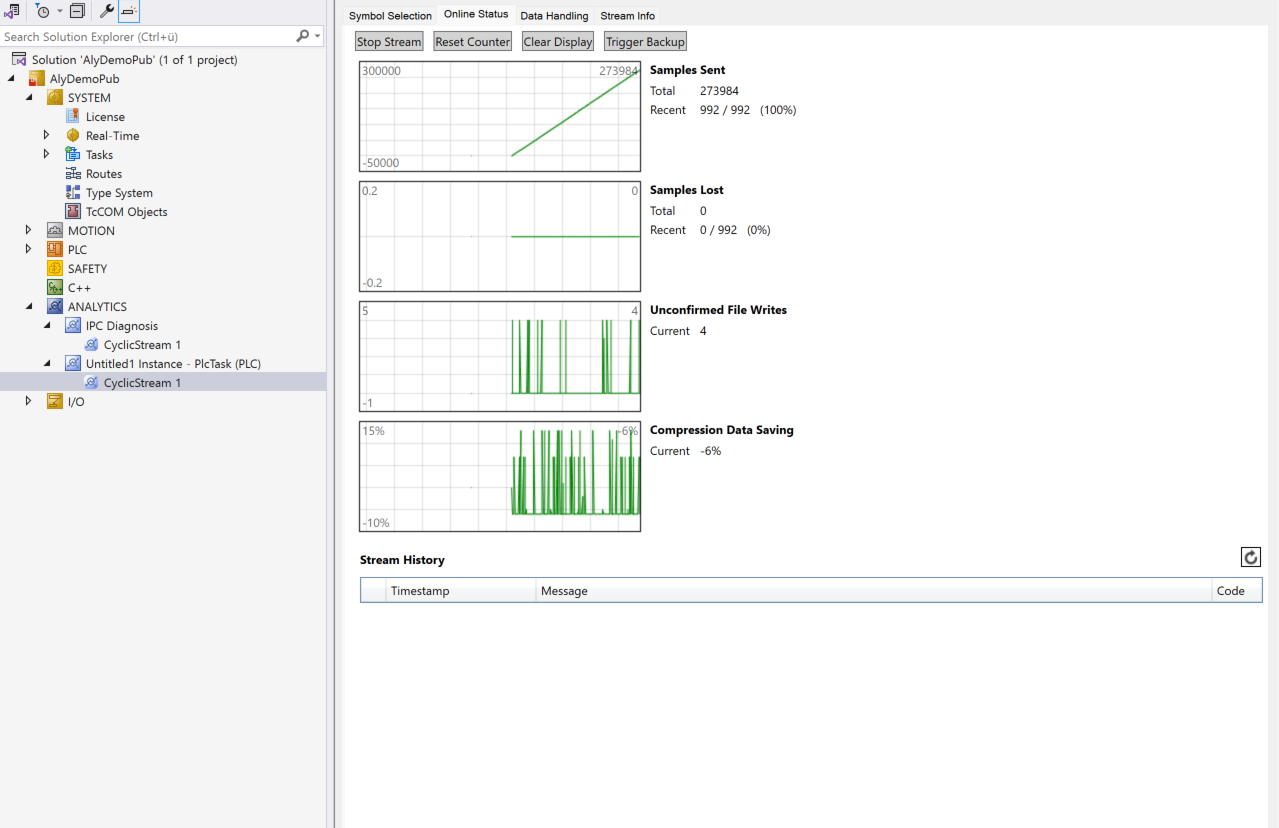
At the bottom of the page, messages are displayed in a stream history from the Analytics Logger driver of the target system. The messages are updated automatically when you switch tabs or can be retrieved manually using the refresh button. Only the last 20 messages are saved in the driver during runtime. After restarting the target system, the old messages are gone and the memory is cleared.