Stream Overview
The Stream Overview tab of the basic settings contains an overview of all the streams created in the Analytics Logger. The tab is therefore only relevant once the streams have been fully defined. This is the only way to provide the information summarized here.
You can see the contexts with the associated stream names, their targets, the amount of data, the sampling interval and the resulting data rate with the maximum hard disk space required.
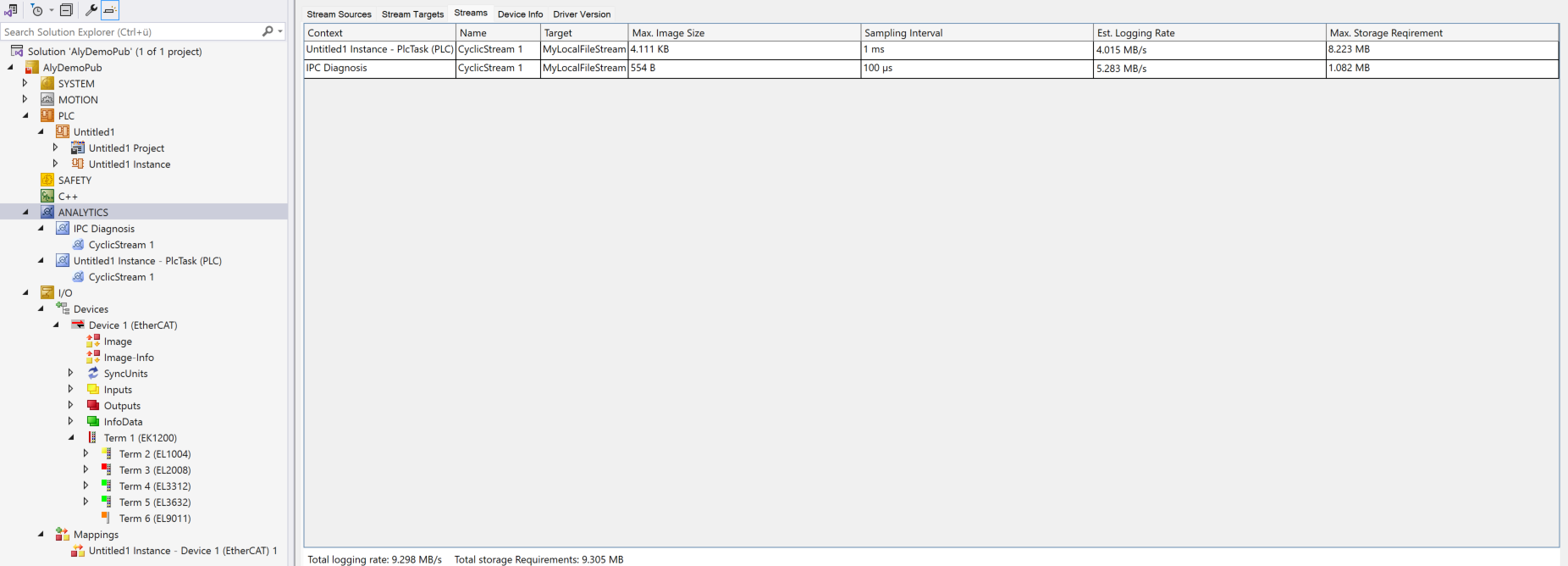 Fig.1: In addition, the summed values of all streams are shown at the bottom of the Stream Overview page. In other words, the total data rate and the maximum hard disk space required. This eliminates the need for tedious totaling and gives you an overview of all streams.