Configuring certificates
The TwinCAT HMI server offers the option of issuing certificates for a secure connection.
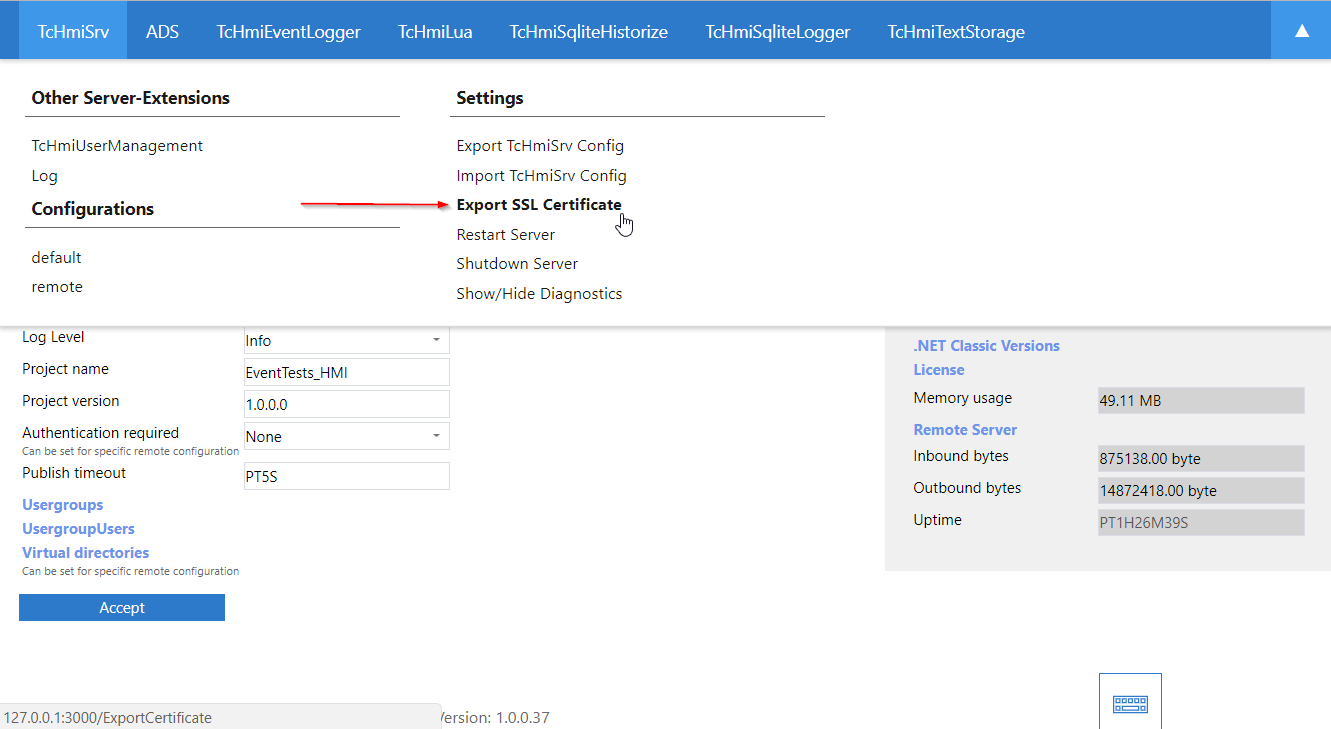
Exporting a certificate for clients:
To verify the certificates, install them on the respective clients.
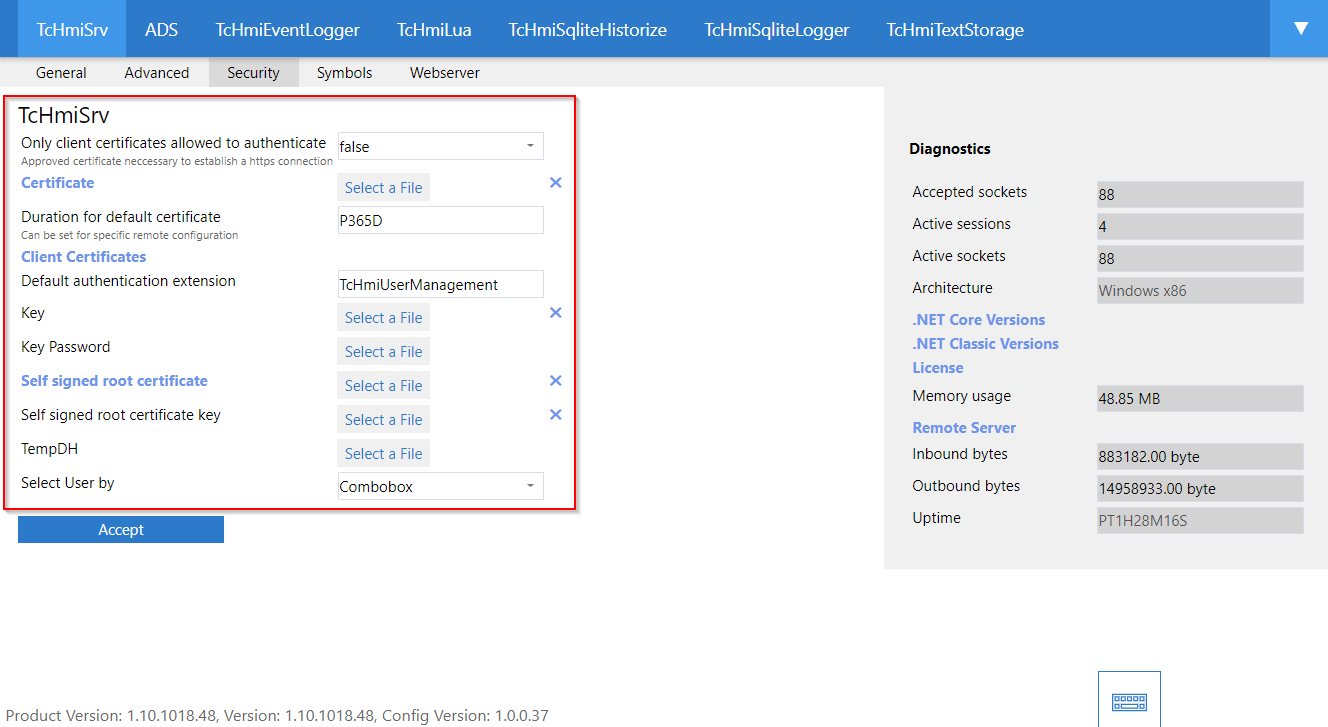
Integrating the issued certificate:
If an officially issued certificate is available, you can upload it on the configuration page of the server under TcHmiSrv/Security/Certificate (.crt). Save the private key in PEM format.
 | The certificate is also used to restrict access. Only connections to the HMI server via one of the IP addresses or the host name defined in the certificate are permitted. If you would like to allow other addresses as well, enter them under Allowed Origins or recreate the certificate with the appropriate entries. |
Further Information