Two-factor authentication
To use an authenticator app (e.g., Microsoft or Google) as a second factor, open the HMI server’s configuration page via the HMI Systray and proceed as follows:
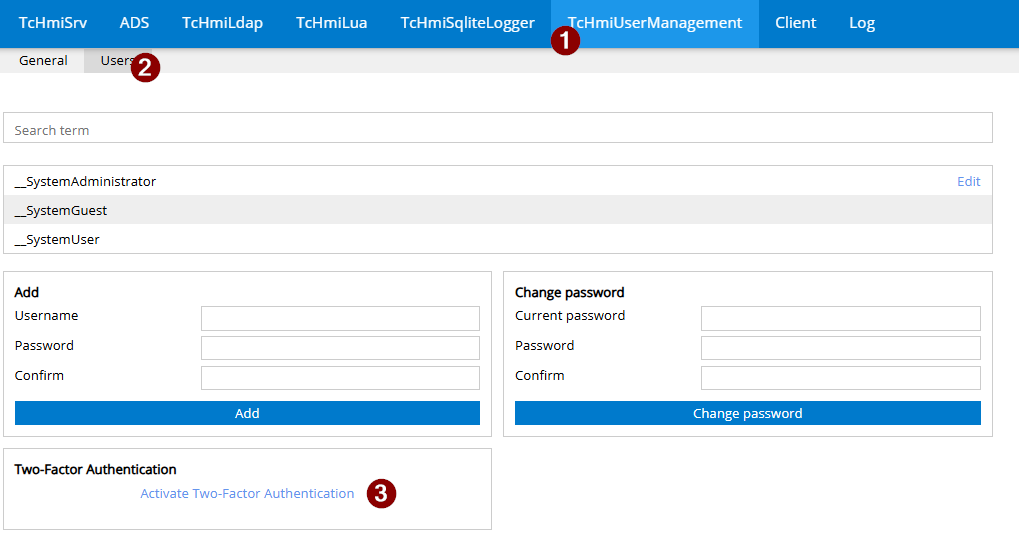
- 1. Open the TcHmiUserManagement Extension tab (1), navigate to the Users section (2), and enable two-factor authentication (3)
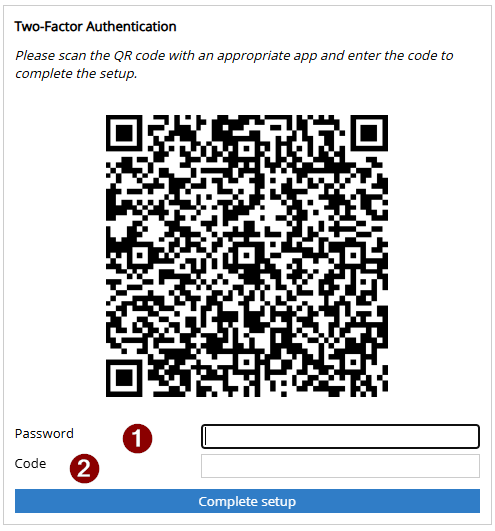
- 2. Scan the QR code using an authenticator app (1). This establishes a connection between the HMI server and the app, and the app’s code can be activated using the system administrator password (2).
- After each authentication, the app will request the 6-digit code for login.