Technical introduction
The UnitTestFramework consists of a PLC library, which must be implemented into the test project, a test client with a user interface, and a test client without a user interface. The latter is used for command line calls and can be used to automatically run tests as part of a CI/CD pipeline. The following figure shows a schematic representation of the set-up.
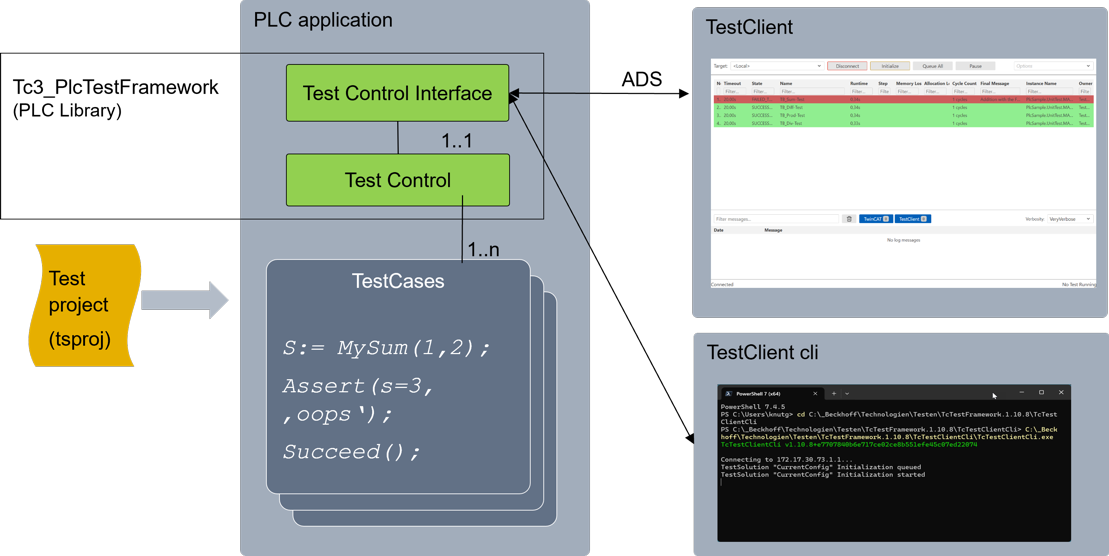
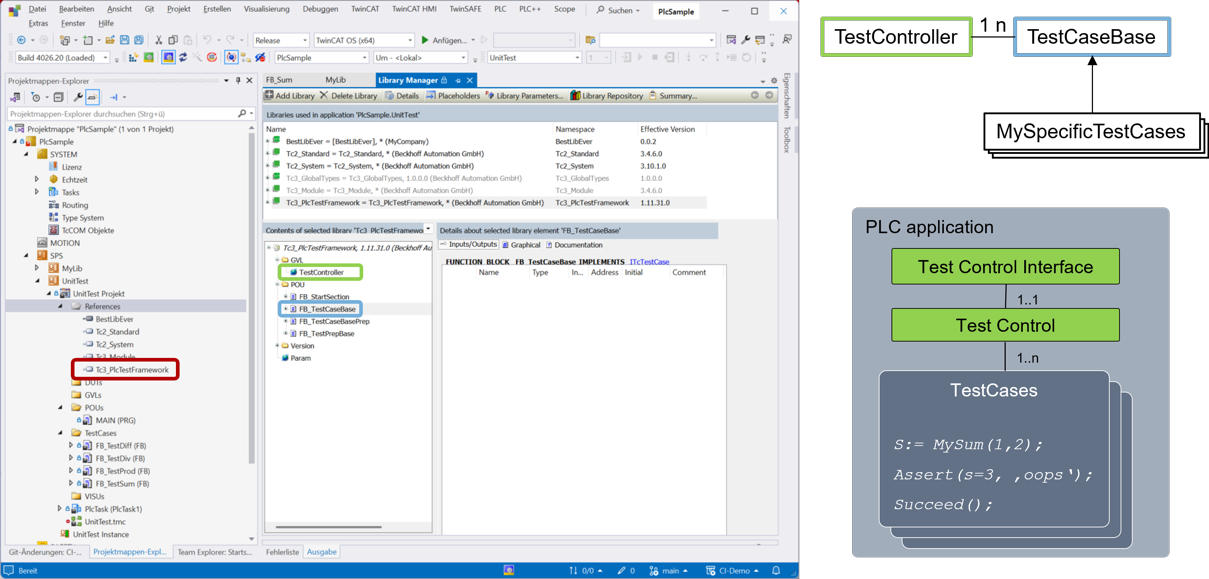
If the control code to be tested is located in a PLC library, that library is also implemented in the test project in the version being tested. This can be done automatically, for example, using the Automation Interface. The test project contains the test cases for the various function blocks in the library. Each test case is its own function block. The base class for the test cases already includes functionality that allows the test cases to register with a test controller. It is located in the global variable list of the test framework library (see the following figure).
As soon as a test client establishes a connection to the target system on which a test project has been activated, the test cases are automatically retrieved from the test controller and represented as a list in the test client's GUI. From here, you can now run the test cases either all at once or individually. The test client without a GUI does not display the test cases; instead, it begins executing the test cases immediately after being launched. The test results are saved as a file in JUnit or HTML format. They can also be exported in these two formats from the test client with a GUI.