Quick start
To quickly get started with HMI content packages, proceed as follows:
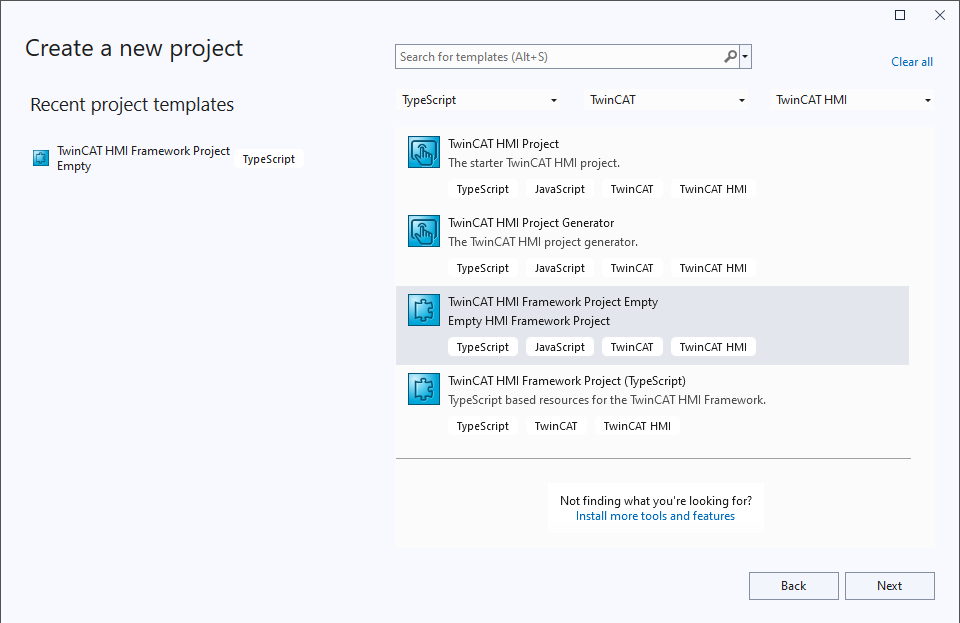
- 1. Create a new HMI framework project:
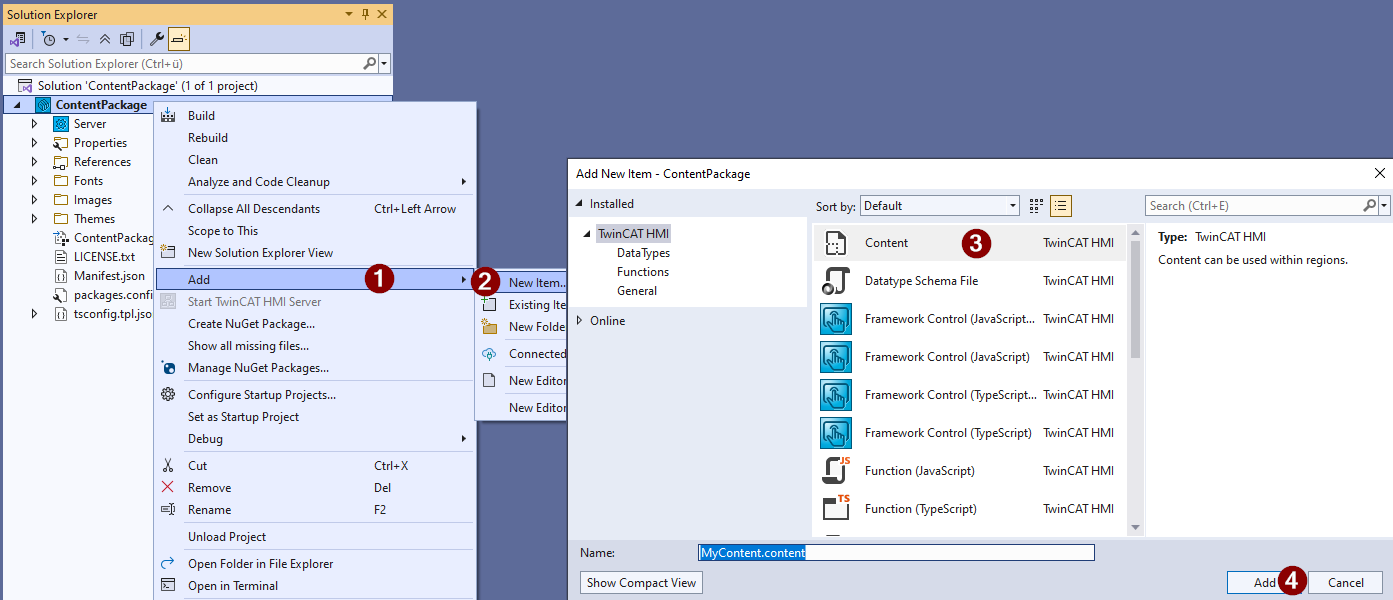
- 2. Add content to the project (right-click on the project node)
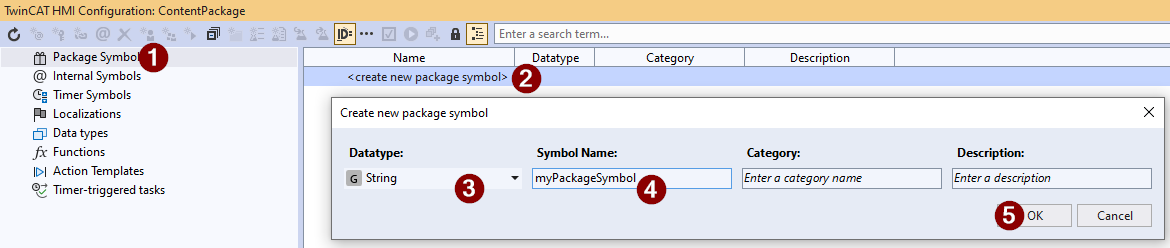
- 3. Open the TwinCAT HMI Configuration Window and create a package symbol.
- 4. Open the content in Designer by double-clicking and drop a control (e.g., text box) from the toolbox.
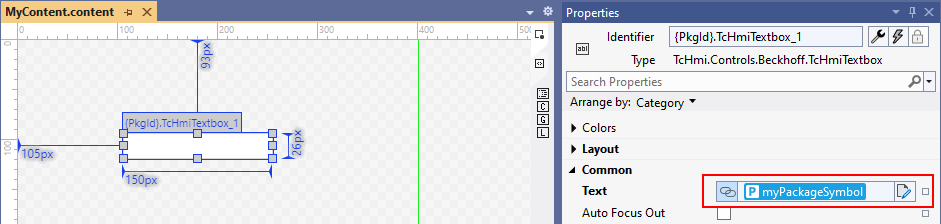
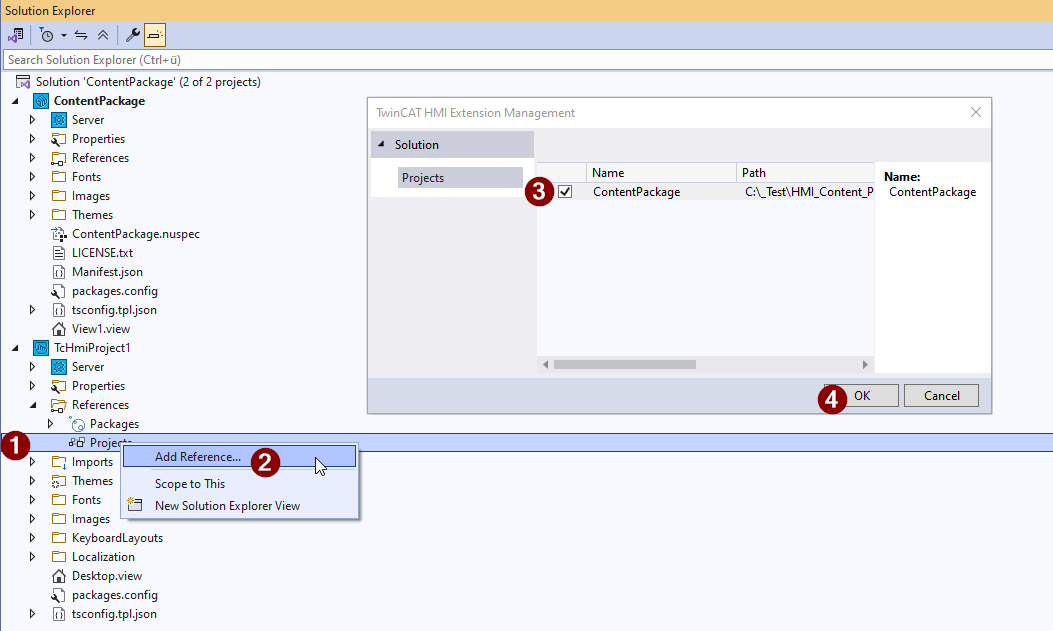
- 5. Add an HMI project to the solution and create a project reference to the HMI content project.
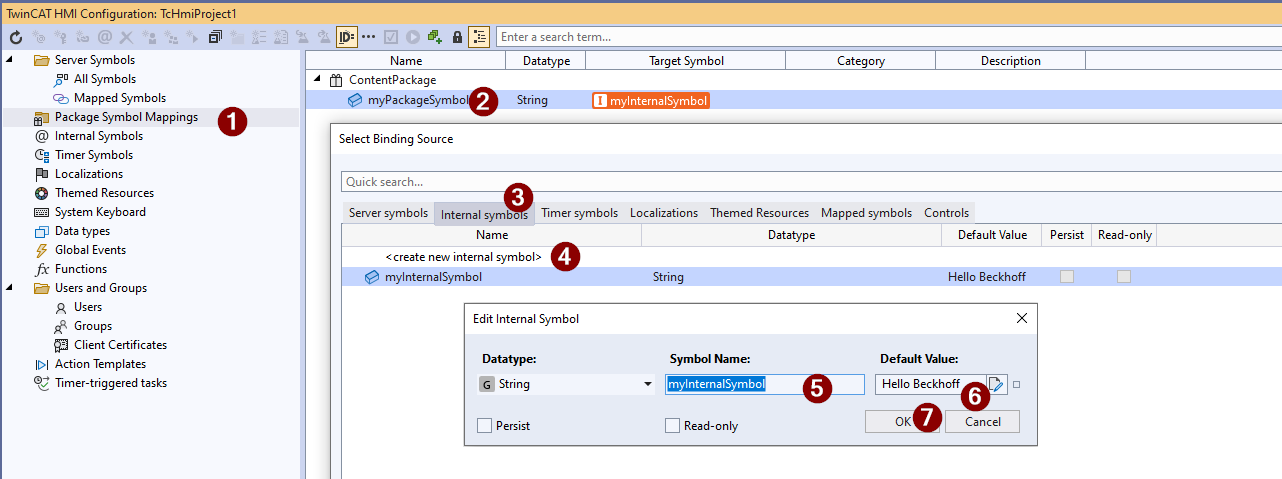
- 6. Open the TwinCAT HMI Configuration Window of the HMI project. Navigate to the package symbol mapping and create a mapping to an internal symbol, which you create in the Binding dialog.
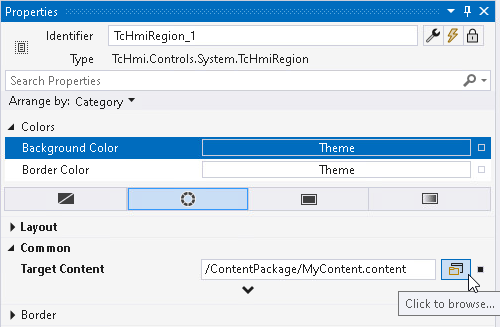
- 7. Open the Desktop.view in the Designer and drop a Region Control. For the "Target Content" property of the region, select the content from the package.
- 8. Check the result in LiveView. The data of the internal symbol is displayed on the content of the package in the HMI project.