Overview
TE1401 TwinCAT Target for MATLAB®
With TwinCAT 3 Target for MATLAB®, functions developed in the MATLAB® script language can be used in TwinCAT 3. The functions are automatically compiled in C/C++ code with the aid of the MATLAB® Coder™ and transformed into TwinCAT objects with the TwinCAT 3 Target for MATLAB®.
These objects can be seamlessly integrated into TwinCAT 3 Engineering. For example, they can be expanded into a complete project using PLC source code, debugged, and linked to fieldbus devices. This allows existing MATLAB® functionality to be integrated into TwinCAT Engineering and TwinCAT runtime workflows without having to reimplement the domain-specific algorithm.
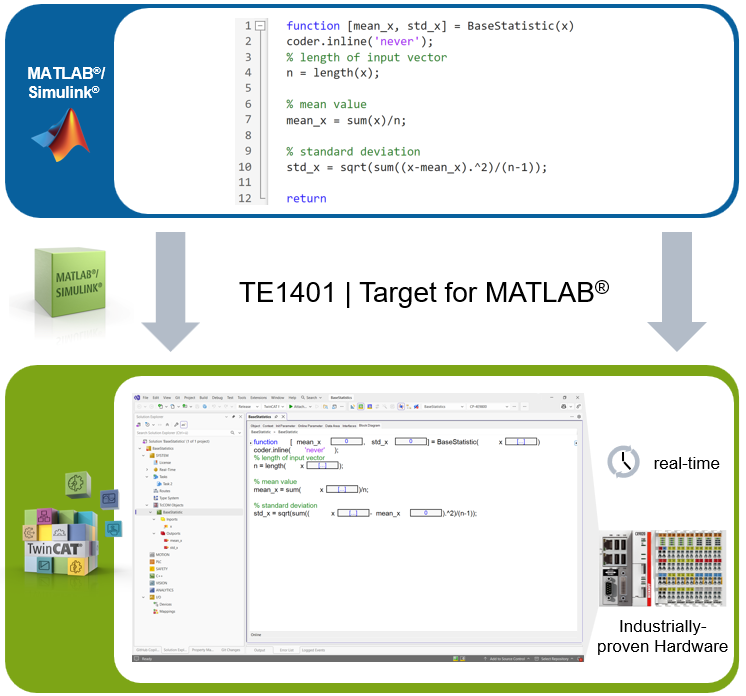
The automatically generated modules can be integrated into a TwinCAT solution in two ways:
- TcCOM object
- PLC function block
In addition, a TcCOM wrapper FB can be created to call a TcCOM module from PLC code or to use its data directly from within the PLC.
The inserted modules are then loaded into the TwinCAT 3 runtime together with the entire TwinCAT project and executed there, like all other objects, within the real-time environment.
TwinCAT 3 Target for MATLAB® supports both 32-bit and 64-bit Windows targets, as well as TwinCAT/BSD and Beckhoff RT Linux® (only starting with TwinCAT Build 4026).
Typical procedure
The basic workflow with the TE1401 is as follows:
- Functions are developed in MATLAB®.
- MATLAB® Coder™ automatically compiles these functions into C/C++ code.
- The TwinCAT 3 Target for MATLAB® converts the generated code into TwinCAT objects.
- The generated modules are integrated into a project in TwinCAT 3 Engineering.
- They are then transferred to the TwinCAT 3 runtime along with the TwinCAT project and executed there in the real-time environment.
Integration methods in TwinCAT 3 Engineering
Depending on the use case, the generated modules can be integrated into the project in different ways:
- TcCOM object: suitable when the generated module is to be integrated into the TwinCAT runtime as a standalone TwinCAT component.
- PLC function block: suitable when the generated module is to be used directly from within PLC code and integrated into existing PLC flow logic.
- TcCOM Wrapper FB: suitable for establishing a connection between both of the aforementioned methods. The TcCOM object can be accessed from the PLC in this way.
All methods can be seamlessly integrated into TwinCAT 3 Engineering and combined with other TwinCAT functions.
Further Information
Technical short video
Product description
Web page for MATLAB® and Simulink® with TwinCAT 3