Bode Plot - Scope menu
The Scope functions are accessible via the menu.
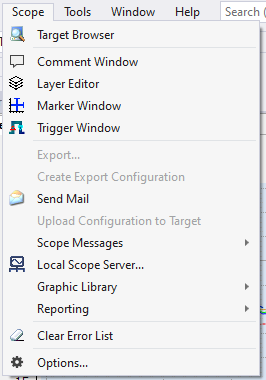
Marker Window | Opens the marker window for configuring markers. |
Local Scope Server... | Opens the configuration interface of the Scope Server. |
Clear Error List | Deletes all entries (Error | Warning | Message) of the currently active Scope from the Error List. |
Options... | Opens the Visual Studio Options window and selects the Scope entry. |