Bode Plot - marker properties
All settings for a Bode Marker can be assigned here. The following description refers to the representation in categories (switchable in the Properties toolbar).
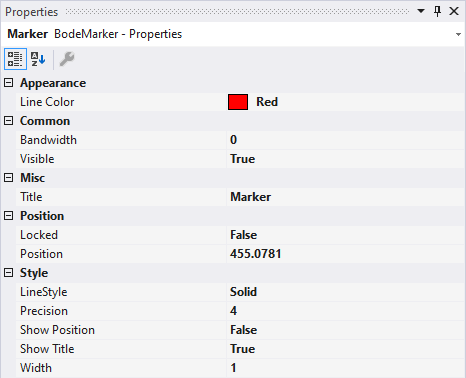
Appearance
- Line Color: sets the color of the marker (vertical lines and icon in Solution Explorer).
Common
- Bandwidth: sets the width of the marker's band. The value is given as a proportion [in %] of the chart's width.
- Visible: sets the marker's general visibility.
Misc
- Title: sets the title displayed for the marker.
Position
- Locked: toggles the marker's lock on or off.
- Position: displays/sets the marker's position [in Hz].
Misc
- Style: sets the marker's line type.
- Precision: sets the accuracy of the marker's position display.
- Show Position: enable or disable the marker's position display
- Show Title: enable or disable the marker's title display.
- Width: defines the line width of the marker.