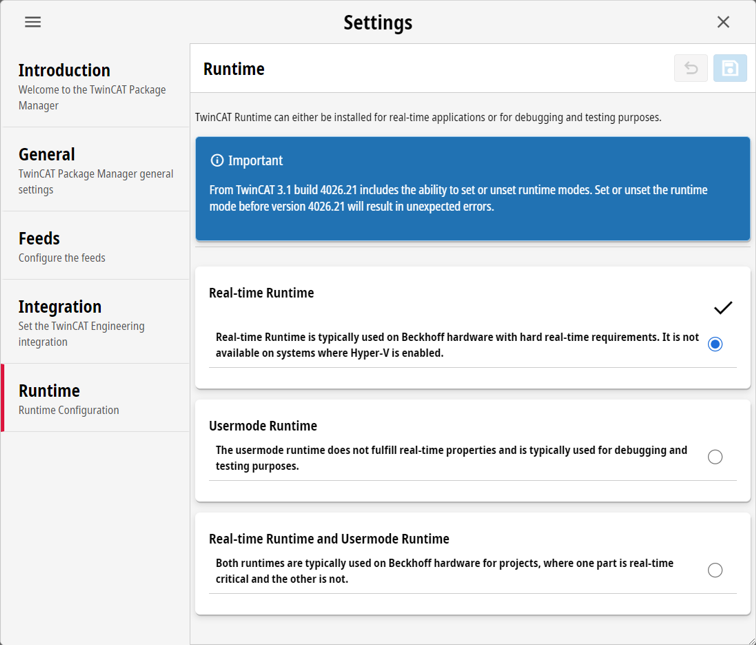
Settings
Settings main window
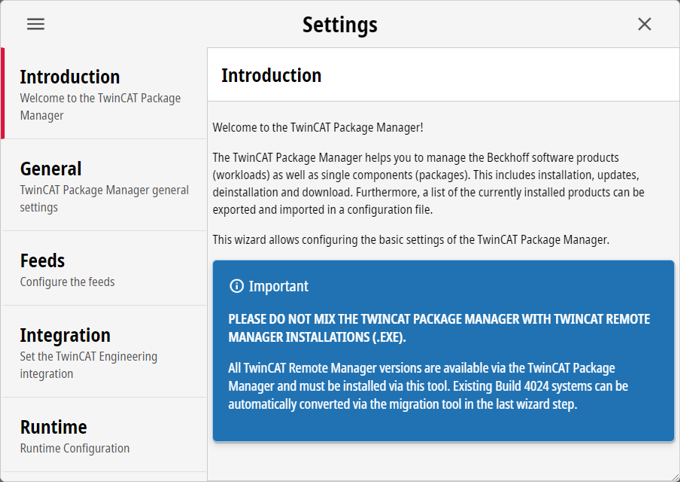
Tab | Description |
|---|---|
Introduction | Under the Introduction tab you will find an introduction to the TwinCAT Package Manager. |
General | The general settings are displayed under the General tab. |
Feeds | Under the Feeds tab you will find all the settings for the feeds. |
Integration | You can find the Visual Studio integrations under the Integration tab. |
Runtime | You will find the runtime settings under the Runtime tab. |
Tab Feeds
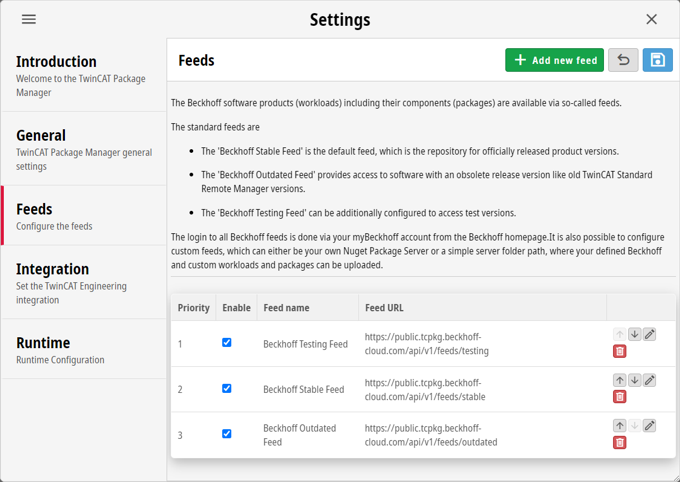
Button | Description |
|---|---|
| Creating a new feed. |
| Discard changes. |
| Save changes. |
| Set the priority of the feed to the top. |
| Decrease the priority of the feed. |
| Change selected feeds. |
| Delete selected feeds. |



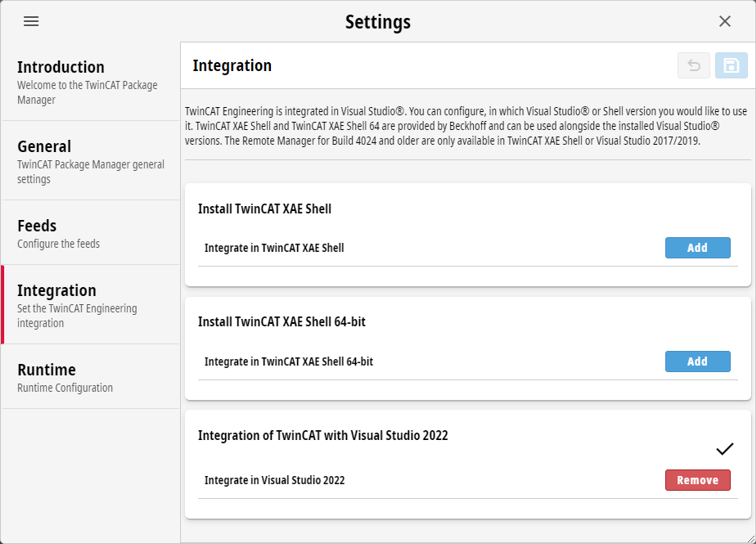
Tab Integration
Under the Integration tab, you will find all Visual Studio versions that you can integrate on your system. Use Add to select a version and Remove to remove it. The tick indicates which versions are integrated.
Runtime Window
You can find the settings for runtime under the Runtime tab. Use the radio button to select a runtime setting. The tick indicates the selected setting.