Manage TwinCAT software as a ZIP file
To install the desired TwinCAT products and components offline, you can also download selected products and components like .tcpkgzip. This zip already contains a .config file and all the necessary workloads.
- 1. Click on the button with the three dots next to the desired products and versions in the software list.
- 2. Click on Download to add the desired product to the selection list.
- 3. Open the selection list.
- 4. Click on the button with the three dots next to the Download button.
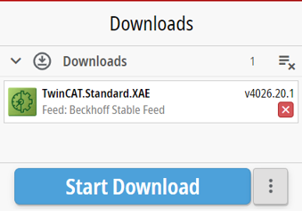
- 5. Select a directory in which you want to save the .tcpkgzip.
- You can load the .tcpkgzip on the offline system and install all included workloads and packages directly without having to create an extra feed.
- 6. Copy the .tcpkgzip to the corresponding system.
- 7. Click on the Load Configuration button.
- 8. Choose the .tcpkgzip at file level and confirm with Load.