Integration in Visual Studio
You can change the integration of the TwinCAT software in the TcXaeShell, TcXaeShell64 and the various Visual Studio versions both before and after installation.
- 1. Click on the Settings button.
- 2. Switch to the Integration tab.
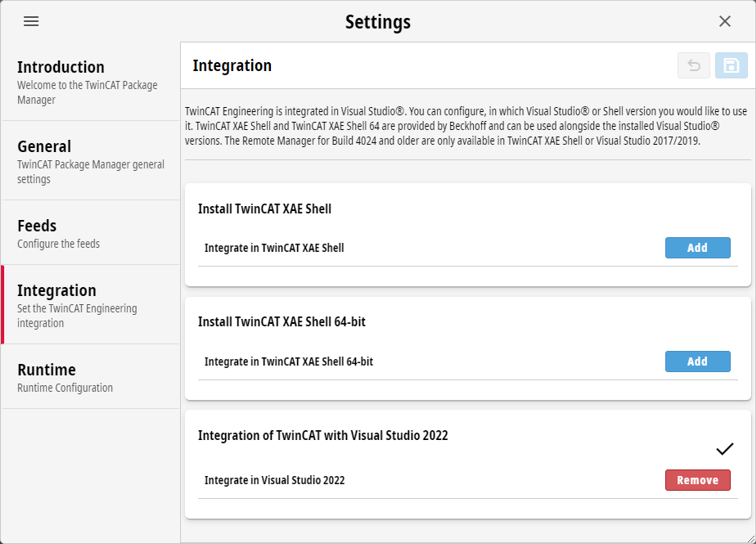
- 3. Choose the desired version(s) from the list of TcXaeShell, TcXaeShell64 and Visual Studio version(s) available.
- 4. Click on the Save button to save the selected versions and integrate any products that have already been installed.