Managing TwinCAT Remote Manager versions
TwinCAT Remote Manager versions are special in that several versions of the TwinCAT Remote Manager workload can be installed at the same time. In addition, Remote Manager versions from build 4024 are available via the Beckhoff Outdated Feed.
 | TwinCAT Remote Manager for Build 4024 and earlier requires integration of TwinCAT into the TwinCAT XAE Shell or Visual Studio 2017/2019. |
- 1. Choose the TwinCAT Standard Remote Manager workload from the Browse list or, if a version is already installed, from the Installed list.
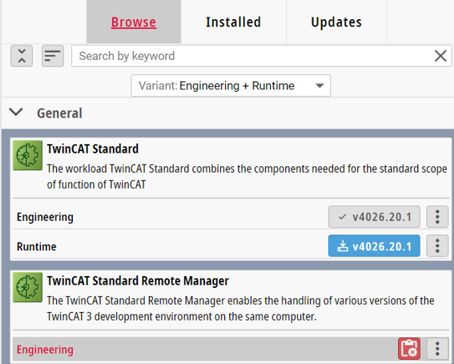
- The detailed area for the workload will open.
- 2. Switch to the Versions tab in the details.
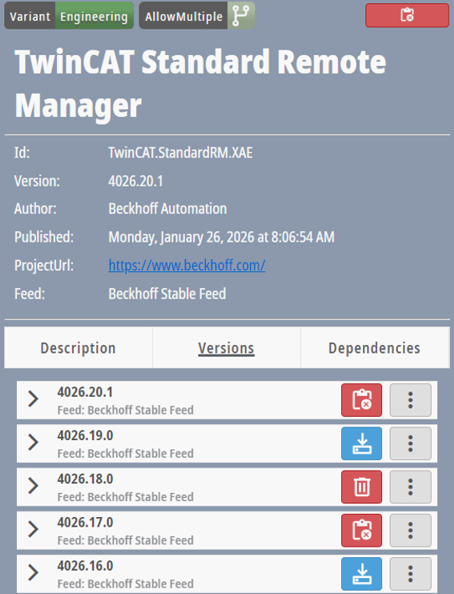
- 3. Choose the required versions for installation, repair and uninstallation to add them to the change list.
- 4. Open the change list.
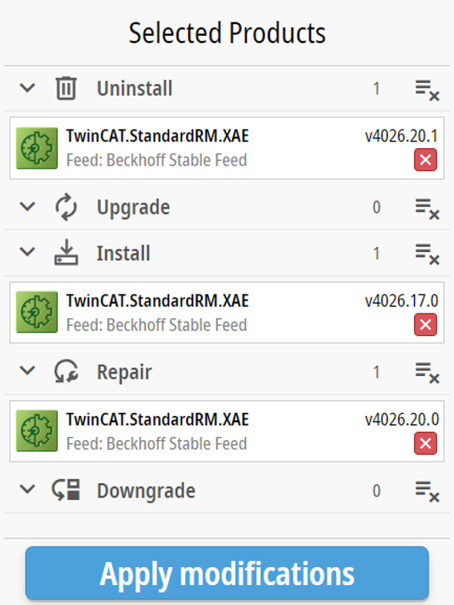
- 5. Click on the Apply modifications button.