Integration in Visual Studio
TwinCAT 3.1 is integrated into Visual Studio during installation.
Requirements for integration in Visual Studio
- Full version of Visual Studio 2013-2019
or
- Visual Studio Shell 2013-2019
but
- no Visual Studio Express
Installation order
To integrate TwinCAT 3 into Visual Studio, you need install Visual Studio first, and then install TwinCAT 3 and integrate it into Visual Studio.
If you subsequently decide to install another Visual Studio, you must install TwinCAT 3 again as the Repair/Modify version.
Example: After installing TwinCAT 3, you decide to program in C++ and therefore want to install a full version of Visual Studio.
Standard installation cases
Case 1: You do not have a full version of Visual Studio installed on the development computer.
In this case, a Visual Studio 2017 Shell supplied by TwinCAT 3 is installed as the standard development environment for TwinCAT.
Case 2: One or more full version(s) of Visual Studio 2013-2019 is installed on the development computer.
The TwinCAT 3 setup offers you the possibility to select in which full version of Visual Studio TwinCAT 3 should be integrated (multiple selection possible).
Case 3: A Visual Studio 2013-2019 Shell is installed on the development computer.
The TwinCAT 3 setup offers you the possibility to integrate TwinCAT 3 into the already installed Visual Studio Shell (instead of installing the default Visual Studio 2019 Shell)
Download and installation of the Visual Studio Shell
With the exception of the Visual Studio 2019 Shell included in the installer, Beckhoff does not deliver any other Visual Studio Shell versions together with TwinCAT 3. However, you can download and install them free of charge from the Microsoft website. Visual Studio Shells are free of charge, but they do not allow high-level language programming such as C++ or C#.
Installation requirements: Windows 10
Go to http://www.microsoft.com/download in your browser.
- Search for "Visual Studio 201x Shell (Isolated) Redistributable Package", download and install it.
- Search for "Visual Studio 201x Shell (Integrated) Redistributable Package", download and install it.
Visual Studio 201x Shell (Integrated) Redistributable Package is an add-on to Visual Studio 201x Shell (Isolated) Redistributable Package, therefore the "Isolated" version must be installed first. For details visit the Microsoft website.
 | Use of TwinCAT C++ If you want to use TwinCAT C++, it is mandatory to install the option "Microsoft Foundation Classes for C++" during the full installation of Visual Studio. Otherwise the SDK is missing and TwinCAT C++ is not available even with a full Visual Studio. |
Language settings
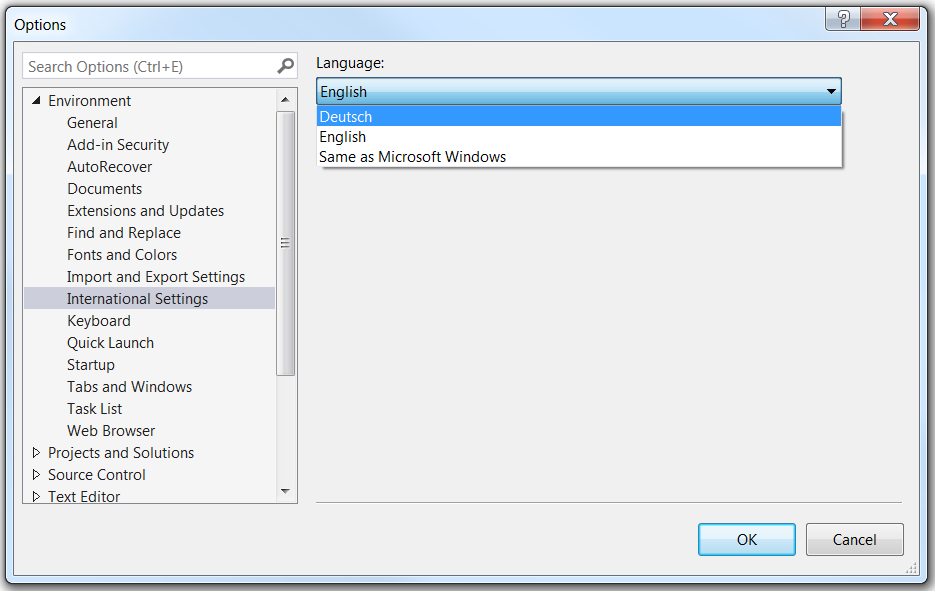
The language used in TwinCAT depends on the language of the pre-installed Visual Studio version. If TwinCAT 3 is to be displayed in German, Visual Studio (Shell) must also be installed and selected in German.
You can install the language packs of Visual Studio afterwards after installing TwinCAT 3. In the settings of Visual Studio you can then switch the language.