Prepare machine delivery
To ensure that you do not pass on your Beckhoff customer data to your customers when the machine is delivered, please delete the feed entries that you have created.
Proceed as follows:
- 1. Open the TwinCAT Package Manager settings via the gear button.
- 2. Select the feed you have created.
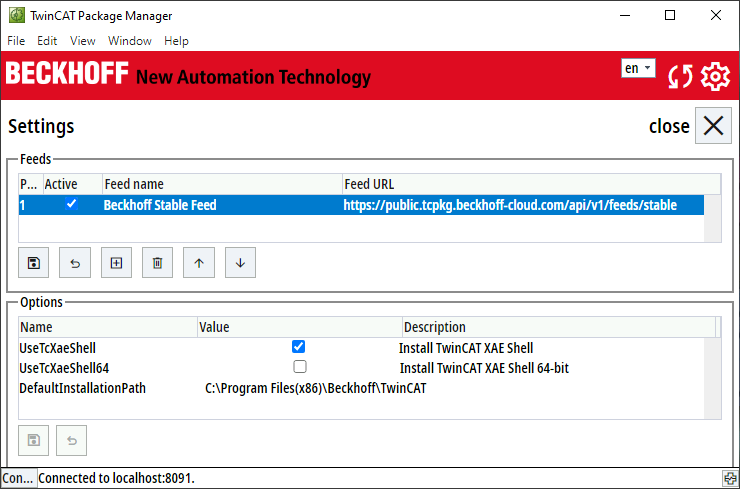
- 3. Click on the recycle bin to delete your myBeckhoff login data.
- 4. Click on the floppy disk
 to save.
- The feed is deleted.