The part with SVG elements
The picture below shows the SVG elements of the usHopper_Graphic control:
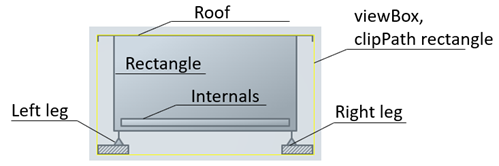
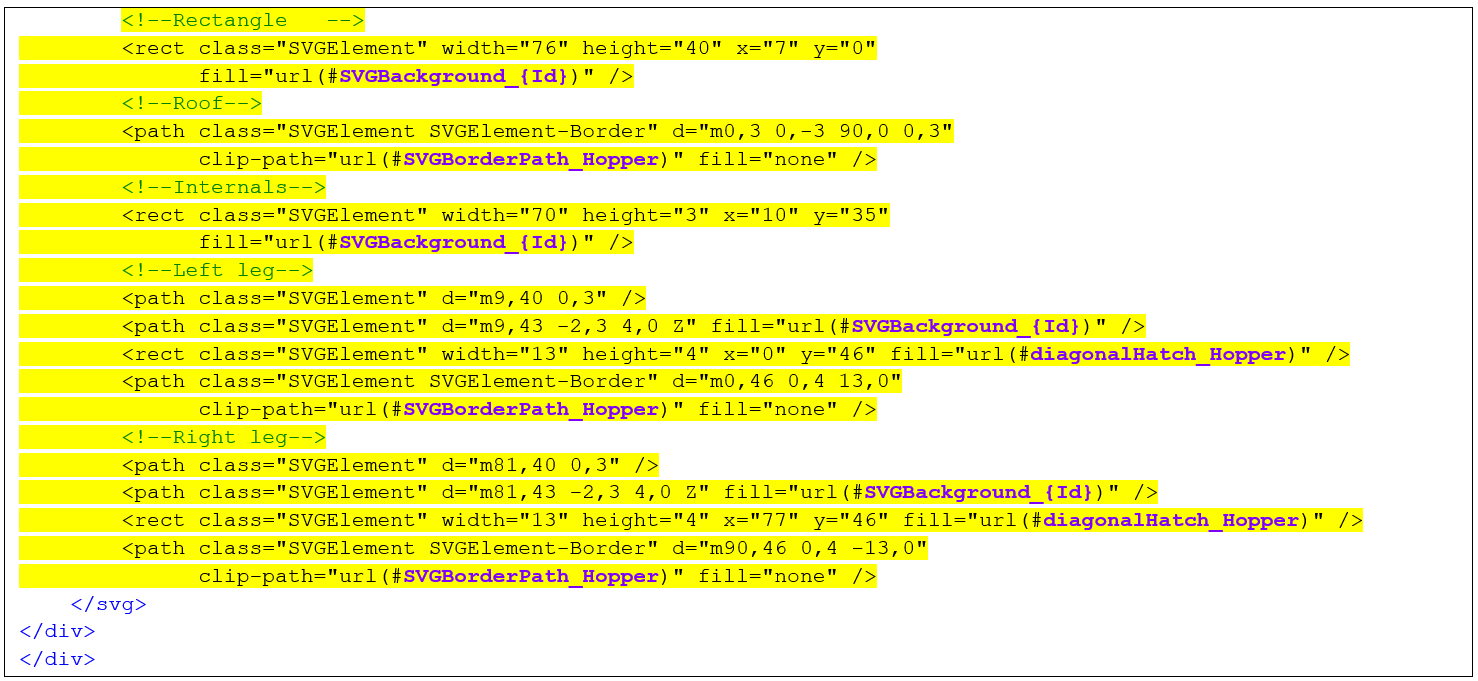
Different svg element types can be used to draw a picture. “SVGElement” should be used for all the class elements,. It provides default styles of the HMI Process Library, for example, stroke color, width, etc. The “SVGElement-Border” class can be added when the stroke width should be doubled. This is generally the case when the stroke coincides with the border of the SVG viewBox or the <clipPath> element, which is set as clip-path attribute for this element.
More information on drawing SVGs can be found here: https://developer.mozilla.org/en-US/docs/Web/SVG/Tutorials/SVG_from_scratch.