Applying the PLC attribute functionality step-by-step
- 1. Add/edit attributes in the PLC program.
- 2. Build PLC program and load it into the PLC runtime.
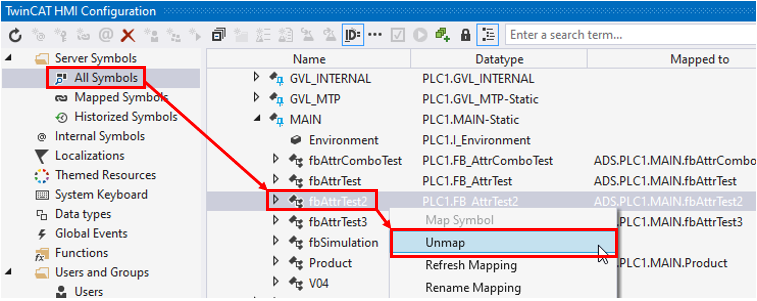
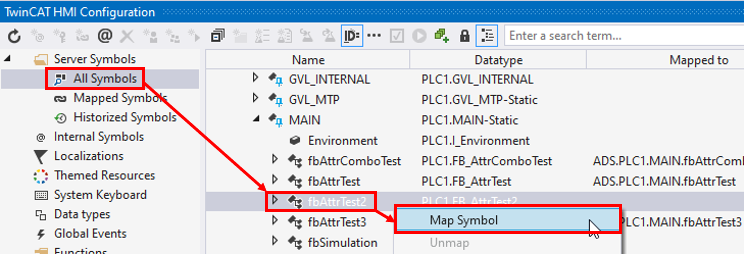
- 3. Important: If instances of the FB with added/edited attributes are already mapped to the TwinCAT HMI, execute Unmap /Map procedure for them in the TwinCAT HMI Configuration window:
- 4. Reload the HMI page in the web browser.