Events
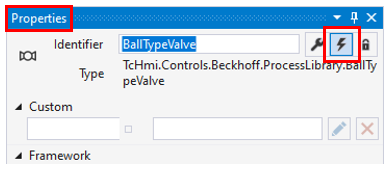
Events of the controls are available if the button Show Events of the Properties window is pushed. The ProcessObject adds some events (see table below) in a control category.
The following table shows ProcessObject events
Event | Description |
|---|---|
.onResetPressed | The onResetPressed event is fired after a click (mouse) or tap (touch) event. |
.onOpened | The onOpened event is raised after the faceplate is opened. |
.onClosed | The onClosed event is raised after the faceplate is closed. |
.onScopeOpened | The onScopeOpened event is raised after the scope is opened. |
.onScopeClosed | The onScopeClosed event is raised after the scope is closed. |
.onResetStateChanged | The onResetStateChanged event is raised when the state of the reset button has changed. |
.onResetStatePressed | The onResetStatePressed event is raised when the state of the reset button has changed to true. |
.onResetStateReleased | The onResetStateReleased event is raised when the state of the reset button has changed to false. |
.onValueChanged | The onValueChanged event is raised when the LabelValue of the control has changed. |