Category: Scope
The following table shows the Scope category properties:
Property | Description |
|---|---|
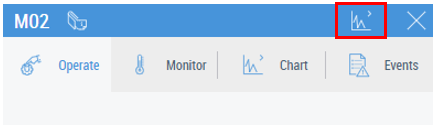
Show Scope | Enable/disable to show Scope button on the control faceplate
which opens Scope view for the chosen configuration (1 – enable; 0 – disable). Detailed information on configuring Scope is given in the Scope configuration chapter. If the Show Faceplate property is disabled, the Scope will be opened directly when clicking on the control. |
Scope Config | The definition of the Scope config with config name and config chart name. |
Server Interval | Time interval in milliseconds for data acquisition from the Scope server. |
Enable Record Controls | Toggles whether the record controls should be displayed. |
Show Trigger Window | Toggles whether the trigger window is visible or invisible. |
Chart Color Source | Toggles whether the ScopeConfig or theme colors are used. |
Trigger Window Position | Specifies where the trigger window is displayed. Top, bottom, right, or left. |
Server Domain | The domain of the scope extension in the server. Defaults to 'TcHmiScope'. |