Terminology
TwinCAT HMI symbols can be represented in different forms. Some explanations, which are given in the table below, clarify the use of the terms “Symbol”, “SymbolExpression” and “SymbolPath” within this document:
Term | Explanation |
|---|---|
Symbol | In TwinCAT HMI, a Symbol is an addressable data point exposed by the HMI server. This is generally a PLC variable exported via the TMC, but it can also be a dynamic or internal Symbol. Visually, symbols can be shown:
|
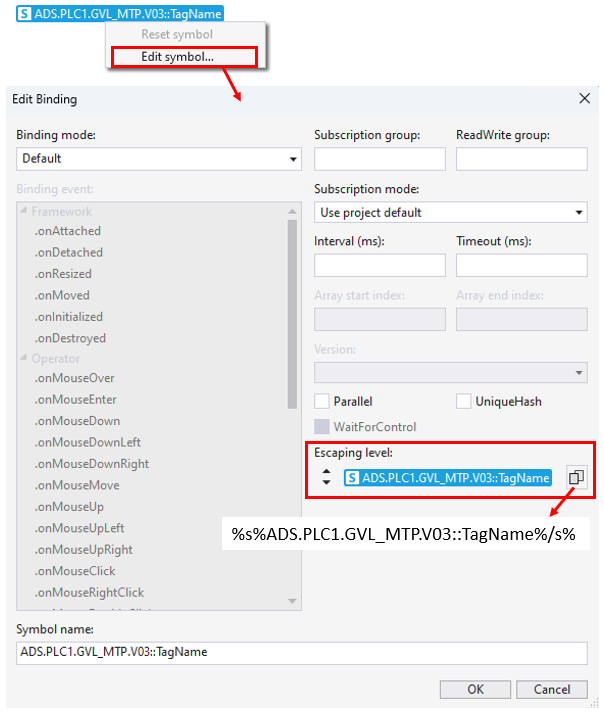
SymbolExpression | A representation of Symbol as a string wrapped in special tags (%s%, %pp%, etc., depending on the type of Symbol). For example:
The SymbolExpression is a text form of the graphical representation which can be found in the context menu of the Symbol:
In some cases, SymbolExpression must be used instead of the graphical representation. |
SymbolPath | The Symbol is represented as a path (without wrapping in special tags), for example:
Sometimes the SymbolPath must be used to address the Symbol. |