Ways of mapping PLC variables to the HMI control
There are three types of mapping variables for mapping the controls to the PLC: MTP library mapping, custom object (e.g. FB) mapping, and direct variable mapping.
- MTP library mapping is the most convenient and fastest method because a standardized (see MTP Runtime FBs) ready-to-use PLC FB instance is bound to the control via a single Data Symbol property.
- Custom FB mapping allows single mapping via the Data Symbol property to be implemented as well. It differs from the MTP library mapping in that the user binds the control to an instance of the custom-developed FB which the user has enriched with attribute pragmas. The advantage in comparison to direct variable mapping is that this enrichment only has to be done once in the PLC and not for every instance in the HMI.
- Direct variable mapping means that a control property can be linked to corresponding PLC variable. This method can be used alone or in combination with the previous two. If used in combination, separate control properties can be set or overridden by mapping to a separate PLC variable.
MTP library mapping
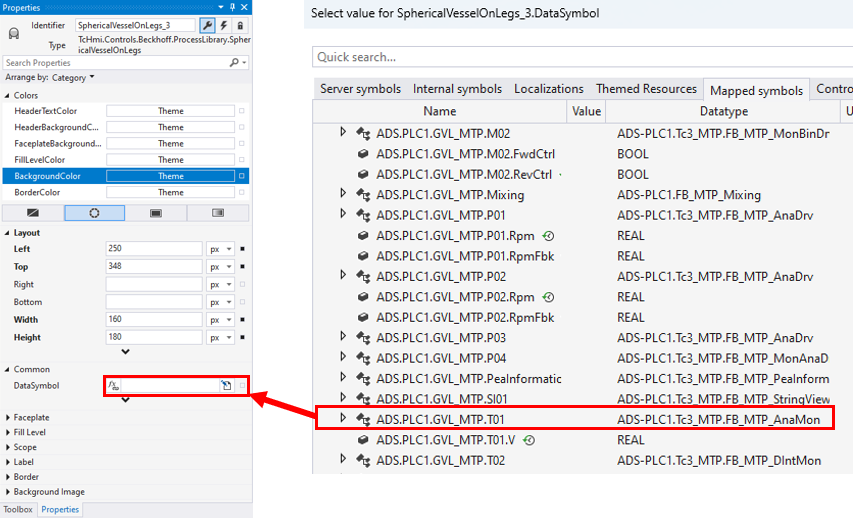
The TF8400 | TwinCAT 3 MTP Runtime library includes standardized interfaces. The following shows a sequence which displays how a particular standardized type is bound to the corresponding control.
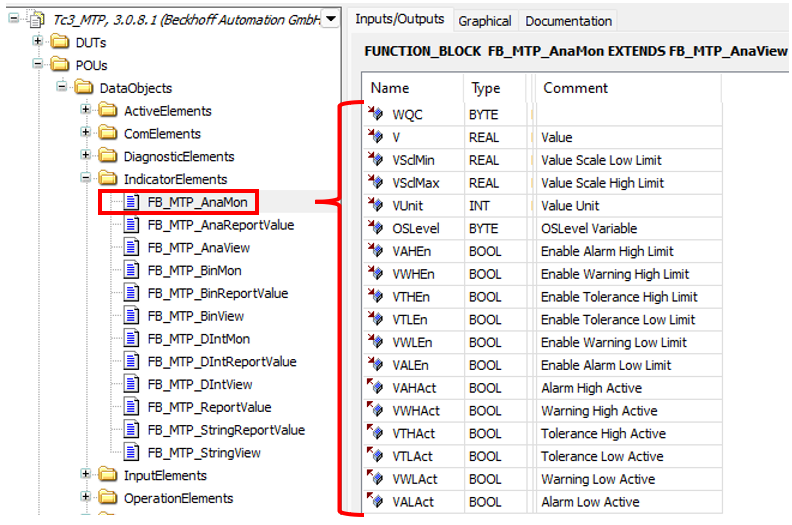
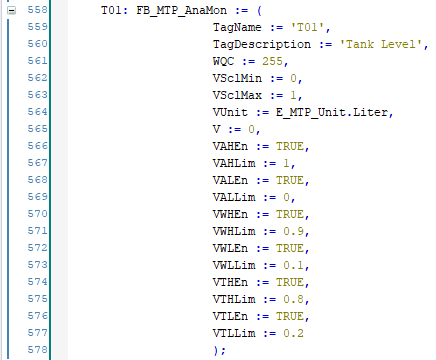
MTP library FBs are instantiated in the PLC and become available for mapping in the HMI project.
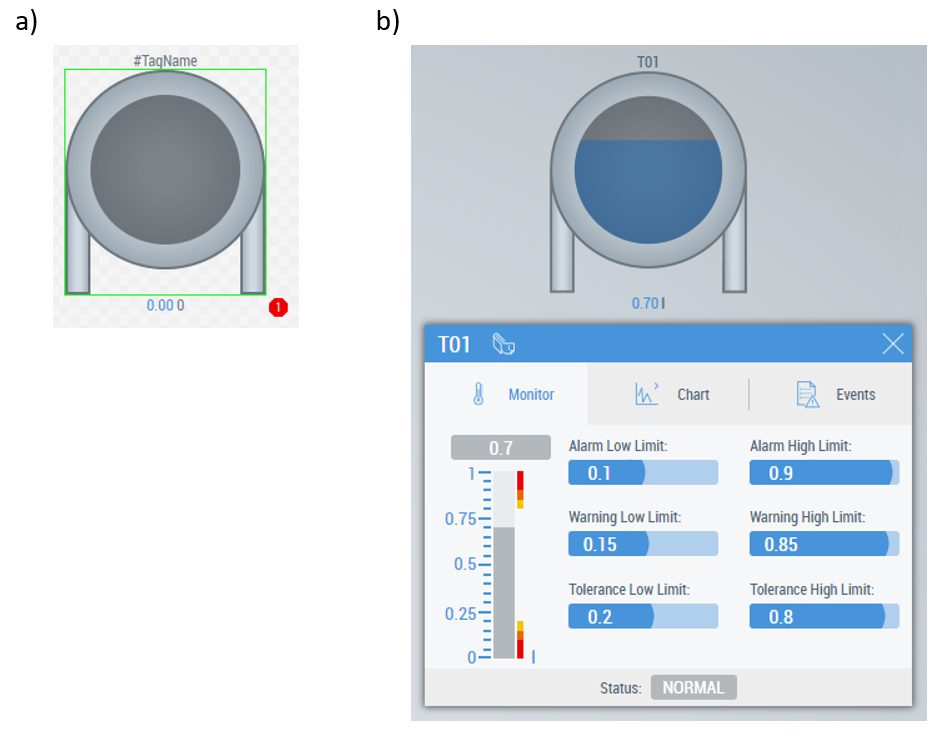
The result appears immediately after mapping:
Custom FB mapping
Using the special 'TcHmi.ProcessLibrary' pragma attribute makes a custom FB available for mapping to the control via the Data Symbol property. The pragma attributes must be used to create the FB. Then all its instances pass to the mapped control:
- configuration data (defines some properties and behavior of the control) given in the attributes
- current values from variables marked with the attributes
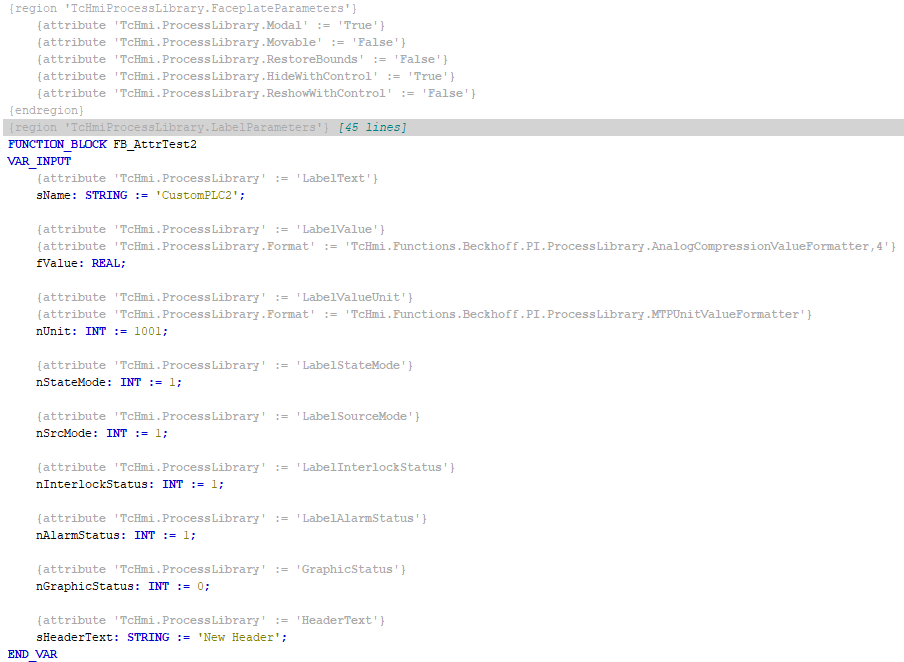
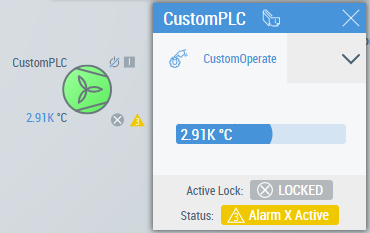
More detailed information on using PLC attributes is given in the PLC attribute functionality and Using PLC attribute functionality chapters.
PLC variable direct mapping/overwriting
This is the standard method of variable mapping in TwinCAT HMI: every property of the HMI Process Library control which is available via the Property Window can be mapped to a separate variable of a corresponding type.
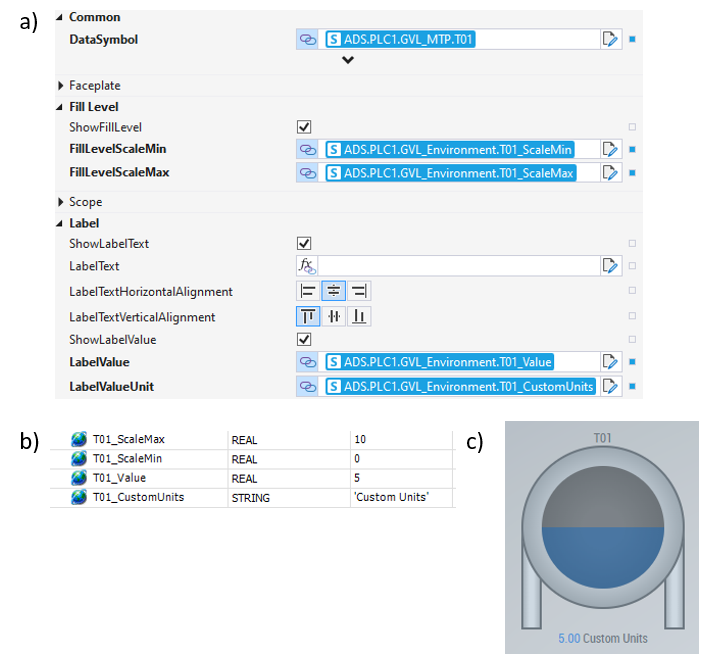
 | Separate mapping for each control instance Mapping variables to the control properties (which are needed) has to be done separately for each HMI control instance. |
Sometimes, some specific properties of the control which have already been mapped to MTP or custom FB via the Data Symbol property need to be overridden; this constitutes a complex scenario. It makes using the controls more flexible.
| Mapped data prioritization Data set via specific properties has priority over the Data Symbol property. |