Product description
TwinCAT XAE configurations can be automatically generated and edited via programming/script codes using the TwinCAT Automation Interface. The automation of a TwinCAT configuration is available thanks to Automation Interfaces, which can be accessed via all COM-capable programming languages (e.g. C++ or .NET) and also via dynamic script languages such as Windows PowerShell, IronPython or even the (obsolete) VBScript. These Automation Interfaces are linked to the Visual Studio automation model, a Visual Studio extended with TwinCAT 3 functions.
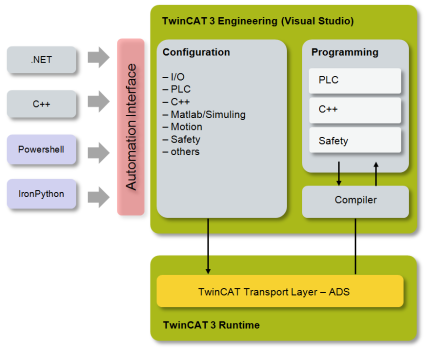
The TwinCAT Automation Interface enables an efficient development process by offering customers the possibility to automate the configuration of a comprehensive TwinCAT solution.
Previously, in the traditional engineering mindset, a machine configuration had to be manually adapted to each new project or even created from scratch, which not only meant a huge development effort associated with high costs, but was also accompanied by a considerable susceptibility to errors caused by human intervention.
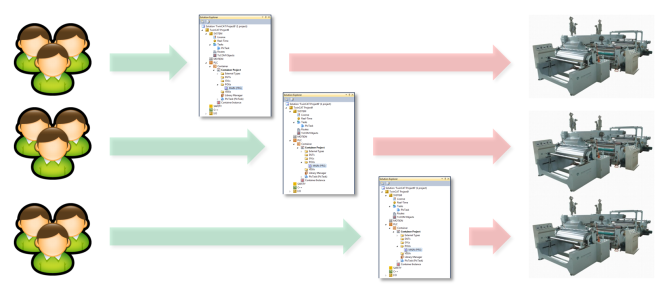
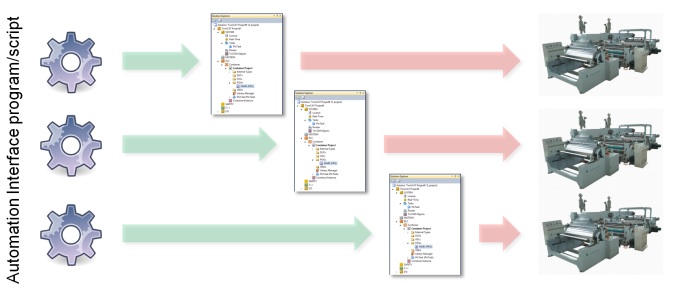
Thanks to the TwinCAT Automation Interface, the process of adapting TwinCAT configurations to a new environment or even creating completely new TwinCAT configurations according to customer requirements can be automated.
The reader should now turn to the following topics:
Basics
|
Topic |
Description |
|---|---|
|
Describes how to create or open a TwinCAT configuration | |
|
Describes how to navigate through a TwinCAT configuration | |
|
Describes how to access custom parameters of an item. This is important to access configuration parameters of a TwinCAT tree item. | |
|
Describes how to implement an own COM message filter to circumvent rejected COM calls |
Best practice
|
Topic |
Description |
|---|---|
|
Creating and handling PLC projects |
Describes how to handle PLC projects |
|
Creating and handling PLC POUs |
Describes how to handle PLC objects/code |
|
Creating and handling PLC Libraries |
Describes how to handle PLC libraries, repositories and placeholder |
|
Creating and handling MOTION projects |
Describes how to create TwinCAT Motion projects (NC-Task, Axes, ...) |
|
Creating and handling EtherCAT devices |
Describes how to create EtherCAT devices and connect them to an EtherCAT topology |
|
Describes how to handle TwinCAT Measurement projects. | |
|
Describes how to handle TcCOM modules. | |
|
Using templates |
Describes the process of template generation and template usage. |
|
Describes how to create network variables (publisher/subscriber variables) | |
|
Describes how to create Tasks and link them with other objects (PLC-Projects, ...) | |
|
Some IO devices need physical address information before the configuration can be activated. This article explains how to retrieve and set this information. | |
|
Accessing the Error List window of Visual Studio |
The Error List can be very helpful for debugging and diagnostic purposes |
|
Describes how to get access to Visual Studio windows. | |
|
Describes how different Versions of Visual Studio can be used for Automation Interface | |
|
Attaching to running Visual Studio instances |
Demonstrates how you can attach to existing (already running) Visual Studio instances to use Automation Interface |
|
Describes how to set the TwinCAT target platform for compilation. |
Additionally, this documentation also includes a full API reference of all interfaces. The How to and Sample sections offer a free composition of script code fragments, configuration steps and demo projects. They also contain an unsorted and growing list of "real-world" samples.