Configuring an EL6695 EtherCAT bridge
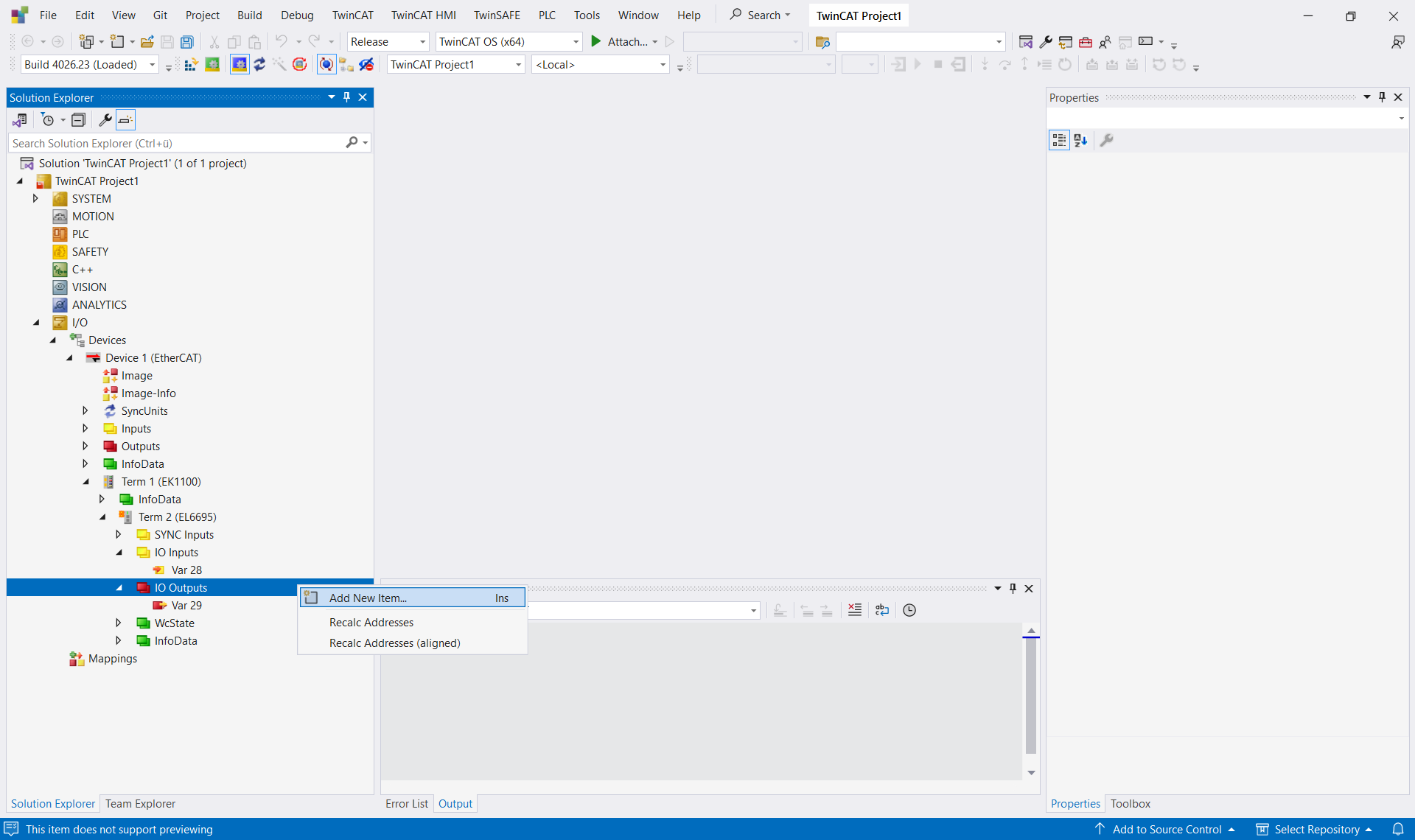
The EL6695 is an EtherCAT bridge terminal for communication between two EtherCAT masters. It enables bidirectional data exchange between two independent EtherCAT segments. After the IO variables have been created, the configuration is completed using the cmdCreateConfiguration command via ConsumeXml.
Requirements
- An EL6695 terminal is included in the EtherCAT configuration.
- The TwinCAT solution is in Config mode.
// nodePathList: list of all TreeItem paths — e.g. built via ProduceXml on TIID
foreach (string pathName in nodePathList)
{
    if (pathName.Contains("EL6695"))
    {
        ITcSmTreeItem termEL6695 = sysManager.LookupTreeItem(pathName);
        ITcSmTreeItem ioInputs   = sysManager.LookupTreeItem(pathName + @"^IO Inputs");
        ITcSmTreeItem ioOutputs  = sysManager.LookupTreeItem(pathName + @"^IO Outputs");

        // Create IO variables — order: 3, 2, 1 (param=0 inserts at the front)
        ioInputs.CreateChild("InputVar3",  0, null, "BYTE");
        ioInputs.CreateChild("InputVar2",  0, null, "BYTE");
        ioInputs.CreateChild("InputVar1",  0, null, "BYTE");
        ioOutputs.CreateChild("OutputVar2", 0, null, "BYTE");
        ioOutputs.CreateChild("OutputVar1", 0, null, "BYTE");

        // Create configuration (SelectItem + cmdCreateConfiguration)
        termEL6695.ConsumeXml("<SelectItem/>");
        termEL6695.ConsumeXml(
            @"<TreeItem><Xml><AutomationInterface>
                <cmdCreateConfiguration/>
            </AutomationInterface></Xml></TreeItem>");

        // Read back current configuration and reapply
        string strXml = termEL6695.ProduceXml();
        termEL6695.ConsumeXml(strXml);
    }
}
The process follows a set sequence:
- creating variables,
- calling SelectItem,
- executing cmdCreateConfiguration,
- ProduceXml/ConsumeXml to finalize.
The <SelectItem></SelectItem> corresponds to manually selecting the terminal in the TwinCAT interface and is necessary for the cmdCreateConfiguration command to take effect. cmdCreateConfiguration is processed by a command in the fieldbus extension that (re)generates the bridge configuration.
 | The SubType parameter in CreateChild controls where the variable is inserted (0 = at the beginning; 1 = at the end). |