Creating a new C++ project
TwinCAT C++ projects serve as containers for TwinCAT modules. These are executed as standalone software components in the TwinCAT real-time system. In the TwinCAT project tree, C++ projects appear under the TIXC node, which can be accessed via LookupTreeItem("TIXC"). A new project is created on this node by calling CreateChild(). The wizard name in the fourth parameter, vInfo, determines the project type. Without this parameter, it is not possible to create a meaningful project.
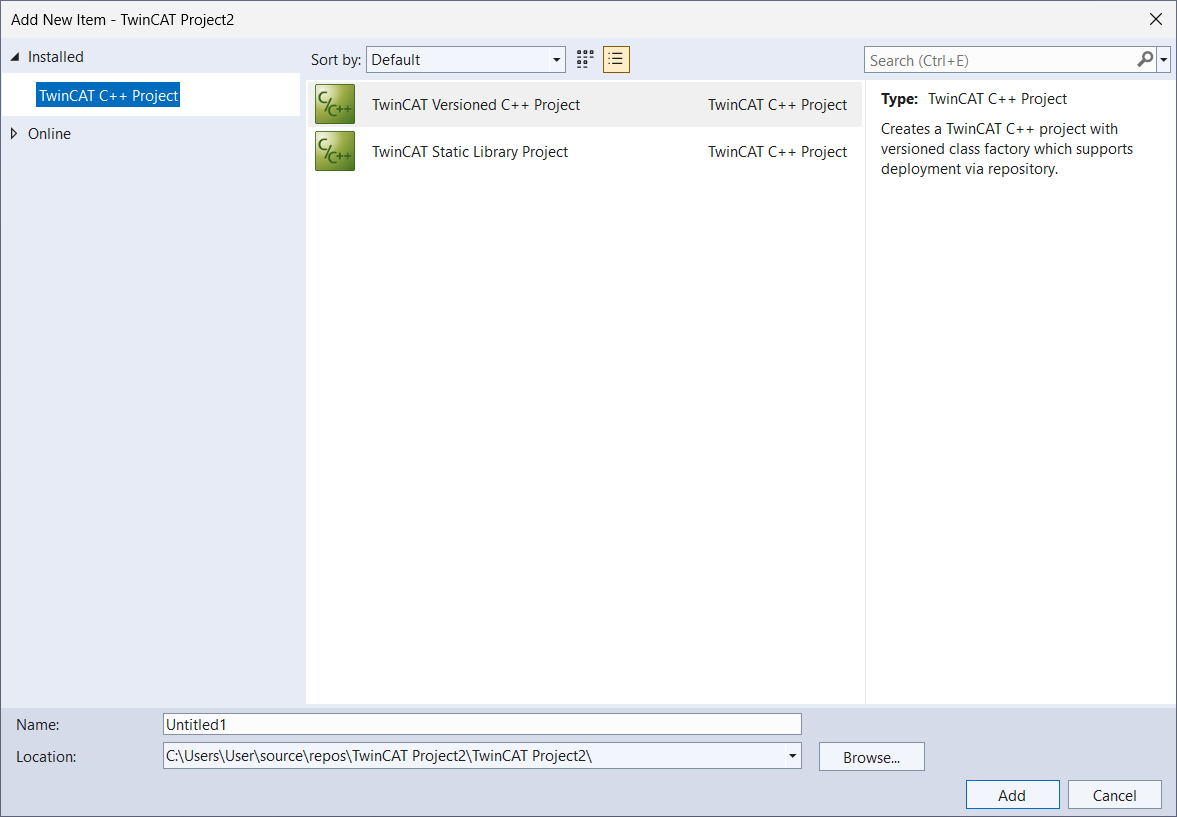
Project types
The TwinCAT Automation Interface supports two types of C++ projects that differ fundamentally in their purpose and deployment. For TwinCAT modules that are to be deployed and operated as real-time components on a target system, a TwinCAT versioned C++ project is created using TcVersionedDriverWizard. For static libraries that are not deployed independently as runtime components, a TwinCAT Static Library Project is created using TcStaticLibraryWizard.
C# sample
ITcSmTreeItem cpp = systemManager.LookupTreeItem("TIXC");

// Creating a TwinCAT versioned C++ project
ITcSmTreeItem versionedProj = cpp.CreateChild("NewVersionedCppProject", 0, "", "TcVersionedDriverWizard");

// Creating a TwinCAT static library project
ITcSmTreeItem libProj = cpp.CreateChild("NewLibraryCppProject", 0, "", "TcStaticLibraryWizard");
PowerShell sample
$cpp = $systemManager.LookupTreeItem("TIXC")

# Creating a TwinCAT versioned C++ project
$versProj = $cpp.CreateChild("NewVersionedCpp", 0, "", "TcVersionedDriverWizard")

# Creating a TwinCAT static library project
$libProj = $cpp.CreateChild("NewLibraryCpp", 0, "", "TcStaticLibraryWizard")