Execution of a test run
Step 1: Preparation
- 1. Activate the configuration.

- 2. Click on the axis and select the "Online" tab.
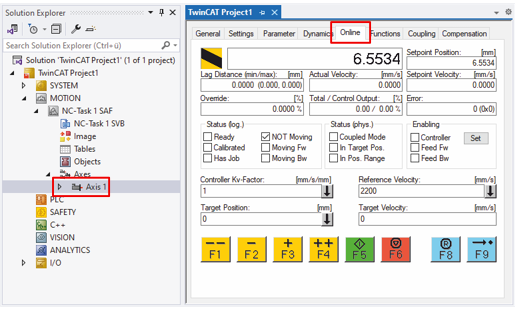
- 3. Move the motor shaft by hand to check the configuration of the encoder.
Does a relative movement of 360° actually correspond to a full rotation of the motor shaft? - If not: check the scaling factor. See chapter Encoder.
Step 2: Performing a test run
| |
The motor may behave differently than expected Injuries and damage to property are possible.
|

- 1. Enable the axis: click on "Set" and click on "All" in the window that appears.
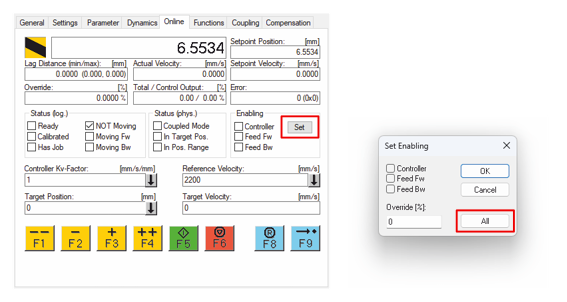
- If the enable fails: check whether one of the digital inputs is configured as "Hardware enable" (8012:32, 8012:36) and whether this input is set accordingly.
- 2. Try out different movement commands.
- 3. Check that the motor is stable and reliably follows the specifications.