Linking with an NC axis
 | This step can usually be skipped If you have carried out the commissioning in accordance with this documentation, an NC axis has already been linked to EP7041-4032. See chapter Integrating into a TwinCAT project. |
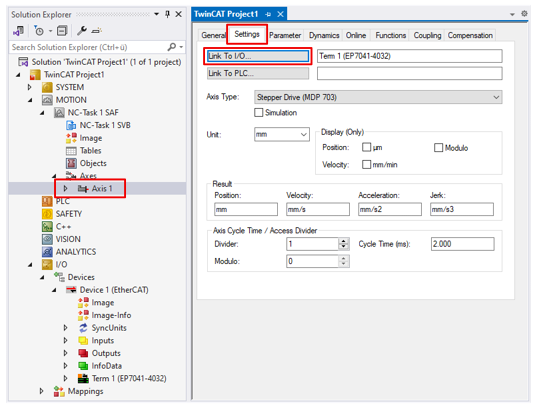
- 1. Create an axis in the Solution Explorer under "MOTION" if the axis to be linked does not yet exist there.
- 2. Click on the "Axis n" axis and select the "Settings" tab.
- 3. Click the "Link to I/O" button.
- A dialog box opens.
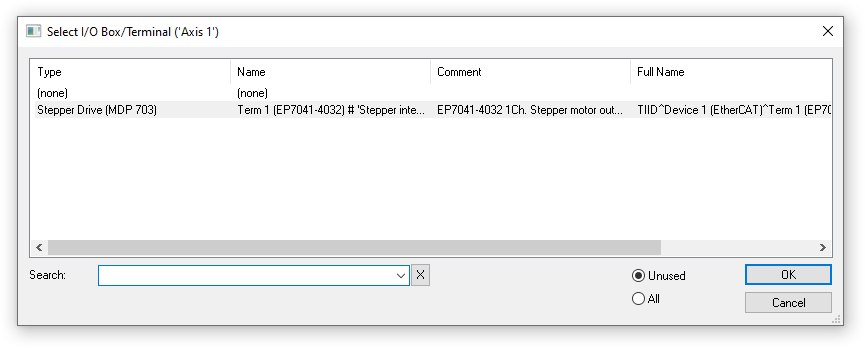
- 4. Select the EP7041-4032 and click on "OK".
If the EP7041-4032 is not available for choice here, check whether the EP7041-4032 is available as an EtherCAT device in the "I/O" section.
- The process data of EP7041-4032 are linked to the axis.