Selecting the controlled variable
You can choose between velocity control and position control.
- 1. Ensure that the value 0 "Automatic" is set in parameter 8012:01 "Operation Mode" (factory setting).
- 2. Open the tab "Process Data".
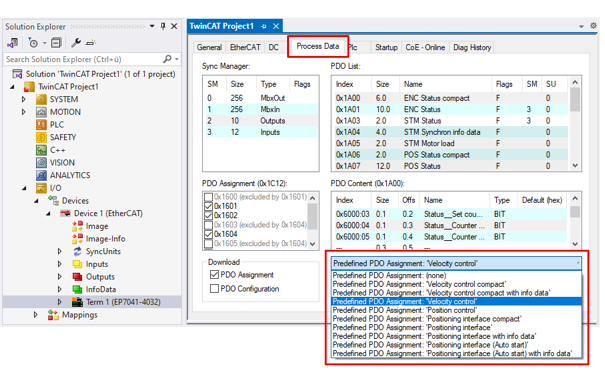
- 3. For velocity control: select the Predefined PDO Assignment "Velocity control".
For position control: select the Predefined PDO Assignment "Position control". - The process data for the selected controlled variable is activated.
- A dialog box appears:
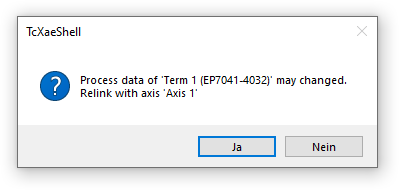
- 4. Confirm with "Yes".