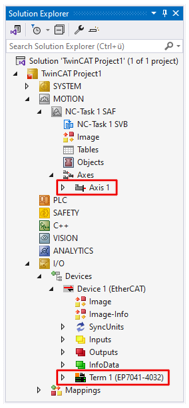
Integrating into a TwinCAT project
- 1. Integrate the EP7041-4032 in the Solution Explorer under "I/O". Either by scanning or manually.
- A dialog box appears:
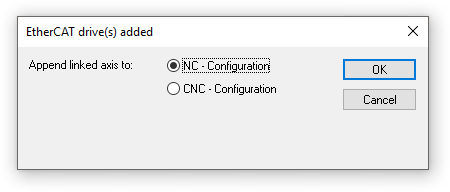
- 2. If you want to use the TwinCAT NC, select "NC - Configuration" and click on "OK".
Otherwise, click on "Cancel".
- The EP7041-4032 is integrated into the I/O configuration and, if necessary, into the NC configuration of your TwinCAT project.