Axis enable
The axis only executes motion commands when it is enabled. Enable the axis as follows:
- 1. Check whether the icons “Online”, “AxisReady” and “Op” are in the title bar of the Drive Manager 2 and whether they are highlighted in green
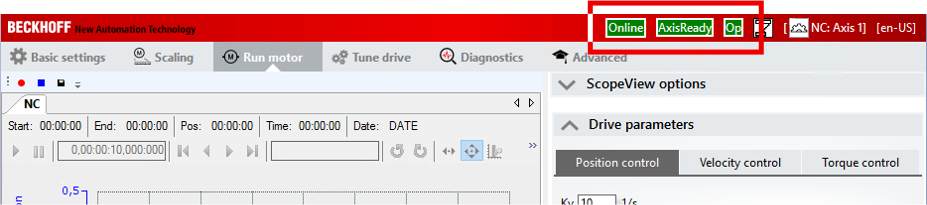
- If so: Drive Manager 2 is ready.
- 2. On the right side under "NC" activate the checkbox "Enable controller"
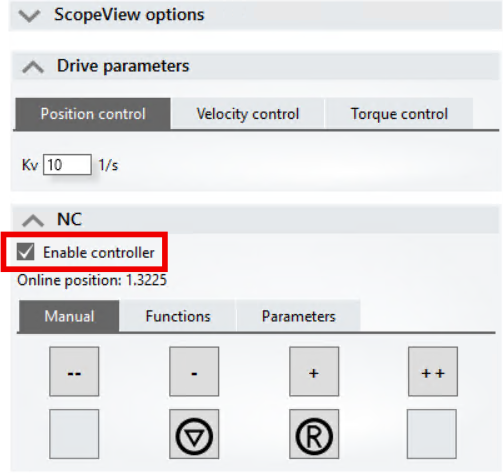
- The axis is enabled.
- If field-oriented control is activated, the axis for finding the commutation moves back and forth a few degrees.
- The LED 2' "Enable A" on the terminal housing lights up green.