Integrating a DeviceNet® device with EDS file
If an EDS file is available for the DeviceNet® to be integrated, it must be copied into the ..TwinCAT/IO/DeviceNet® directory.
Subsequently the device appears under the "Append Box" selection (see fig. Adding a DeviceNet® device (I/O Devices -> Device n (EL6752) -> right-click -> Append Box ...) with the manufacturer ID:
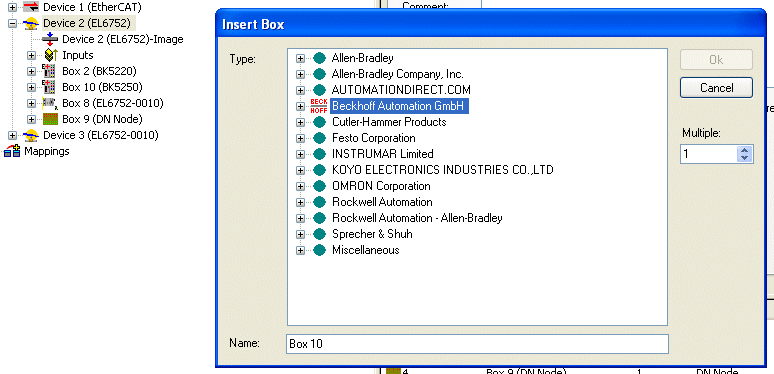 Fig.50: Adding a box with the manufacturer ID
Alternatively a DeviceNet® device with EDS file can be integrated via the "Miscellaneous" option:
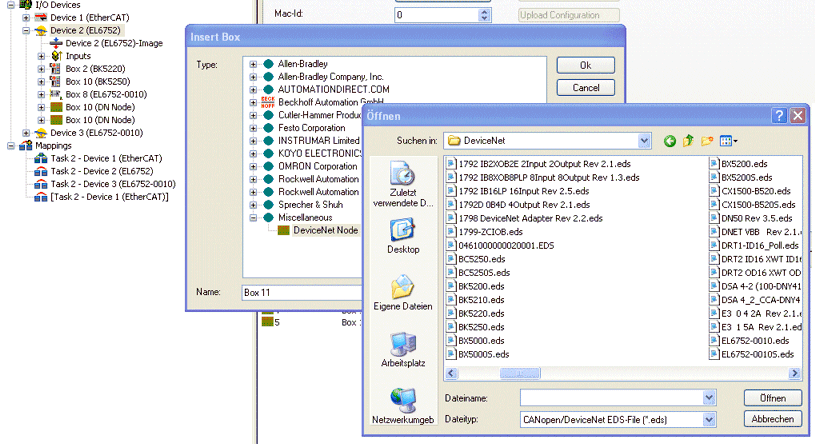 Fig.51: Adding a box without EDS file
Depending on the information contained in the EDS file a DeviceNet® node will appear with or without Parameters tab.
The IO mode and the corresponding data lengths are specified in the EDS file.