EL6752 - LED description
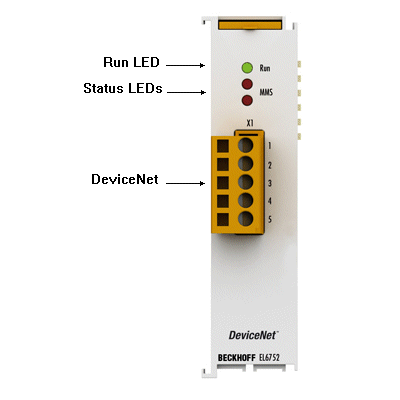 Fig.4: LEDs
LED behaviour
The LEDs facilitate diagnosing of the main terminal states:
EL6752-0000 (DeviceNet® master terminal)
LED | Colours | Meaning | |
|---|---|---|---|
RUN | green | This LED indicates the terminal's operating state: | |
off | State of the EtherCAT State Machine: | ||
flashing | State of the EtherCAT State Machine: | ||
Single flash | State of the EtherCAT State Machine: | ||
on | State of the EtherCAT State Machine: | ||
MNS green | green | off | Master is offline |
flashing | Master is online and is performing the Duplicate MAC-ID check | ||
on | Master is online and is communicating with the configured slaves | ||
MNS red | red | flashing | Communication error of the master with one of the configured slaves |
on | DeviceNet Bus OFF, DeviceNet voltage error, Master failed Duplicate MAC-ID check | ||
EL6752-0010 (DeviceNet® slave terminal)
LED | Color | Meaning | |
|---|---|---|---|
RUN | green | This LED indicates the terminal's operating state: | |
off | State of the EtherCAT State Machine: | ||
flashing | State of the EtherCAT State Machine: | ||
Single flash | State of the EtherCAT State Machine: | ||
on | State of the EtherCAT State Machine: | ||
MNS green | green | off | Slave is offline |
flashing | Slave port has ended the Duplicate MAC-ID check (Network OK), communication error with the master. | ||
on | Slave port is online and is communicating with the master. | ||
MNS red | red | flashing | Communication error of the slave port with the master, timeout of the slave port |
on | DeviceNet Bus OFF, DeviceNet voltage error, slave port error, error in Duplicate MAC-ID check | ||