ELx663x Settings
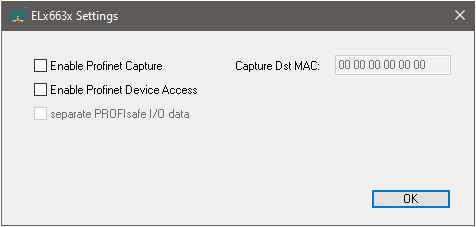 Fig.24: ELx663x Settings dialog
Enable PROFINET Capture
All PROFINET frames are forwarded to the EtherCAT master via EoE. The DstMac can be used to change the target MAC address of all PROFINET frames to EtherCAT. If this remains unchanged at NULL, the frames are sent to the EtherCAT master in their original format. This can then be used to start an Ethernet capture (e.g. via Wireshark).
Note: As this feature places a considerable load on the E-bus, it should only be enabled for short-term troubleshooting.
Enable PROFINET Device Access
Access to the PROFINET devices is enabled here, i.e. all EoE frames that are not directed to the terminal itself are forwarded to the individual APL ports. This also enables access to web servers of the connected PROFINET devices, for example. This feature is disabled by default, i.e. the integrated firewall blocks access to the individual PROFINET devices.