Event directory of the IO-Link device (event log)
The events of the IO-Link device are displayed in the “Portn::Event History” tab.
- 1. Click on the IO-Link master in the TwinCAT tree structure and click on the “IO‑Link” tab.
- 2. Select the port to which the IO-Link device is connected and click on the “Event log” button to open the “Portn::Event History“” tab.
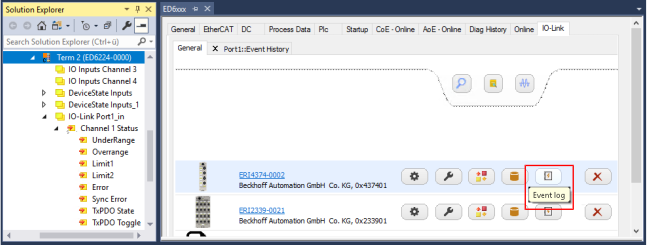 Fig.52: Open the event directory for the IO-Link device on port 1
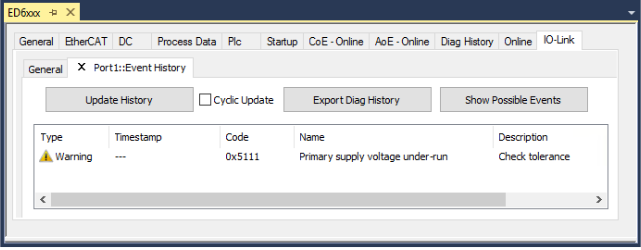 Fig.53: Display of possible events “Show Possible Events” of the IO-Link device on port 1
- “Update History”:
Update of the event history for the IO-Link device - “Cyclic Update”:
When the checkbox is activated, the event history of the IO-Link device is updated cyclically - “Export Diag History”:
Export of the event history - “Show possible Events”:
Shows the possible events of the IO-Link device