Process data of the IO-Link device
The process data is displayed in the “Portn::ProcessDataPage” tab.
- 1. Click on the IO-Link master in the TwinCAT tree structure and click on the “IO‑Link” tab.
- 2. Select the port to which the IO-Link device is connected and click on the “Process Data” button to open the “Portn::Parameter“” tab.
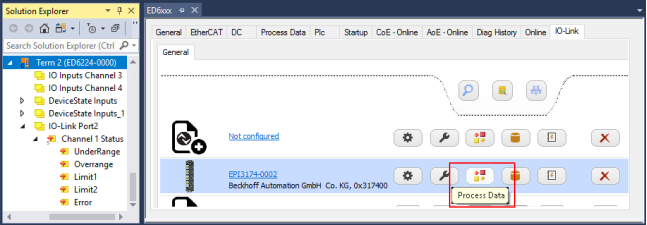 Fig.50: Display process data for the IO-Link device on port 2
The “Portn::ProcessDataPage” tab shows the bit meaning, position, and length, as well as the value of the process data of the IO-Link device in the online display. The different colors can be used to quickly identify the location and length of the individual process data.
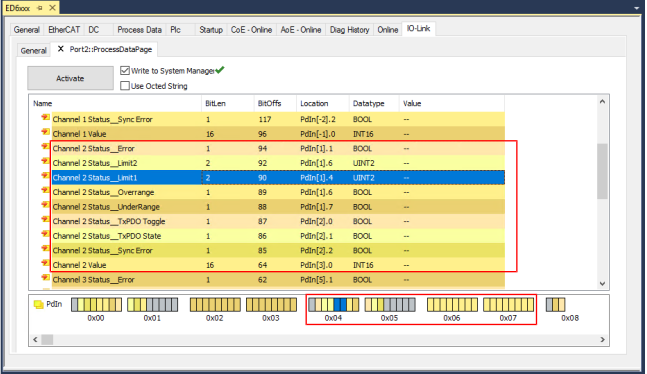 Fig.51: Display of the process data of the IO-Link device on port 2
Hues |
|
|
|
|
Meaning | Unassigned bits | Marked process data | Input process data | Output process data |


