Diagnostic LEDs
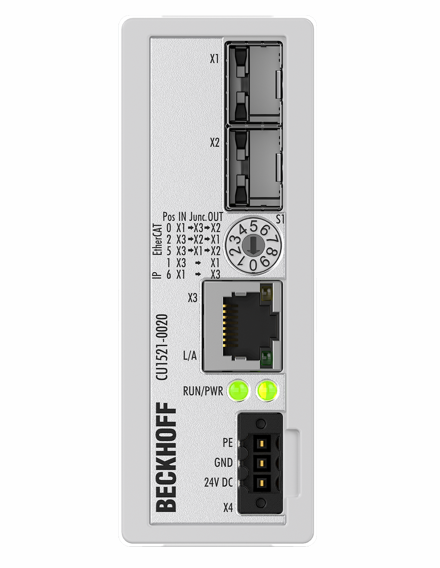
LEDs for fieldbus diagnostics/power supply
LED | Color | Display | State | Description |
|---|---|---|---|---|
L/A (X3) | green | off | - | no connection on the EtherCAT strand |
on | linked | EtherCAT device connected | ||
flashing | active | Communication with EtherCAT device | ||
Power | green | off | No supply voltage | |
on | 24 V supply voltage present | |||
LED diagnostics EtherCAT State Machine
LED | Color | Meaning | |
|---|---|---|---|
RUN | green | This LED indicates the terminal's operating state: | |
off | State of the EtherCAT State Machine: INIT = initialization of the terminal | ||
Single flash | State of the EtherCAT State Machine: PREOP = function for mailbox communication and different default settings set | ||
flashing | State of the EtherCAT State Machine: SAFEOP = verification of the Sync Manager channels and the distributed clocks. | ||
on | State of the EtherCAT State Machine: OP = normal operating state; mailbox and process data communication is possible | ||
flickering | State of the EtherCAT State Machine: BOOTSTRAP = function for Firmware updates of the terminal | ||
orange | on | CU15x1 is in EtherCAT operation, rotary switch was changed during operation | |
red | on | CU15x1 is not OP in EtherCAT operation or in Ethernet operation, rotary switch was changed during operation | |
red/green | flashing | invalid rotary switch position after PowerOn Remedy: Move rotary switch to a approved position | |