TwinCAT System Manager connection
During commissioning you must connect the push-button extension in the TwinCAT System Manager. Follow the steps below:
- 1. Click at the top in the menu on File > New > Project and create a new TwinCAT XAE Project.
- 2. Click I/O on the left in the tree view, and then right-click Devices.
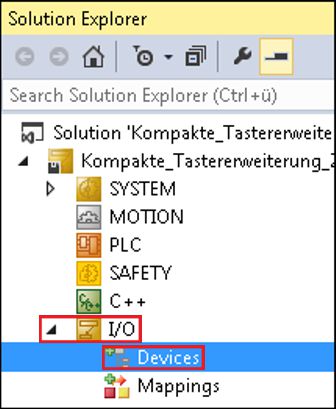 Fig.30: XAE Project
- 3. In the context menu click Scan.
- 4. Select the devices you want to use and confirm the selection with OK.
- 5. Confirm the request with Yes, in order to scan for boxes.
- 6. Confirm the request whether to enable FreeRun with Yes.
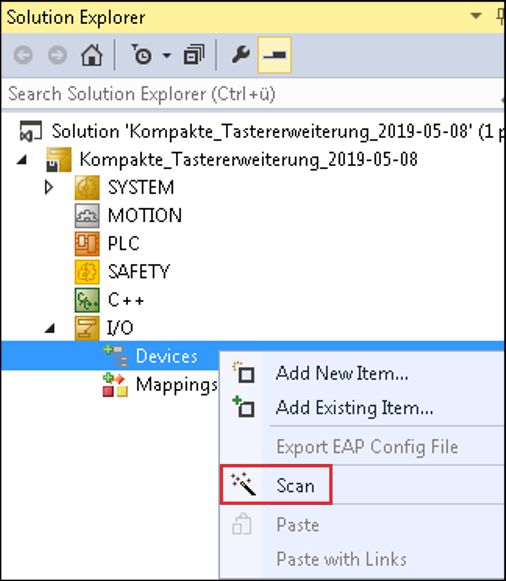 Fig.31: Scan device
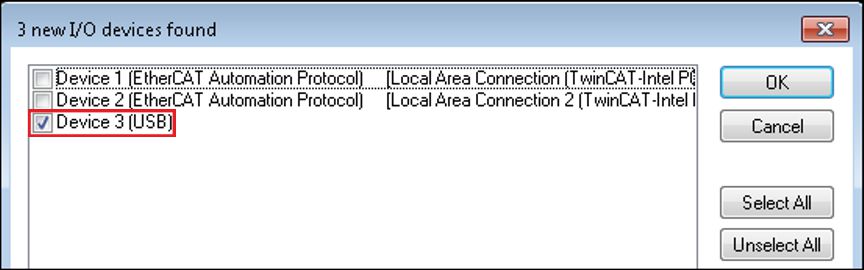 Fig.32: Select device
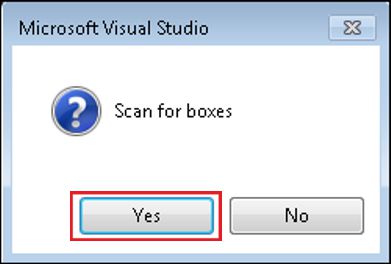 Fig.33: Scan for box modules
- The device is inserted as a box in the tree view.