Control cabinet installation
Notice | |
Extreme environmental conditions Extreme environmental conditions can cause damage to the device.
|
Notice | |
Incorrect installation Incorrect installation in a control cabinet prevents air circulation in the device and causes impaired functioning.
|
The device is designed for installation inside a control cabinet in machine and system engineering. The environmental conditions specified for operation must be observed.
You can use the mounting concept on the back side of the industrial PC to mount the device in the control cabinet. Only install the device in the control cabinet with the interfaces facing upwards.
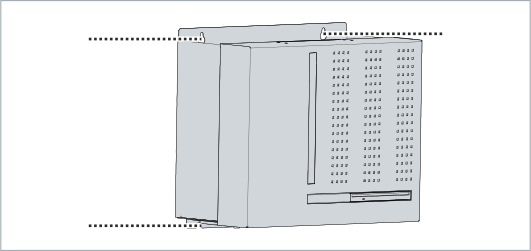 Fig.15: Mounting concept
The dimensions of the industrial PC are used to prepare the control cabinet and to mount the device correctly in the control cabinet.
All dimensions are in mm.
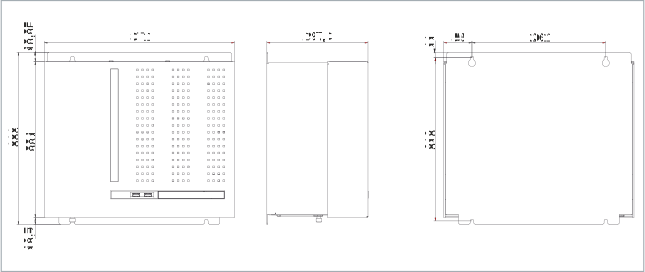 Fig.16: Dimensions
Installation in the control cabinet
When installing in the control cabinet, note that there must be 5 cm of free space above and below the device for ventilation.
To mount the industrial PC in the control cabinet, you must make sure that there are holes for the fastening screws in the control cabinet that fit the device dimensions of the PC (see above). You need M4 screws for mounting.
After you have drilled the holes for the fastening screws in the control cabinet, you can mount the industrial PC in the control cabinet.
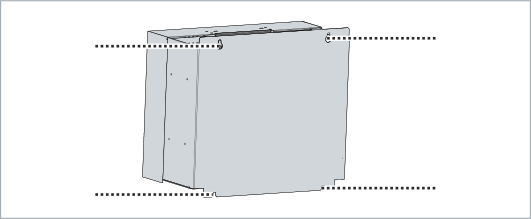 Fig.17: Control cabinet installation
To install the industrial PC in the control cabinet, follow the steps below:
- 1. Insert the fastening screws into the drill holes in the control cabinet.
- 2. Hang the PC on the screws at the points marked of the mounting concept.
- 3. Tighten the fastening screws.
- You have successfully installed the industrial PC in the control cabinet.