Mounting options
Only install the device in the control cabinet in the described orientations.
The two mounting plates available allow various mounting options in the control cabinet. With the standard mounting plate 1, you can mount the industrial PC in the control cabinet exclusively via the rear panel. You can align the device vertically or horizontally.
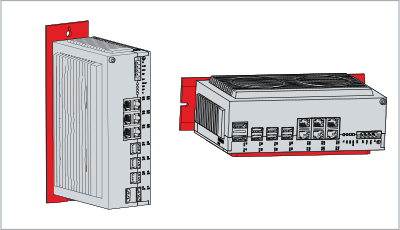 Fig.9: Mounting options for mounting plate 1
With the optional mounting plate 2, you can mount the industrial PC only via the right-hand side panel. Before screwing on the plate, you can align the PC as follows:
- Connections point to the right (A)
- Connections point to the left (B)
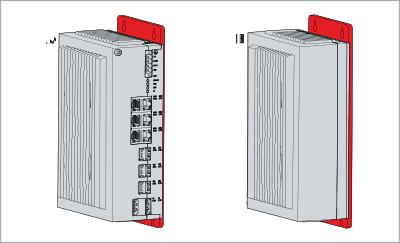 Fig.10: Mounting options for mounting plate 2