Installation in the control cabinet
When installing in the control cabinet, note that there must be 5 cm of free space around the device for air circulation.
Mounting via mounting plates
In order to mount the industrial PC with or in the control cabinet, it must be furnished with the holes for the fastening screws according to the dimensions of the PC (see Chapter 4.2.2 Dimensions). You need M4 screws for mounting.
After you have drilled the holes for the fastening screws in the control cabinet, you can mount the industrial PC in the control cabinet. Follow the steps below:
- 1. Insert the fastening screws into the drill holes in the control cabinet.
- 2. Hang the PC on the screws at the marked points of the mounting plate.
- 3. Tighten the fastening screws.
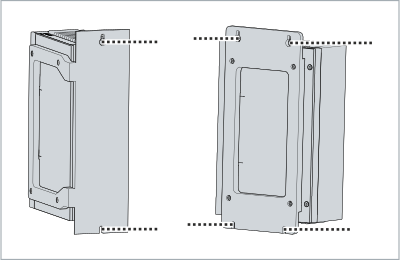 Fig.13: Mounting plates for control cabinet installation
- You have successfully installed the industrial PC in the control cabinet.