Mounting options
Only install the device in the control cabinet in the described orientations.
Before attaching one of the specified mounting plates (see chapter 4.2 Control cabinet installation) to the device, you have various options for aligning the device according to the desired cable entry. This results in various options for mounting the device in the control cabinet.
The following drawings show the possible mounting options.
With the Standard mounting plate 1, you can mount the industrial PC in the control cabinet using the narrow sides. You have the following mounting options:
- Mounting via the rear panel of the device (A)
- Mounting via the top of the device (B)
- Mounting via the bottom of the device (C)
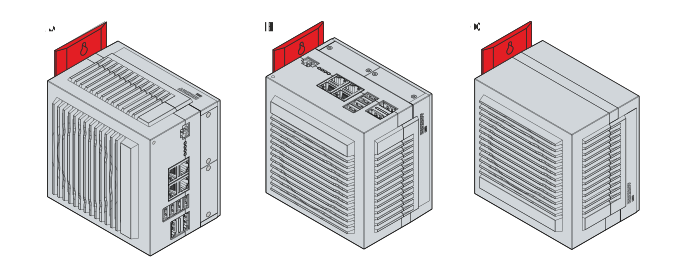 Fig.19: Mounting options Standard mounting plate 1
With the optional mounting plate 2, you can mount the industrial PC only via the right-hand side panel. You can rotate the PC as required to align the connections in the control cabinet. You have the following mounting options:
- Connections point upwards (A)
- Connections point downwards (B)
- Connections point to the right (C)
- Connections point to the left (D)
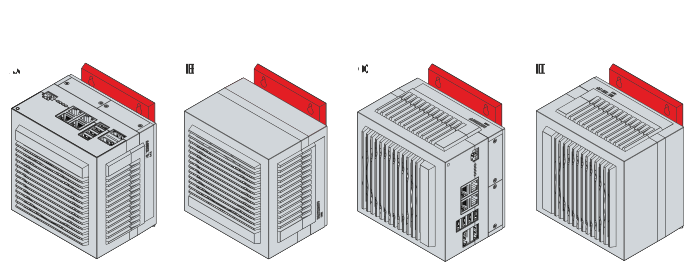 Fig.20: Mounting options optional mounting plate 2